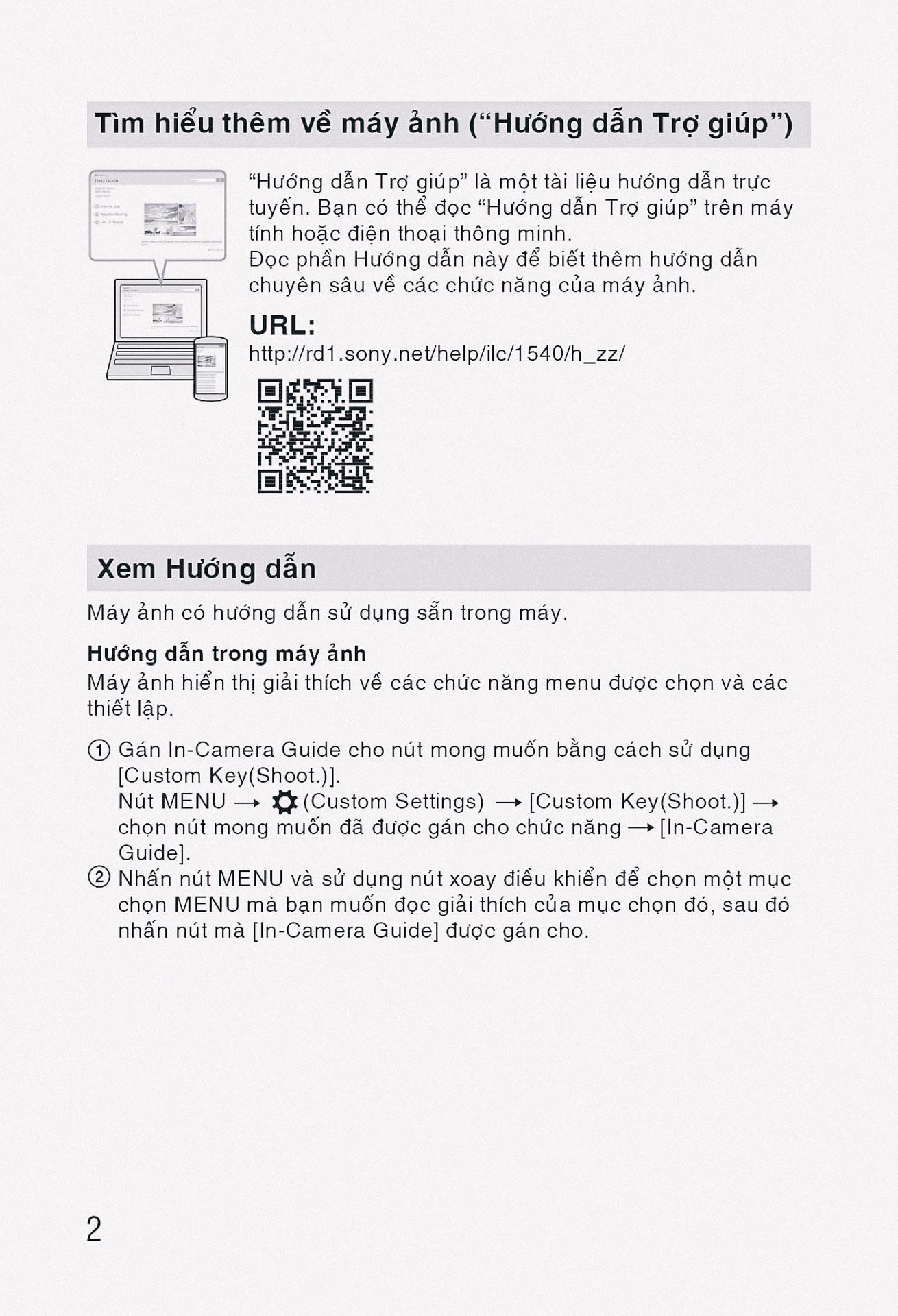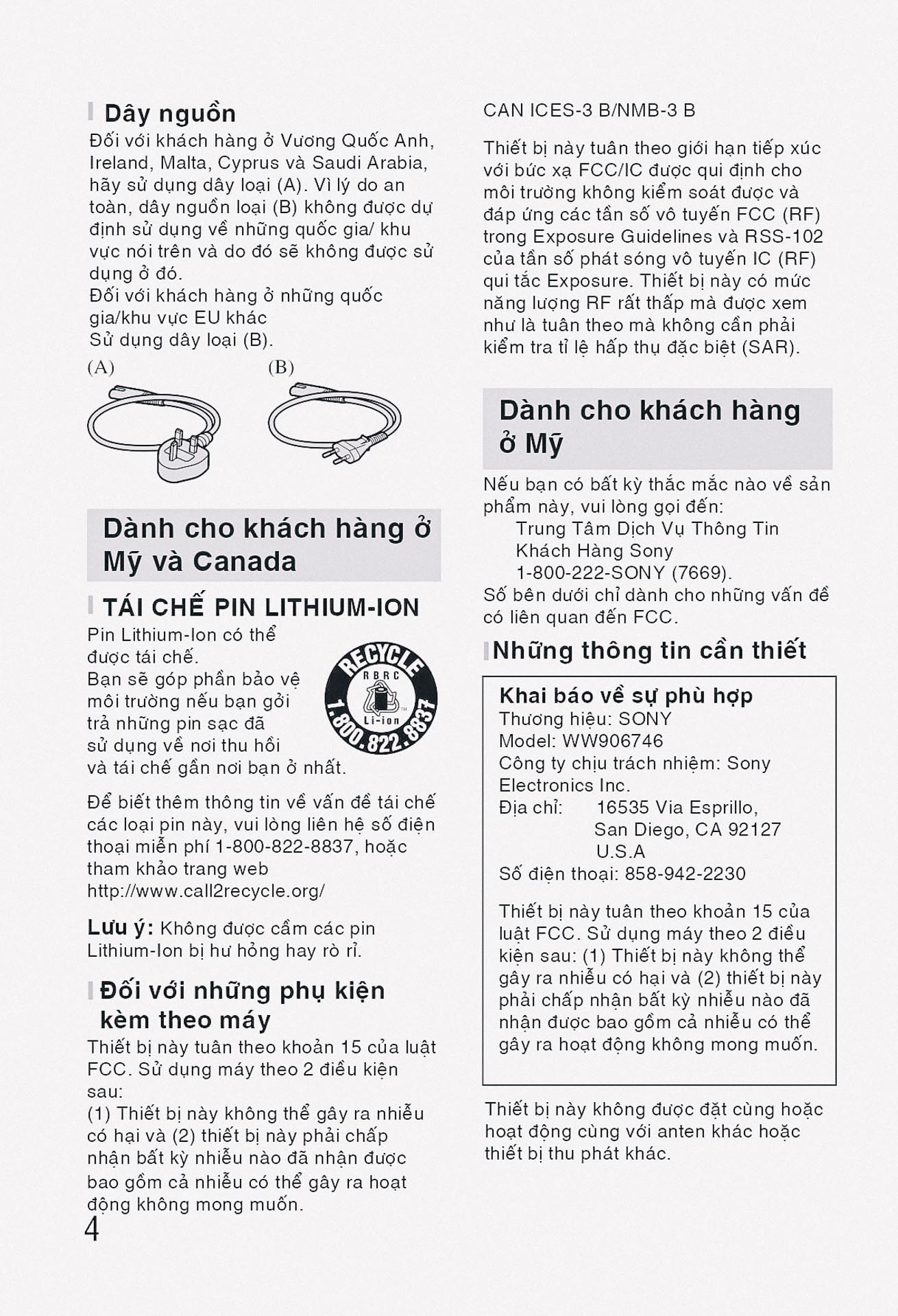
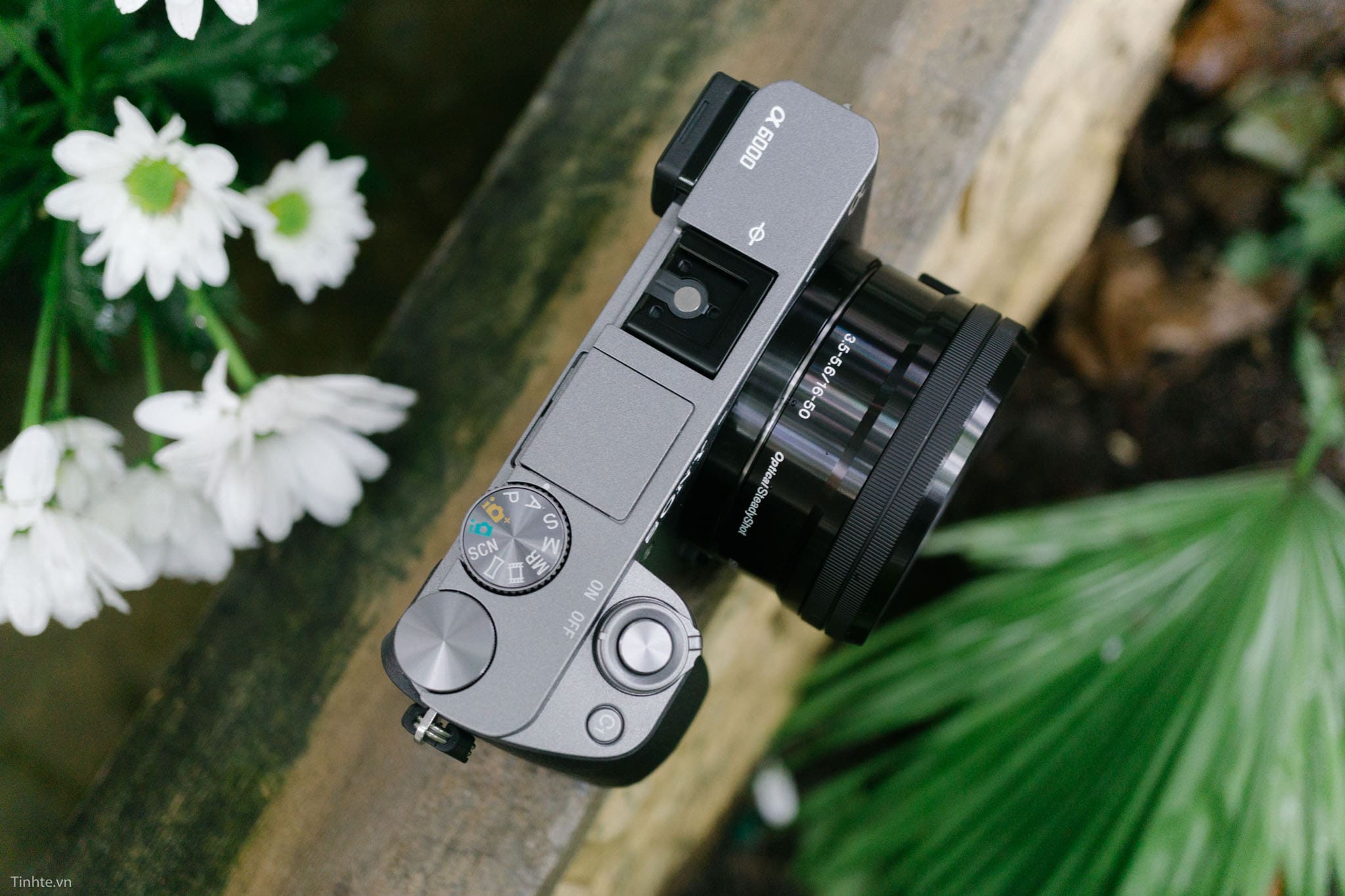
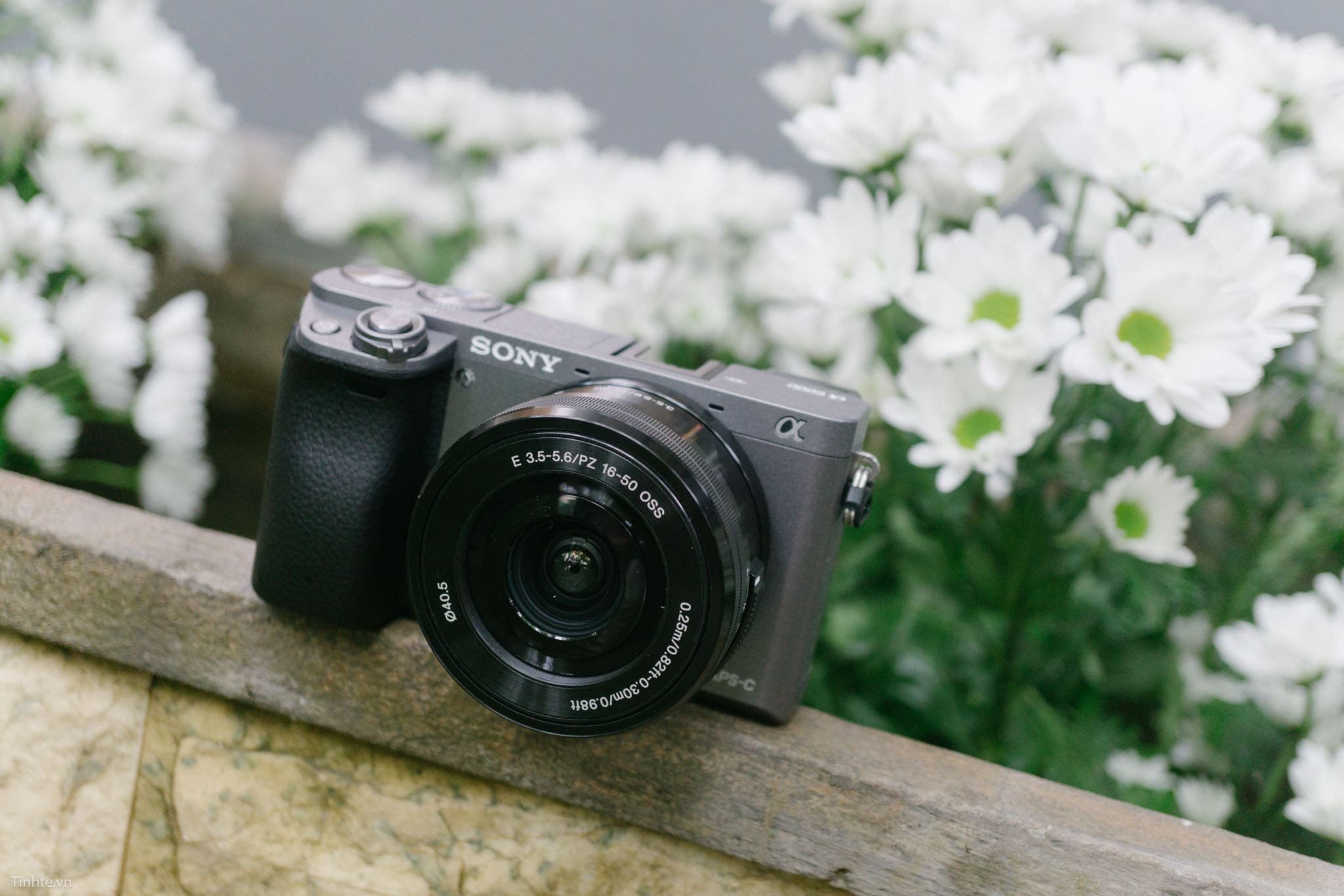
Sony A6300 là một cây máy ảnh mirrorless không gương lật thuộc dòng Alpha series được Sony giới thiệu vào tháng 2 năm 2016, đánh dấu một bước tiến quan trọng trong phân khúc máy ảnh crop sensor APS-C.
Giới thiệu về Sony A6300
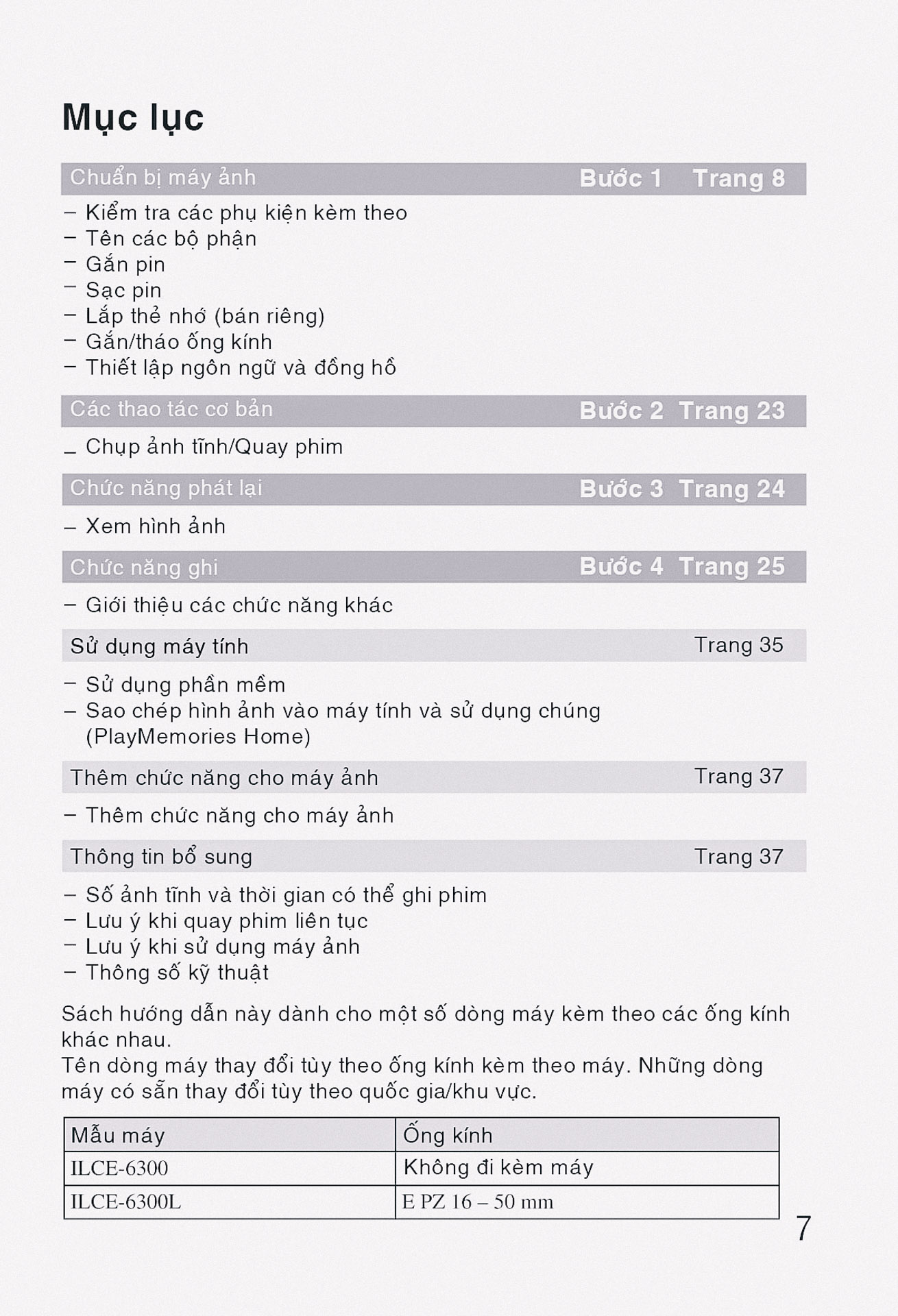
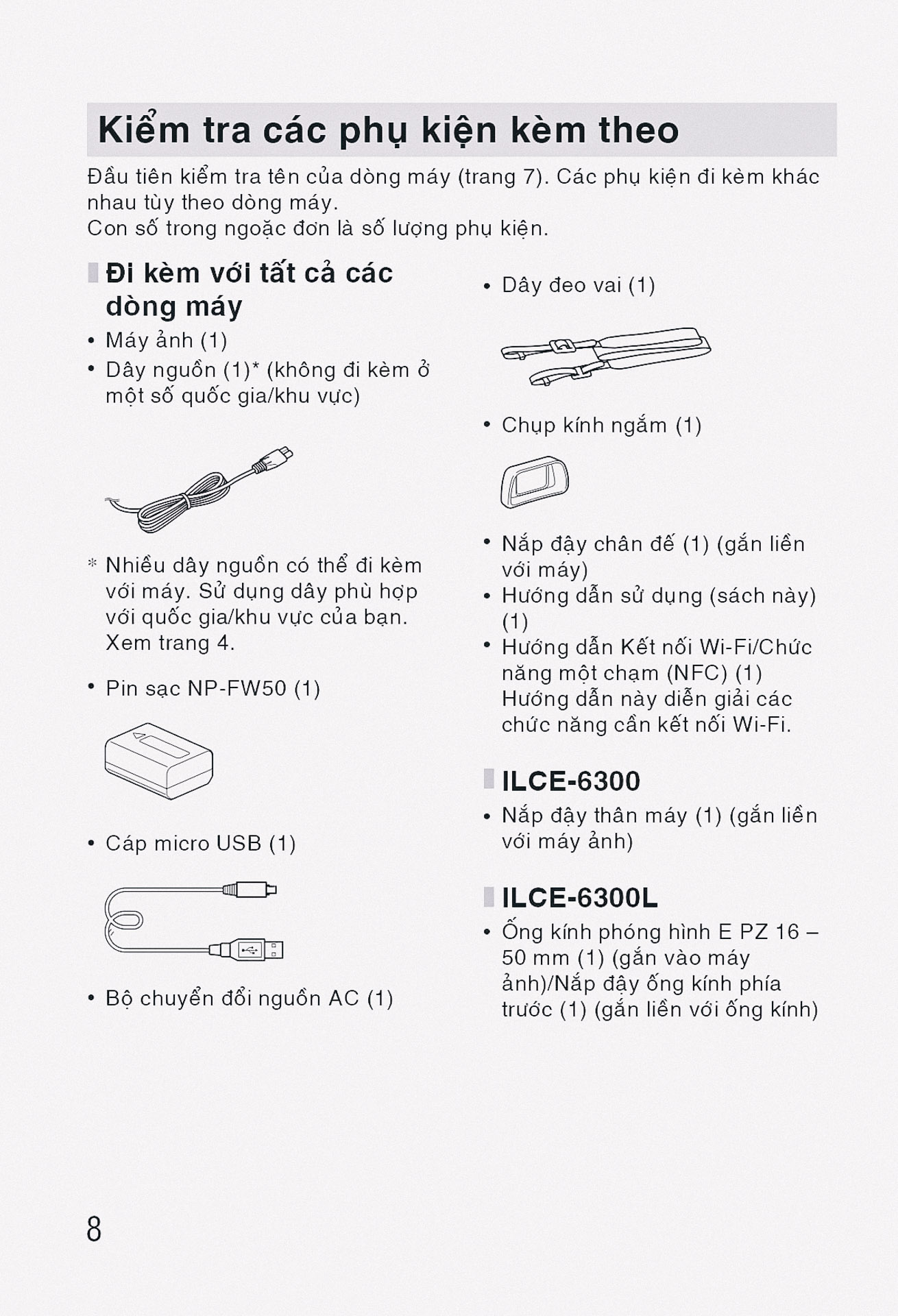
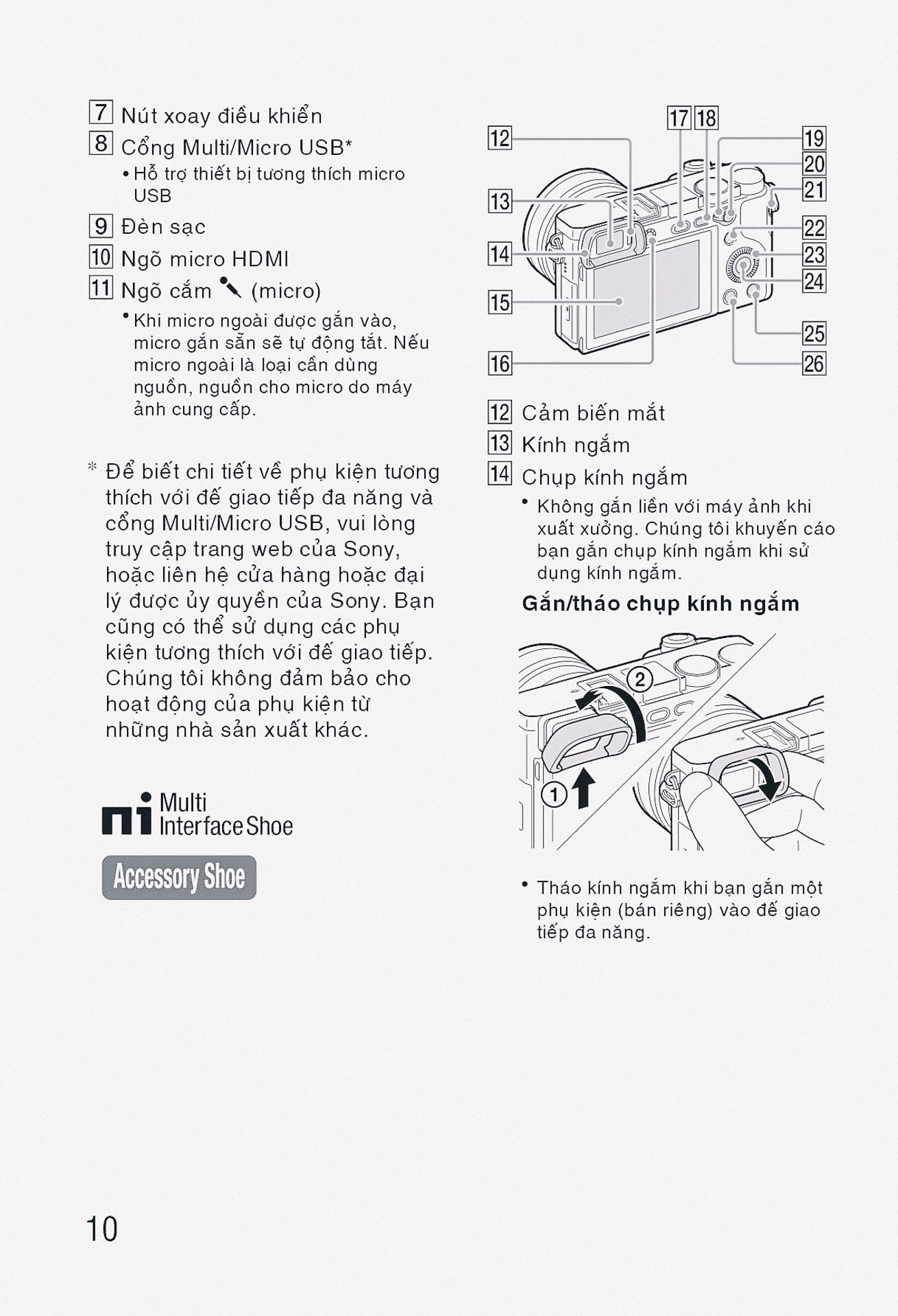
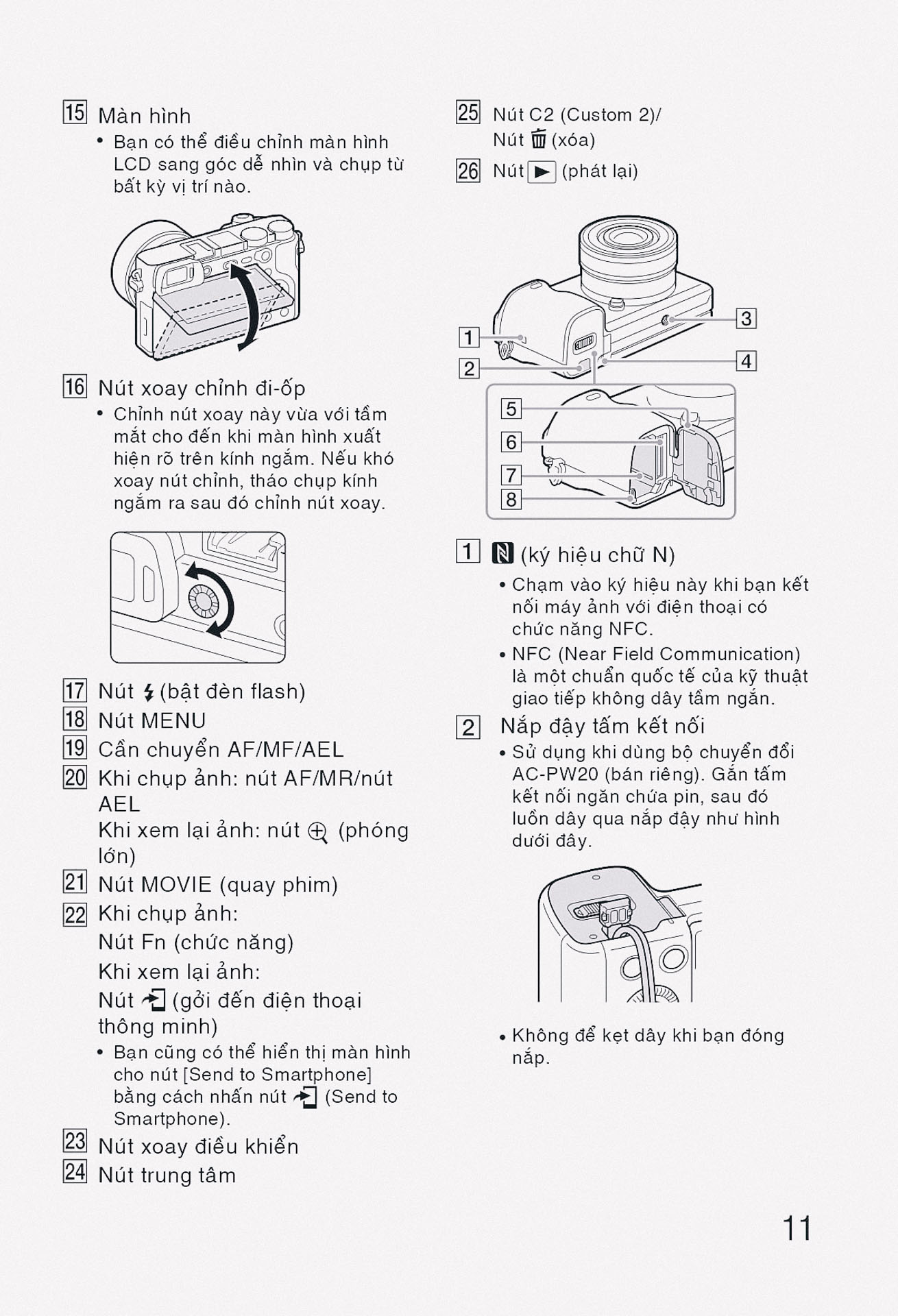
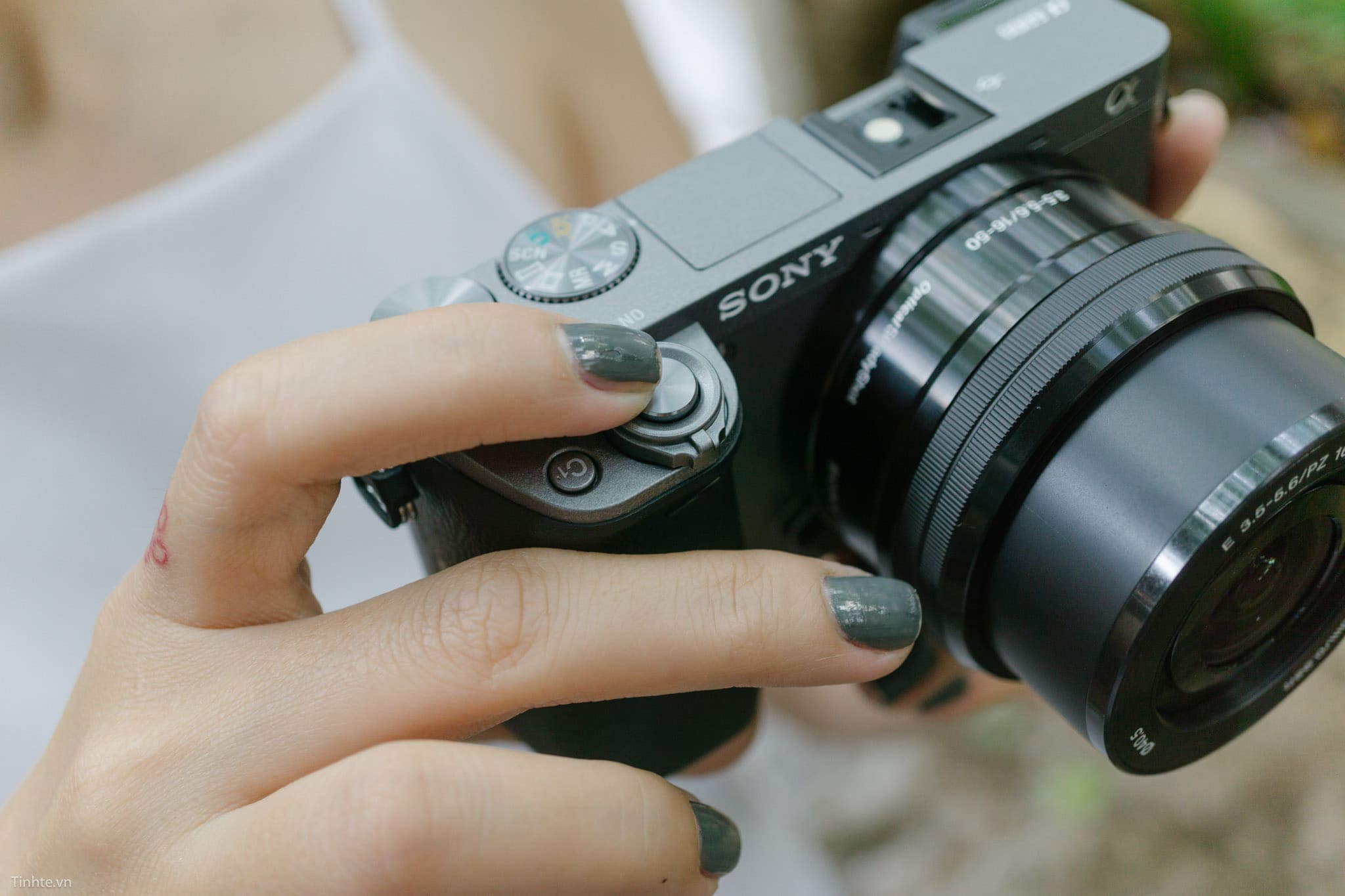
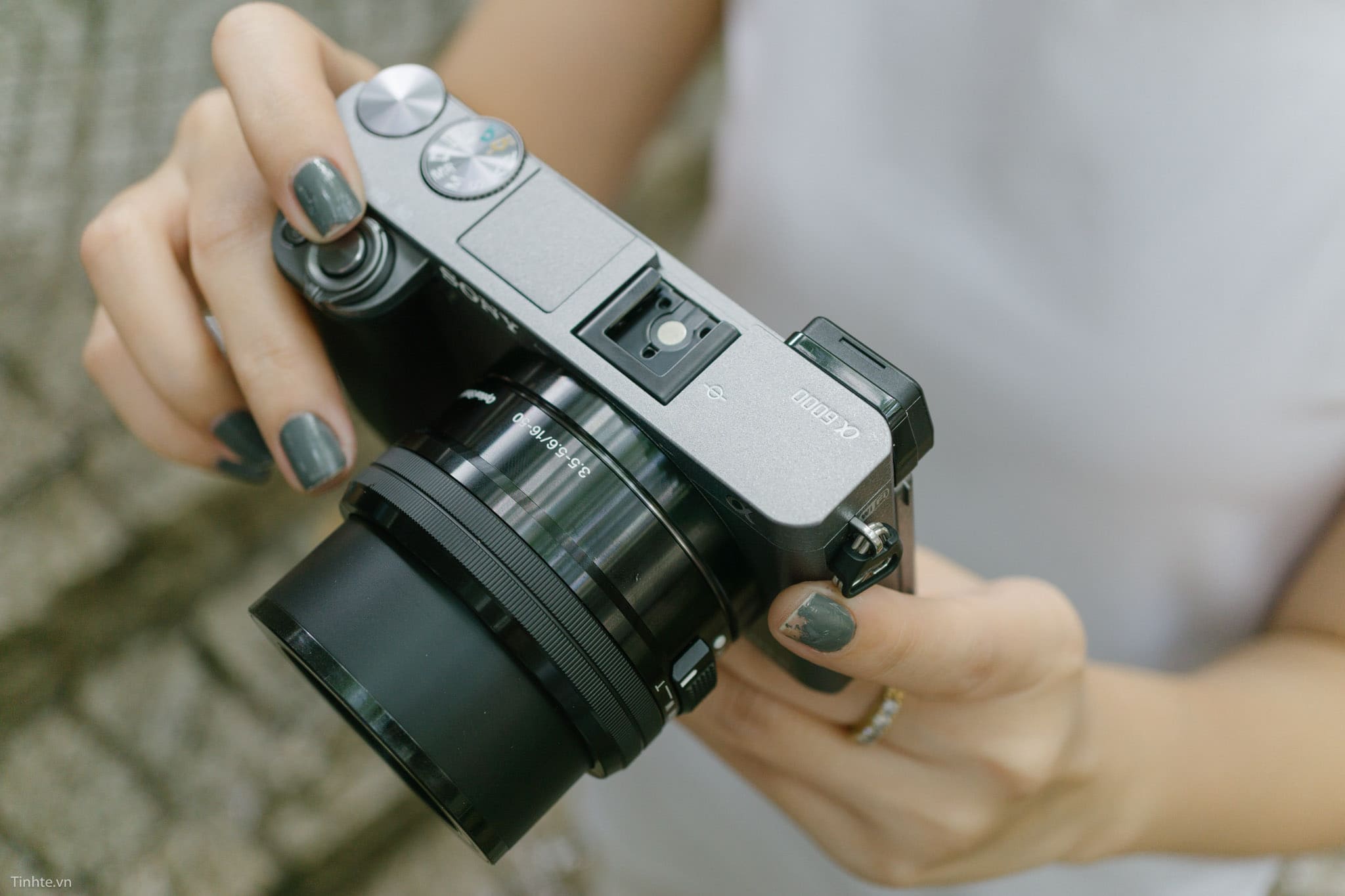
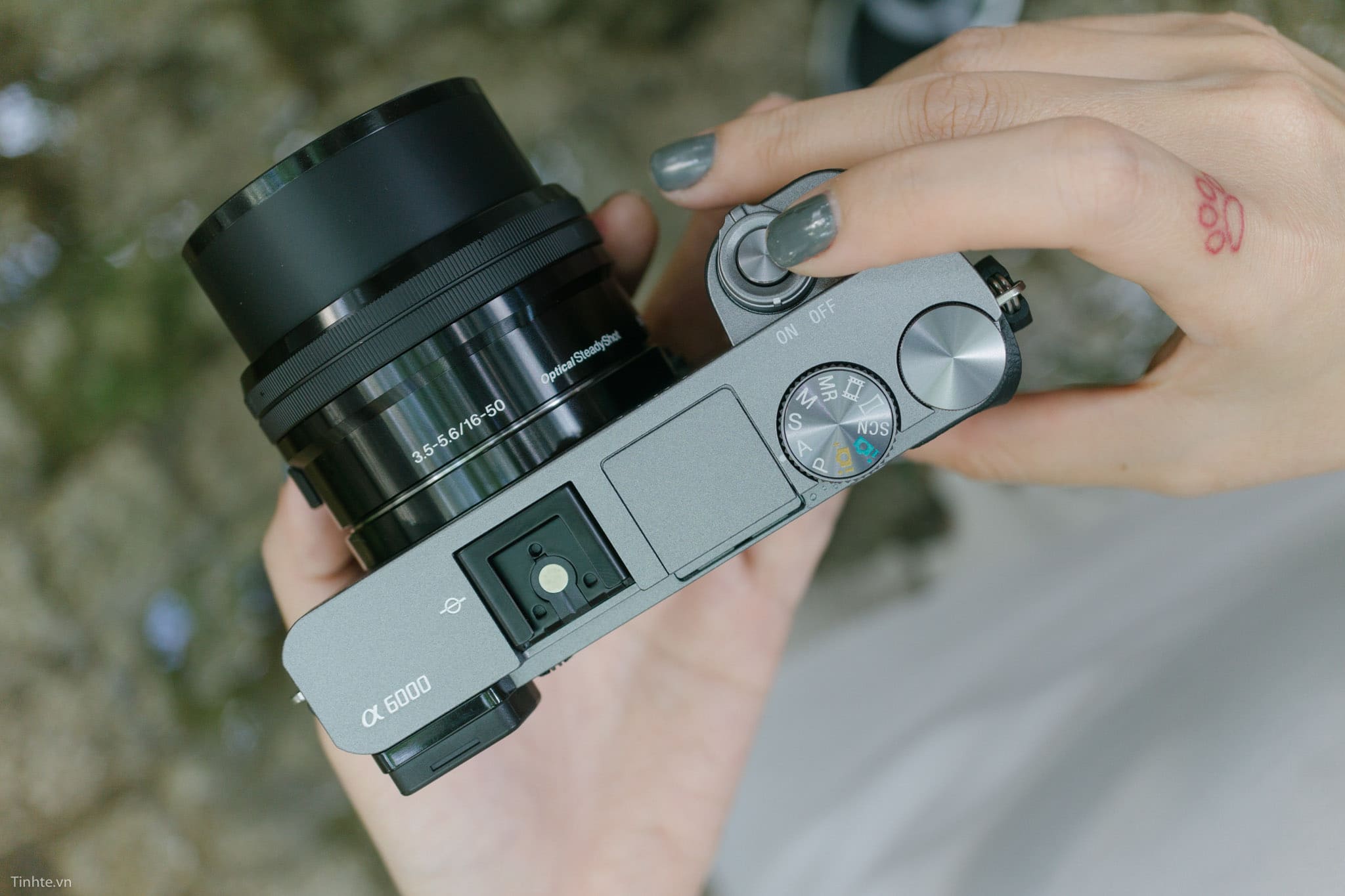
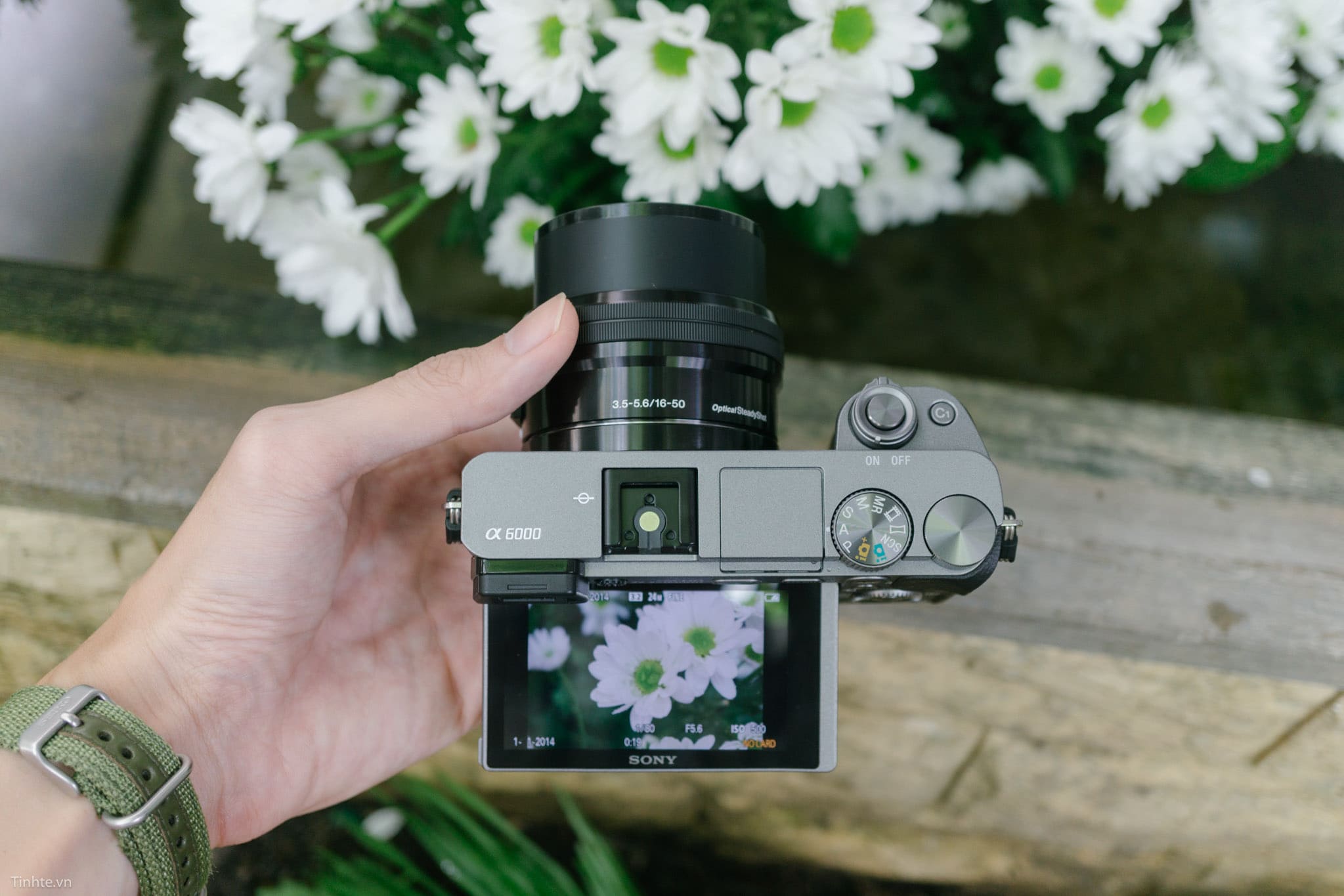
Sony A6300 là một cây máy ảnh mirrorless không gương lật thuộc dòng Alpha series được Sony giới thiệu vào tháng 2 năm 2016, đánh dấu một bước tiến quan trọng trong phân khúc máy ảnh crop sensor APS-C. Với thiết kế gọn nhẹ đặc trưng của dòng mirrorless, A6300 kế thừa và phát triển những ưu điểm từ người tiền nhiệm A6000, đồng thời bổ sung nhiều tính năng mới nhằm đáp ứng nhu cầu ngày càng cao của các nhiếp ảnh gia và videographer. Máy ảnh này được định vị ở phân khúc tầm trung cao, hướng đến những người dùng có kinh nghiệm và mong muốn có một công cụ sáng tạo mạnh mẽ với kích thước nhỏ gọn. Sony A6300 không chỉ kế thừa những thế mạnh về chất lượng hình ảnh mà còn tập trung cải thiện đáng kể khả năng quay video 4K và hệ thống lấy nét tự động, khiến nó trở thành một lựa chọn hấp dẫn cho cả photography và videography trong thời điểm ra mắt.
Cấu hình máy ảnh Sony A6300
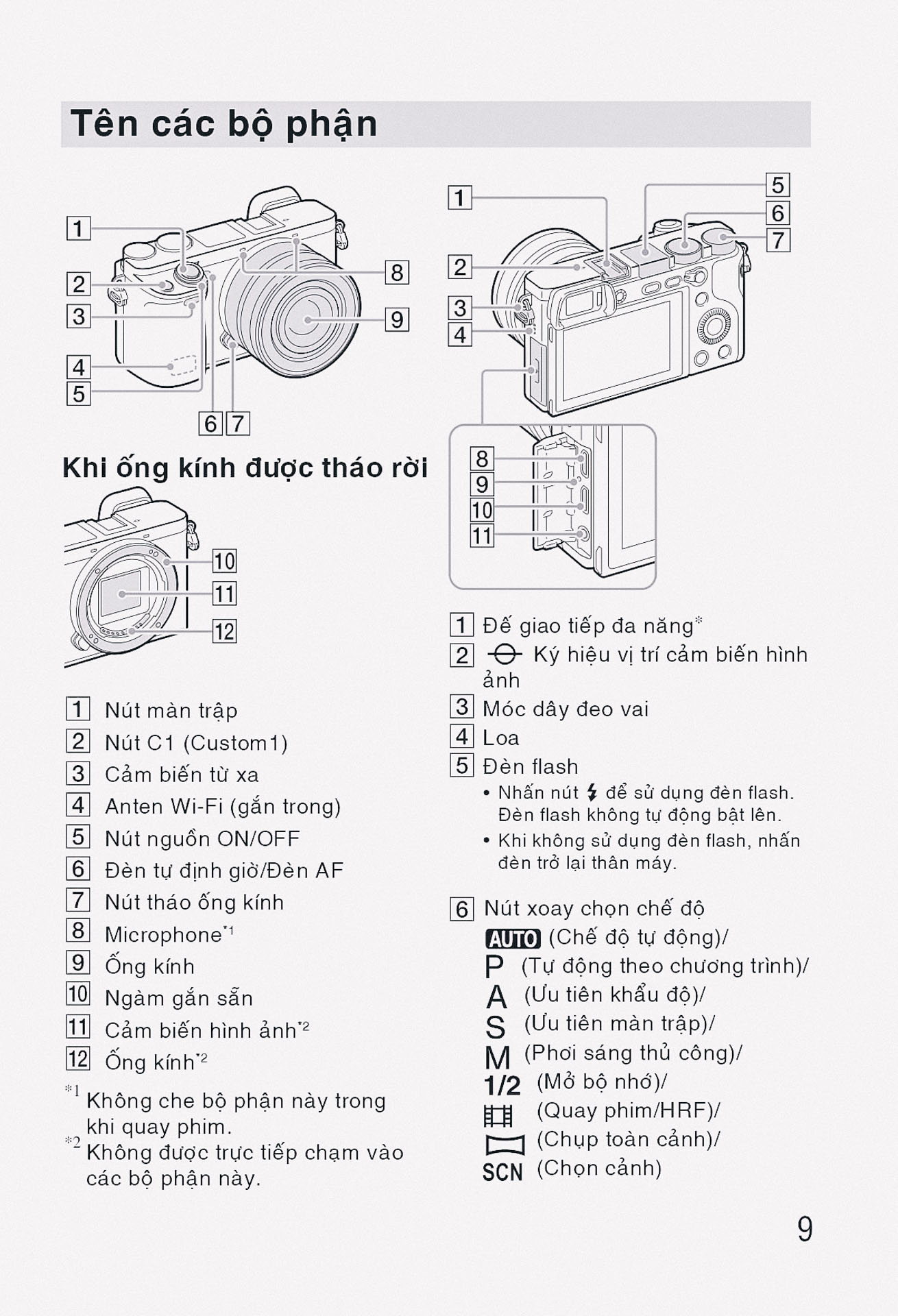
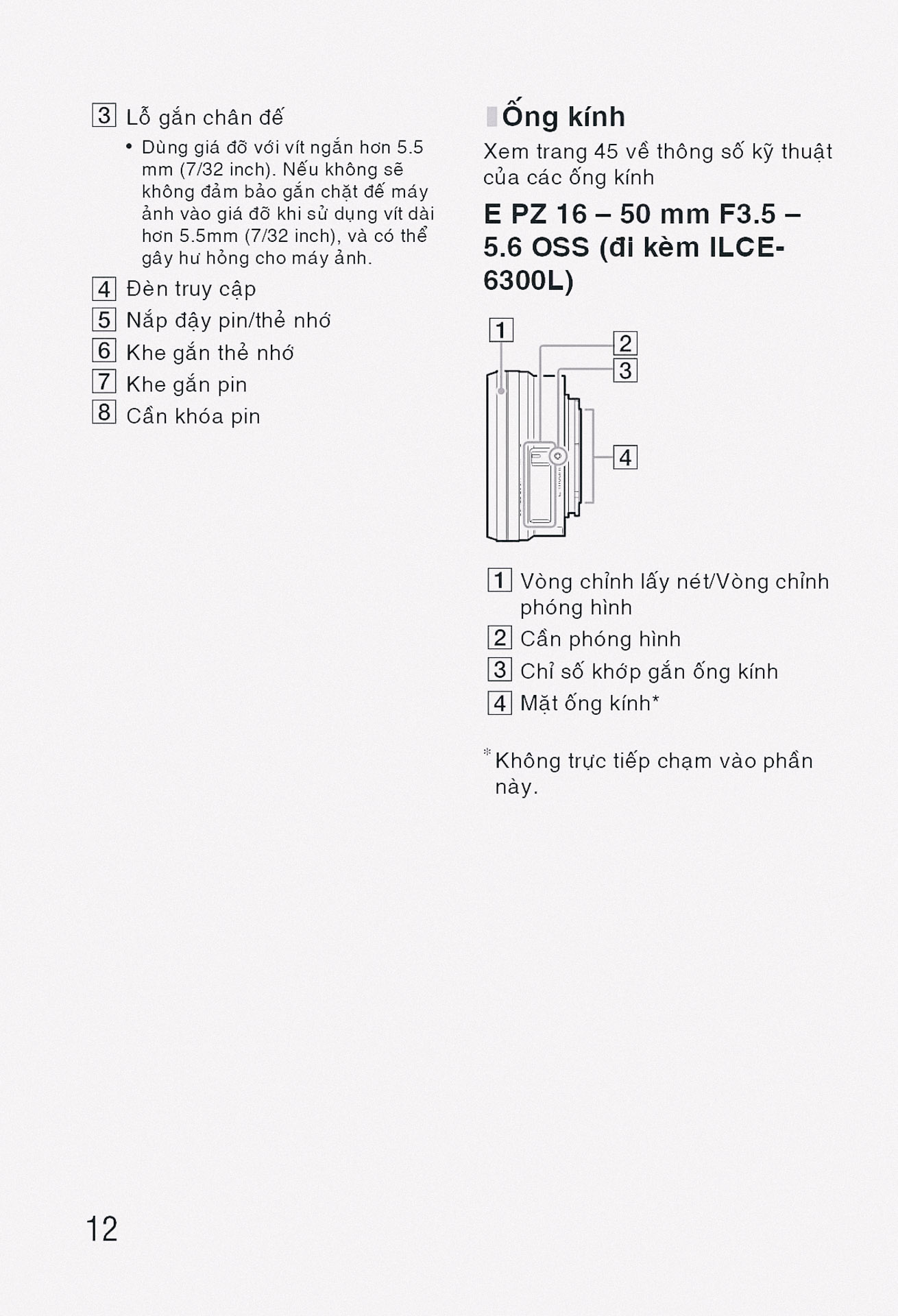
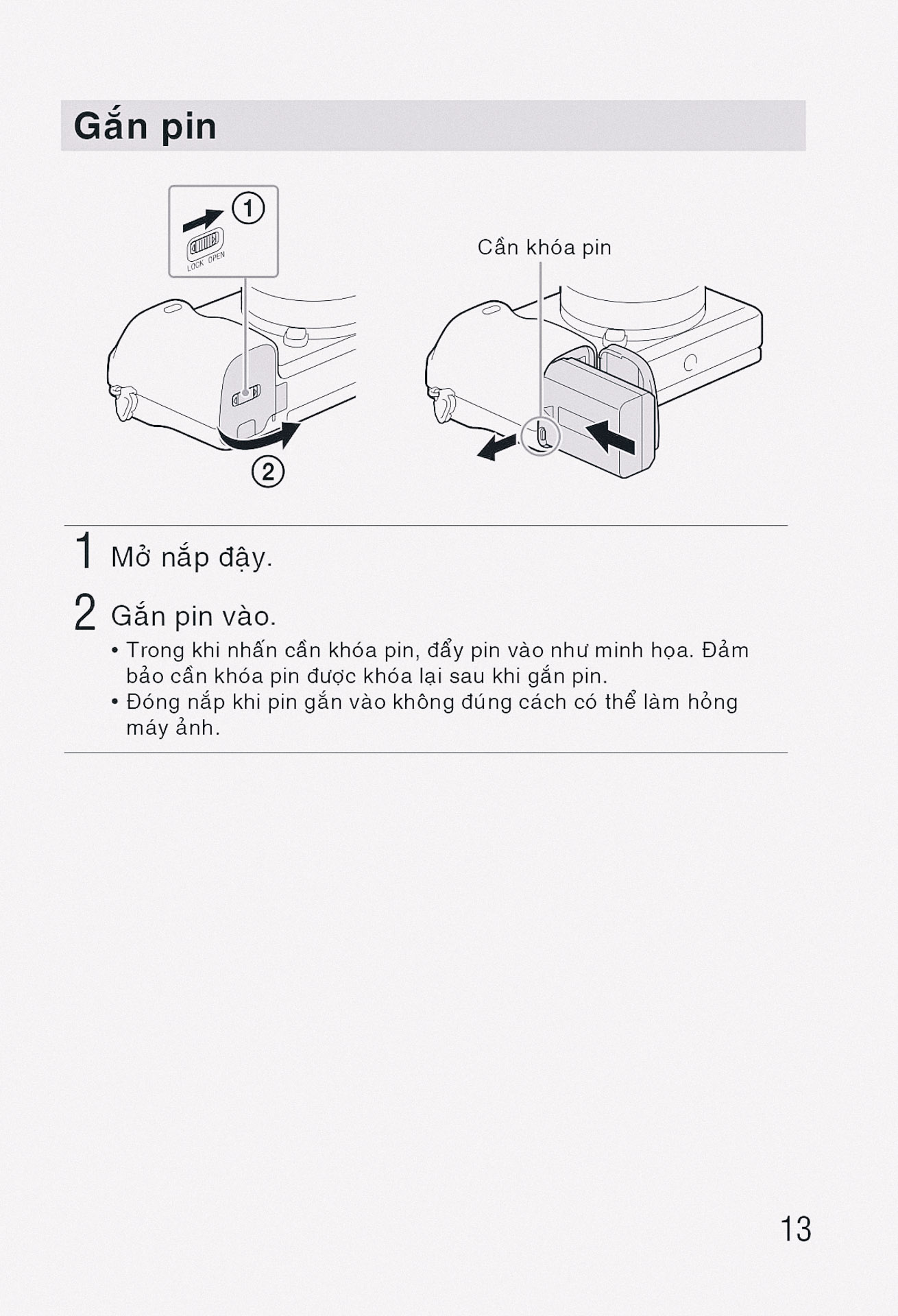
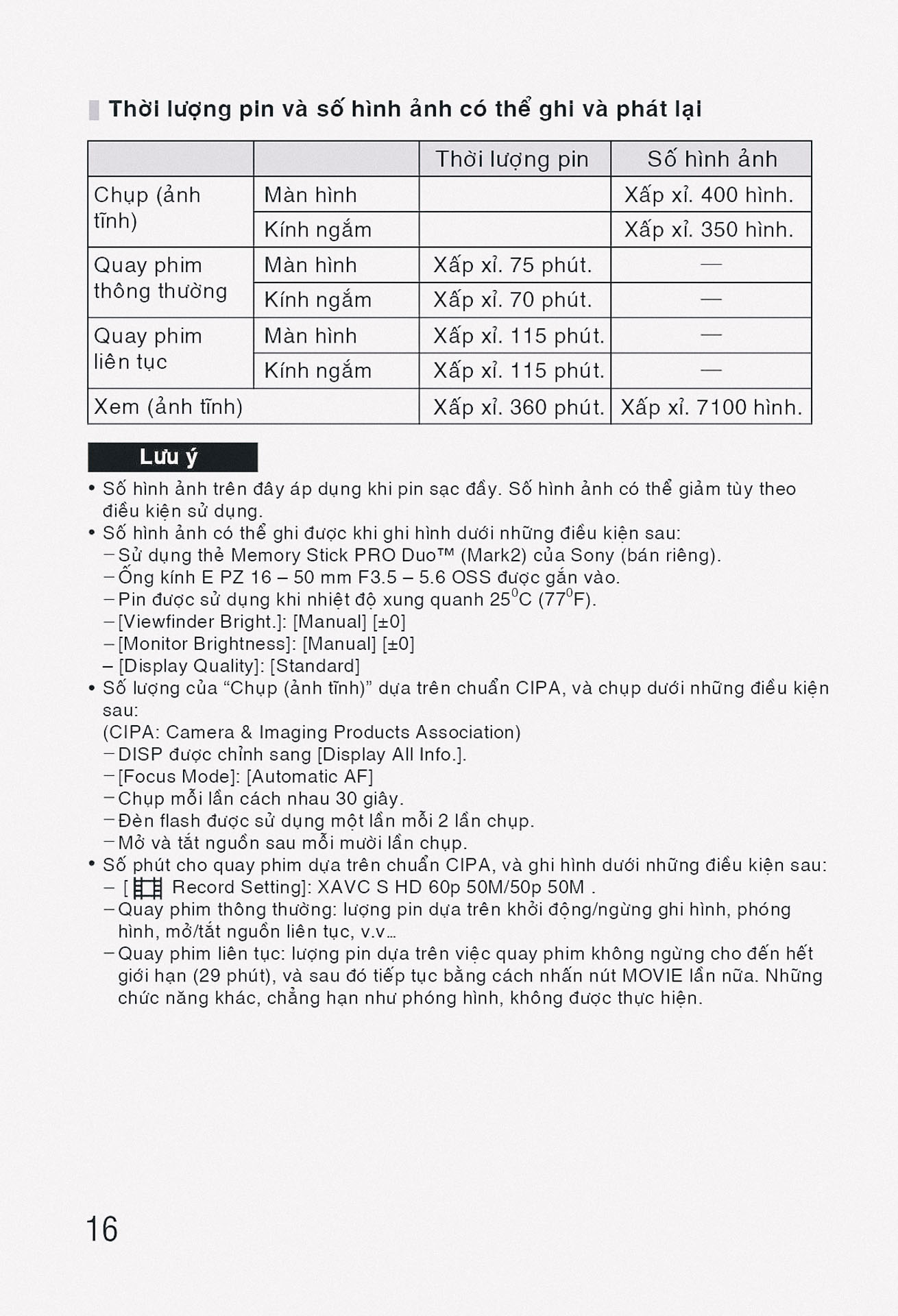
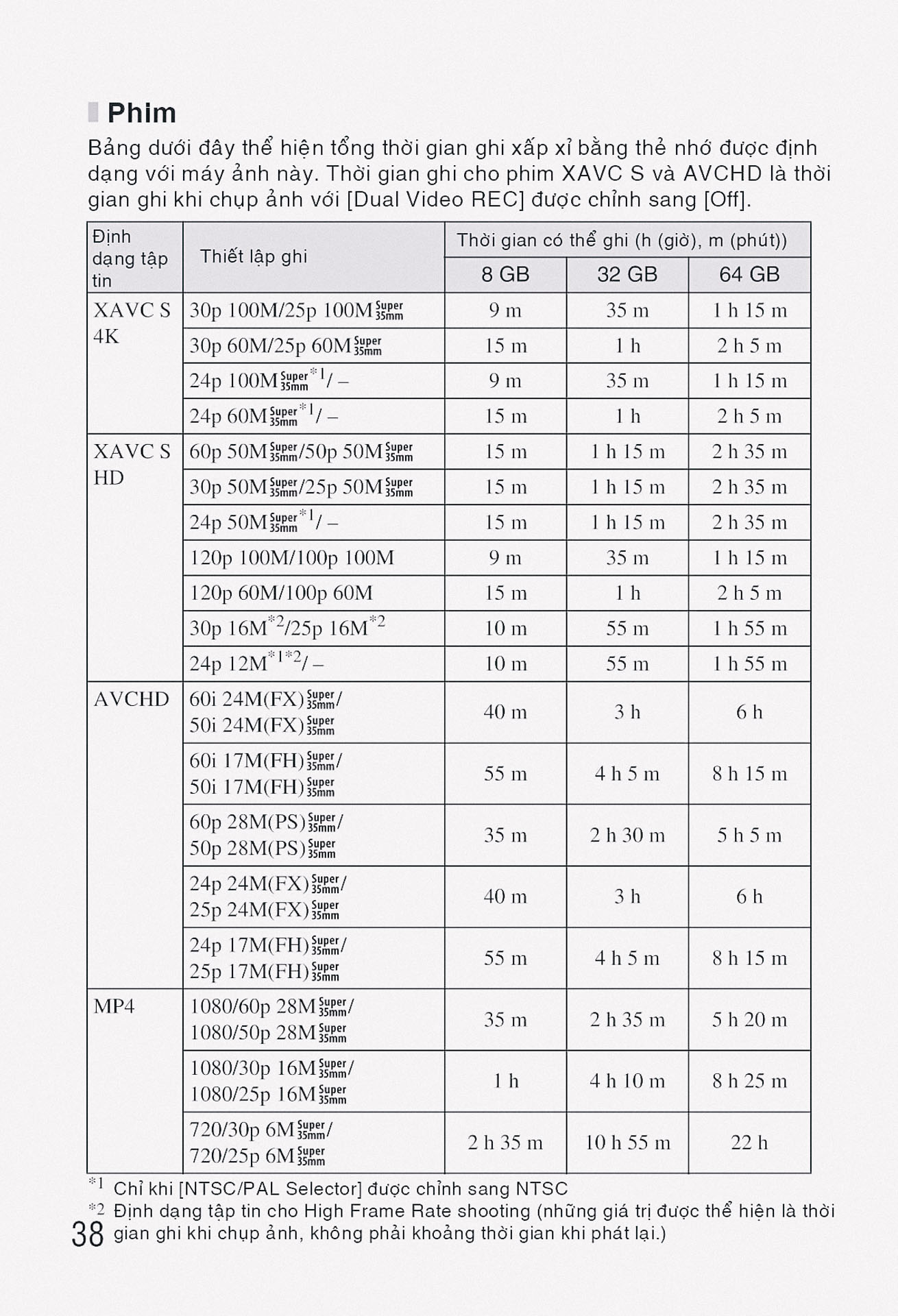
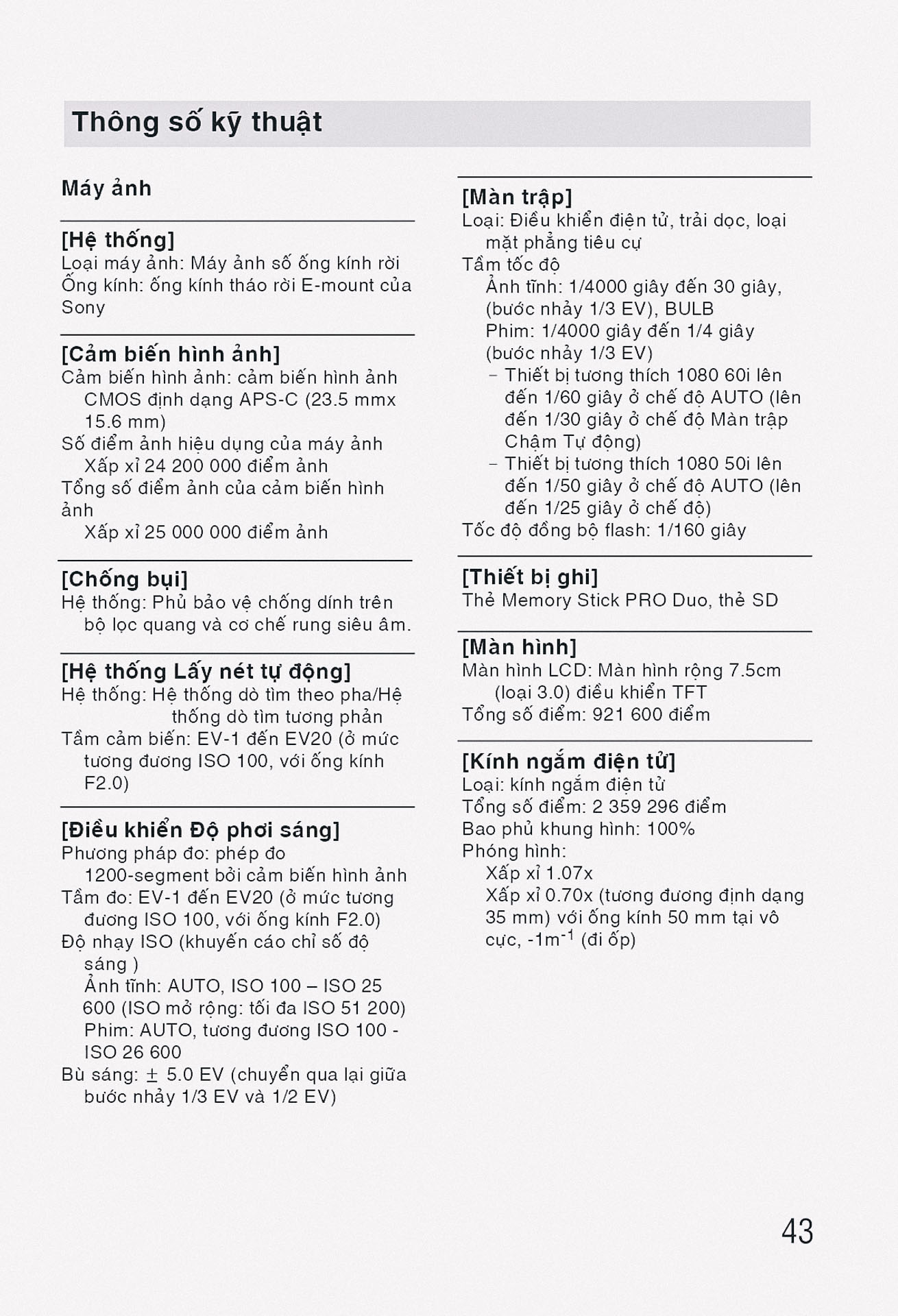
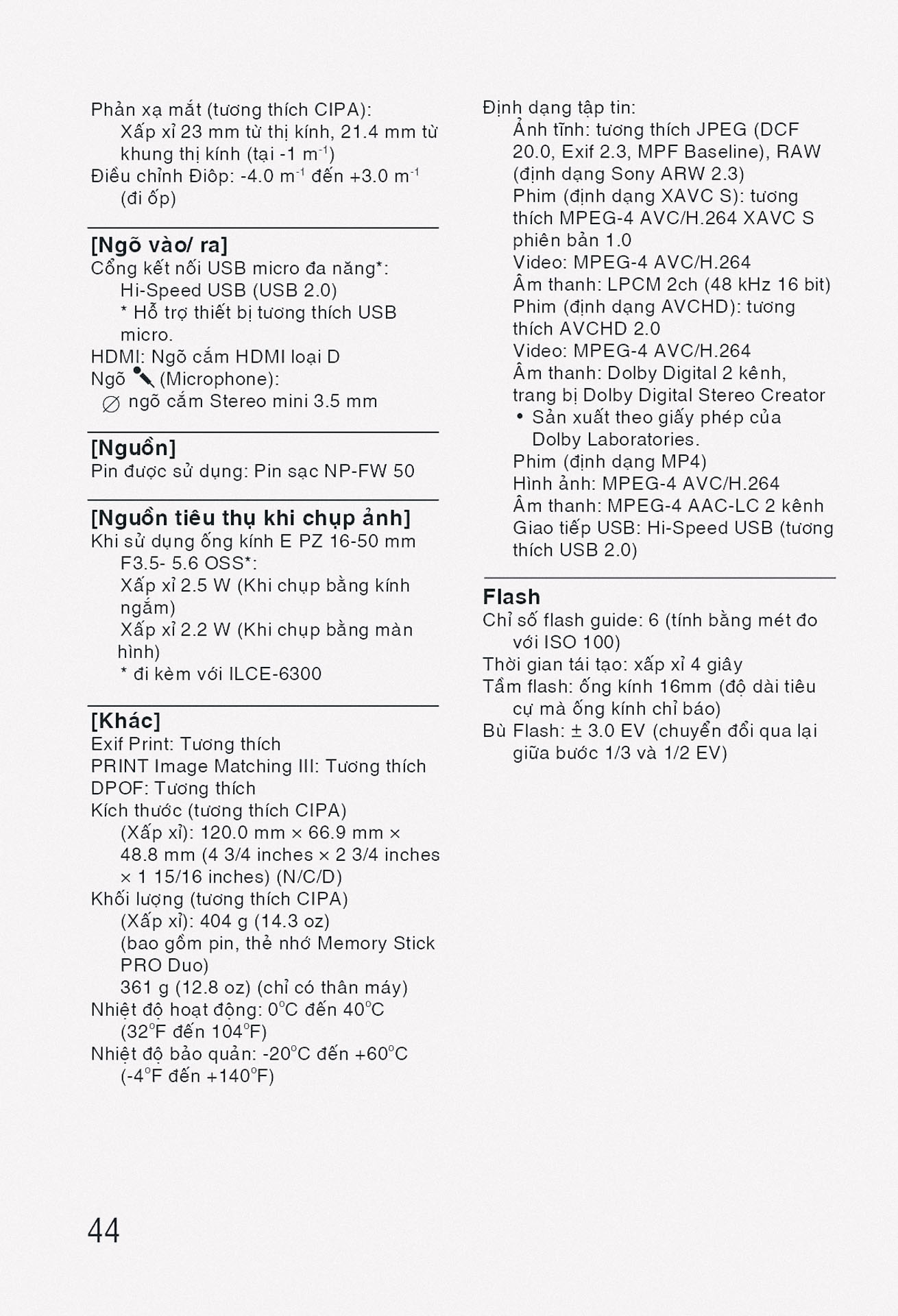
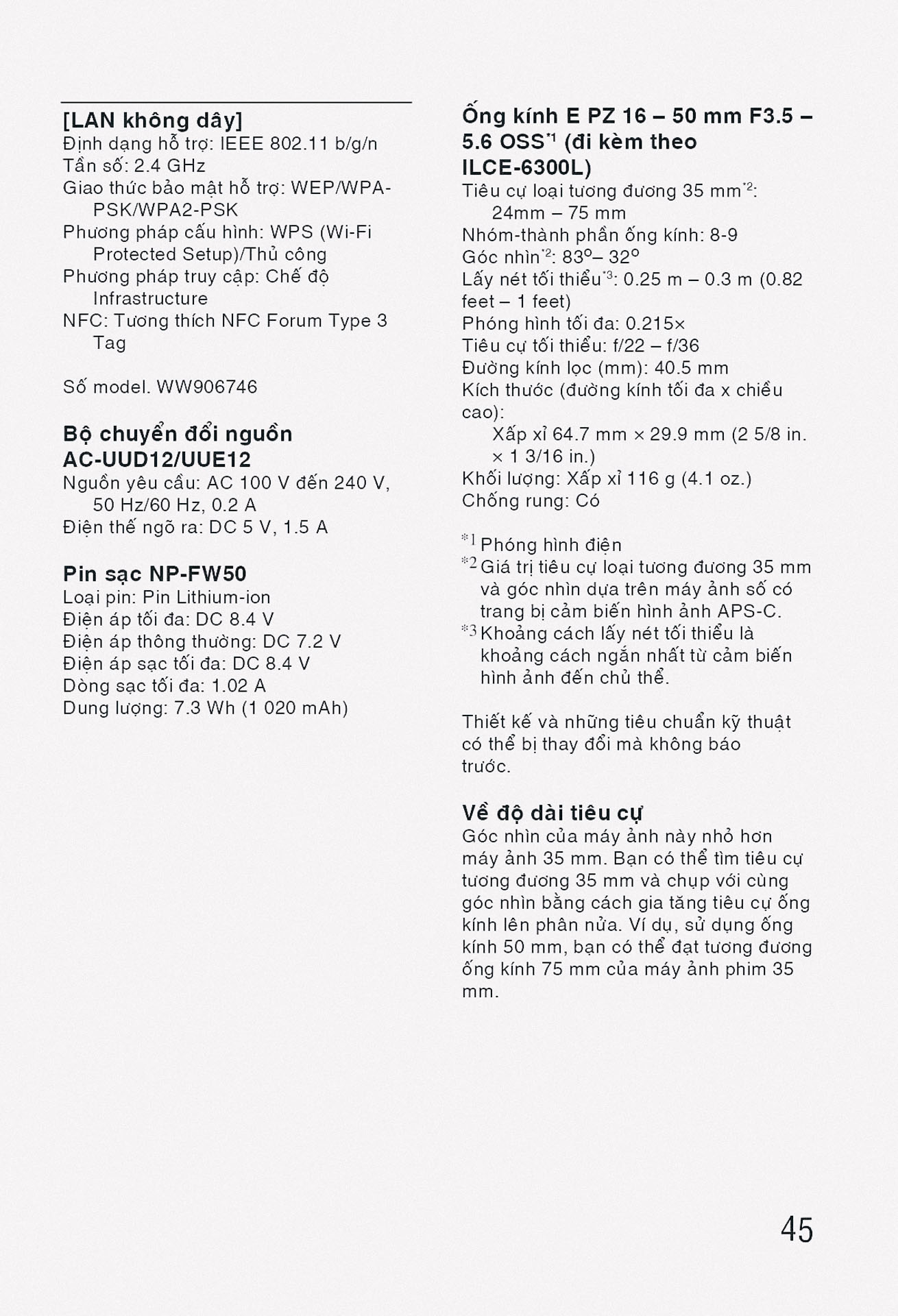
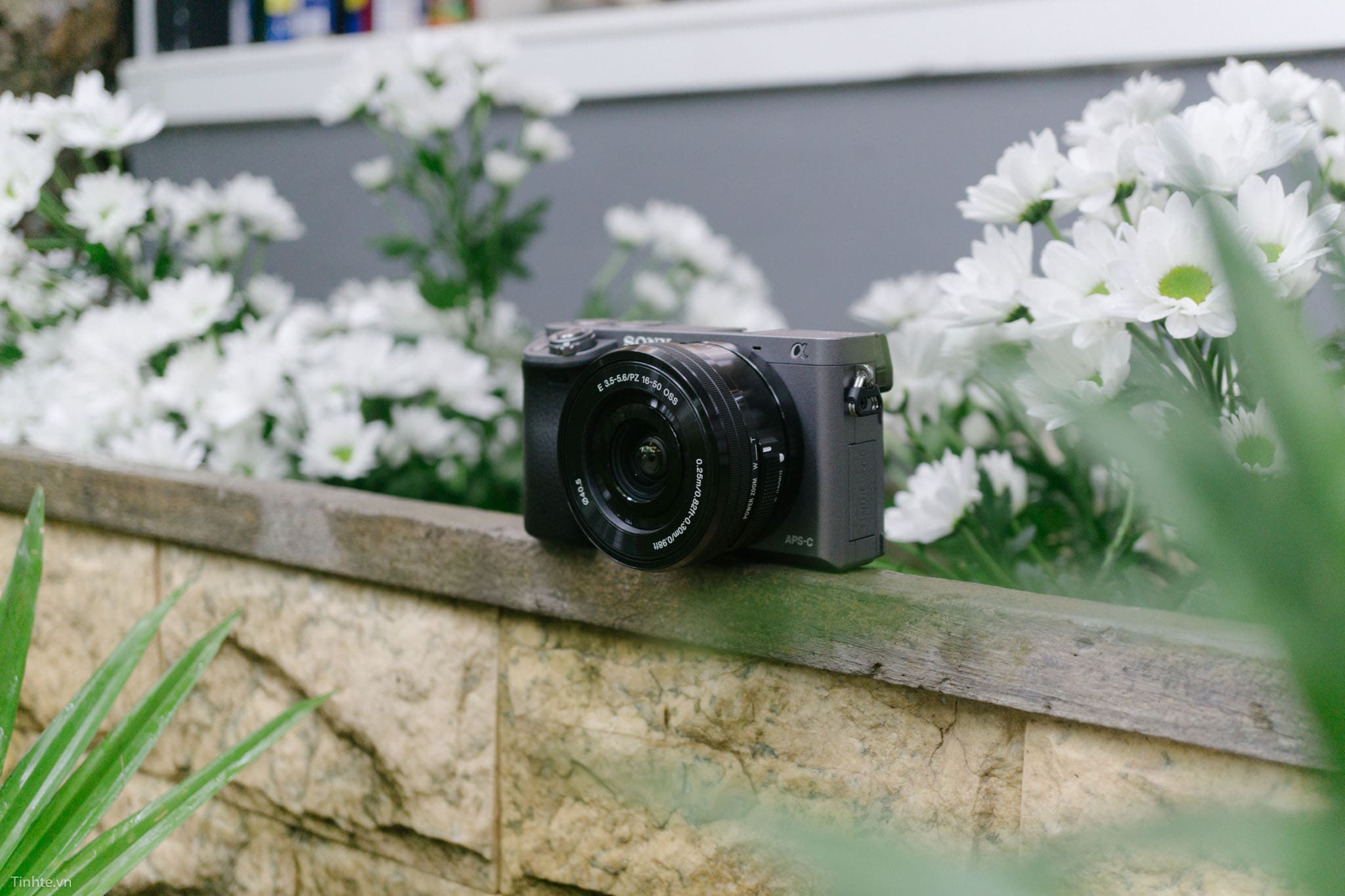
Sony A6300 được trang bị cảm biến APS-C Exmor CMOS 24.2 megapixel, kết hợp với bộ xử lý hình ảnh BIONZ X tiên tiến. Máy ảnh sở hữu hệ thống lấy nét tự động hybrid với 425 điểm lấy nét phase-detection và 169 điểm contrast-detection, bao phủ gần như toàn bộ khung hình với độ chính xác cao. Tốc độ chụp liên tục lên đến 11 khung hình/giây với AF/AE tracking, cho phép bắt lại những khoảnh khắc chuyển động nhanh. A6300 hỗ trợ quay video 4K (3840 x 2160) với tốc độ 30p/25p/24p sử dụng định dạng XAVC S, cùng với khả năng quay Full HD lên đến 120fps để tạo hiệu ứng slow motion. Máy ảnh tích hợp kết nối Wi-Fi và NFC, hỗ trợ ống kính E-mount với khả năng tương thích rộng rãi. Thời lượng pin khoảng 400 shot theo chuẩn CIPA, màn hình LCD 3 inch có thể nghiêng lên xuống và viewfinder điện tử EVF 0.39 inch với độ phân giải cao.
Đánh giá về Sony A6300
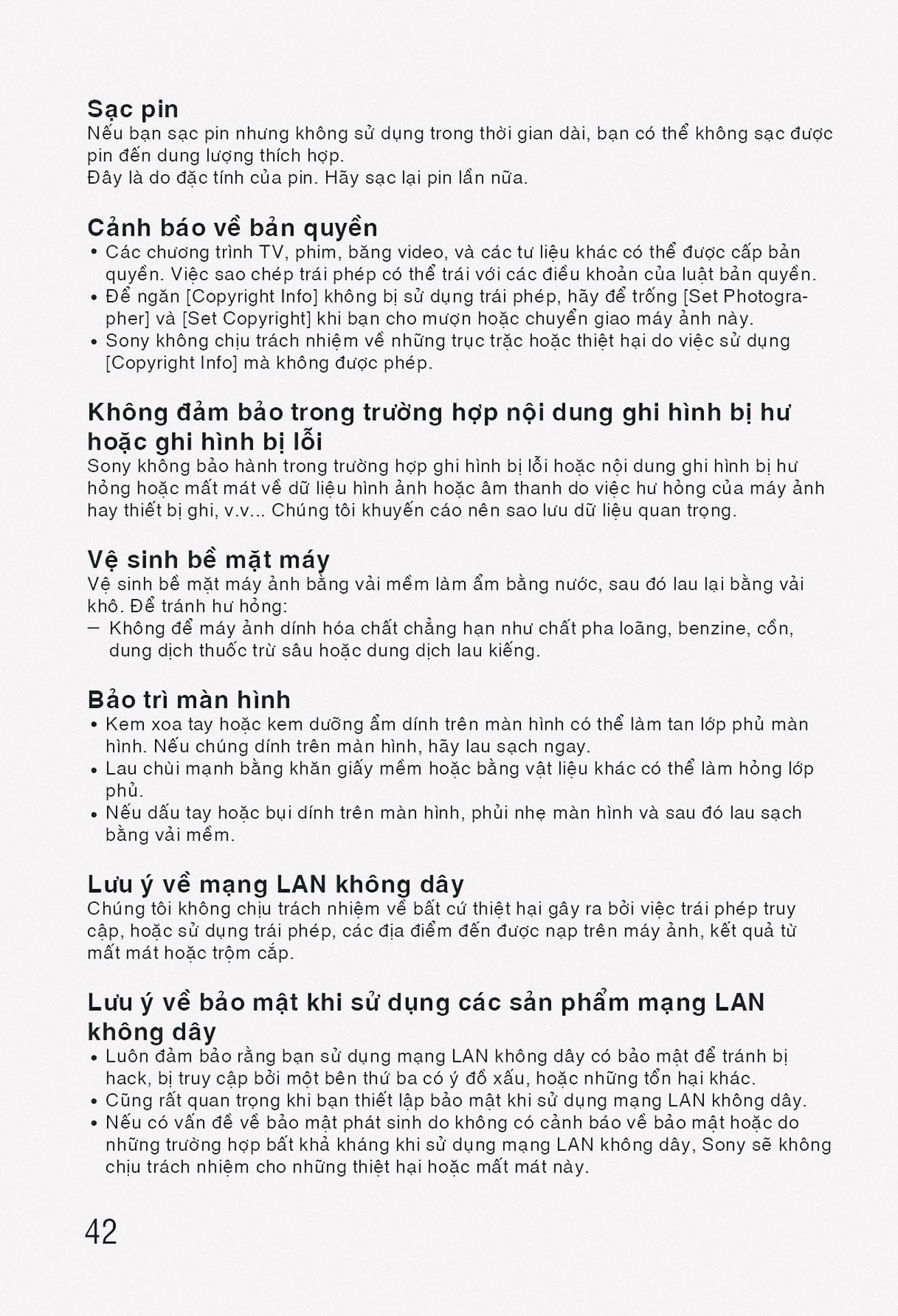
Sau gần một thập kỷ có mặt trên thị trường, Sony A6300 đã nhận được sự đánh giá từ nhiều góc độ khác nhau, bao gồm các chuyên gia nhiếp ảnh, các trang review công nghệ uy tín và cộng đồng người dùng thực tế. Những đánh giá này cung cấp cái nhìn toàn diện về hiệu suất, điểm mạnh và hạn chế của máy ảnh, từ đó giúp người dùng có được những quyết định mua sắm sáng suốt. Đặc biệt, với thời gian dài sử dung, các đánh giá dài hạn đã cho thấy độ bền, tính ổn định và giá trị thực tiễn của A6300 trong các tình huống sử dụng đa dạng. Sự đa dạng trong các ý kiến đánh giá cũng phản ánh được tính phù hợp của máy ảnh với nhiều đối tượng người dùng khác nhau, từ những người mới bắt đầu cho đến các nhiếp ảnh gia chuyên nghiệp.
Đánh giá Sony A6300 từ chuyên gia
Các chuyên gia nhiếp ảnh và reviewer công nghệ chuyên nghiệp đã đánh giá cao Sony A6300 về nhiều khía cạnh kỹ thuật và thực tiễn. Theo đánh giá từ DPReview – một trong những trang review máy ảnh uy tín nhất thế giới, A6300 được xếp hạng “Highly Recommended” với điểm số 83%, đặc biệt khen ngợi hệ thống lấy nét tự động nhanh chóng và chính xác. Các chuyên gia nhấn mạnh rằng khả năng lấy nét của A6300 vượt trội so với nhiều máy ảnh cùng phân khúc thời điểm đó, với tốc độ lấy nét chỉ 0.05 giây trong điều kiện sáng tốt. Chất lượng hình ảnh được đánh giá là xuất sắc ở mức ISO thấp và trung bình, với dynamic range rộng và khả năng tái tạo màu sắc tự nhiên, đặc biệt phù hợp cho chụp portrait và landscape.
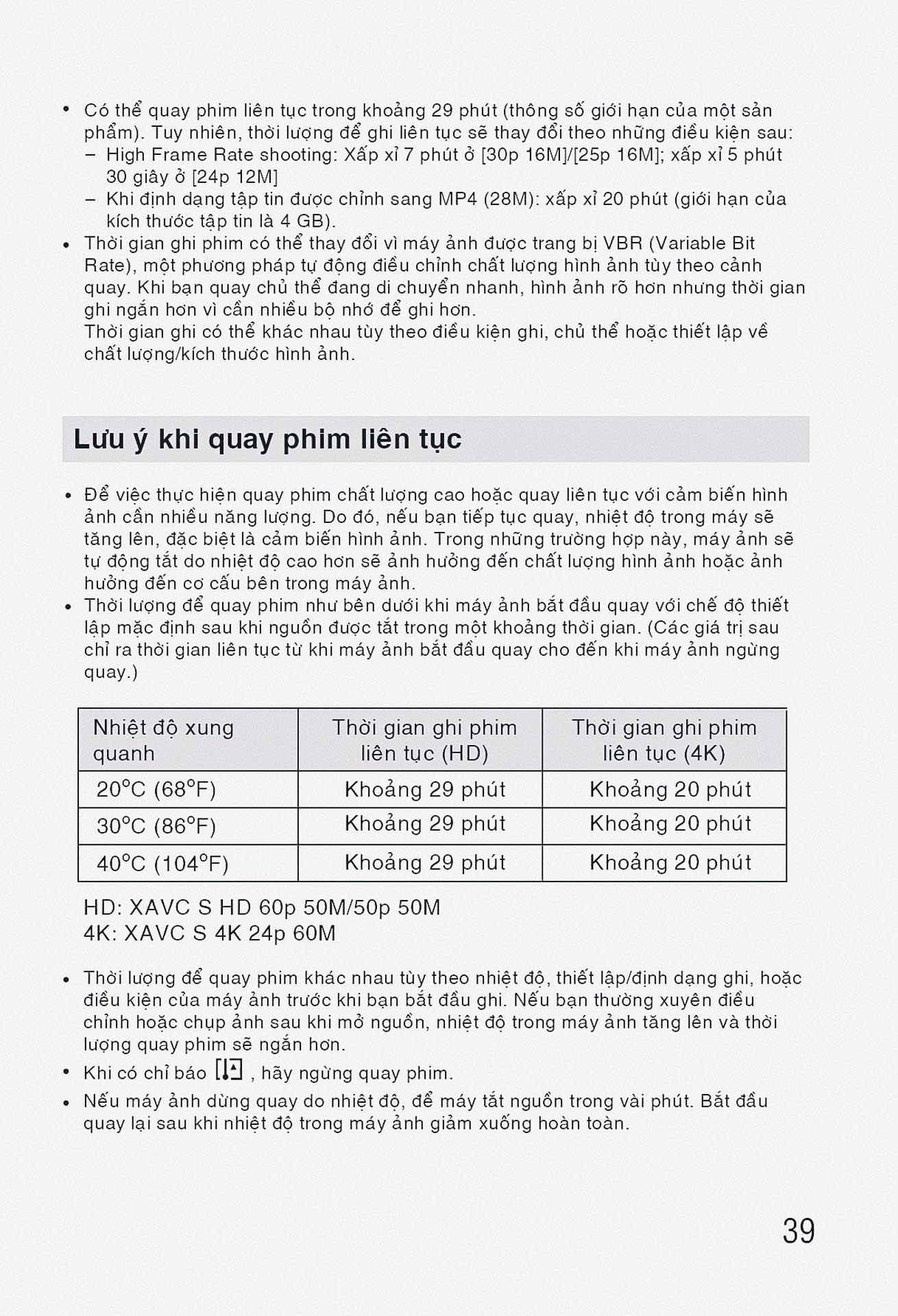
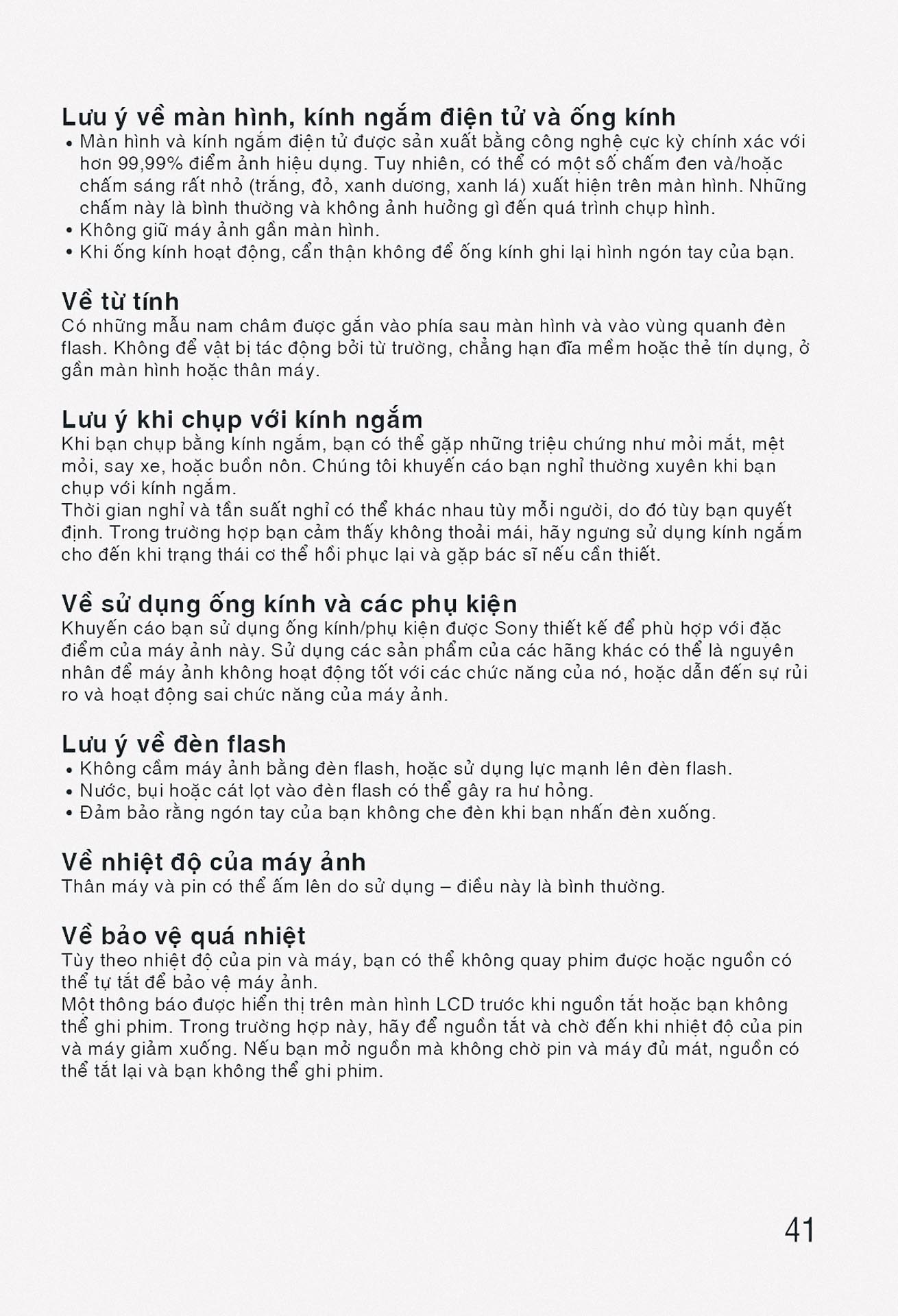
Về khả năng quay video, các chuyên gia từ các tạp chí như Digital Photography Review và Camera Labs đều nhất trí rằng A6300 là một trong những máy ảnh mirrorless đầu tiên trong phân khúc tầm trung cung cấp chất lượng video 4K ấn tượng. Khả năng ghi hình 4K với bit rate cao và độ chi tiết tốt đã được các videographer chuyên nghiệp đánh giá cao, mặc dù có một số hạn chế về thời gian ghi liên tục do vấn đề nhiệt độ. Các chuyên gia cũng khen ngợi thiết kế ergonomic của máy, với các nút bấm được bố trí hợp lý và menu điều khiển trực quan. Tuy nhiên, họ cũng chỉ ra một số điểm yếu như thời lượng pin hạn chế, màn hình không thể xoay 180 độ và hiện tượng nóng máy khi quay video 4K trong thời gian dài.
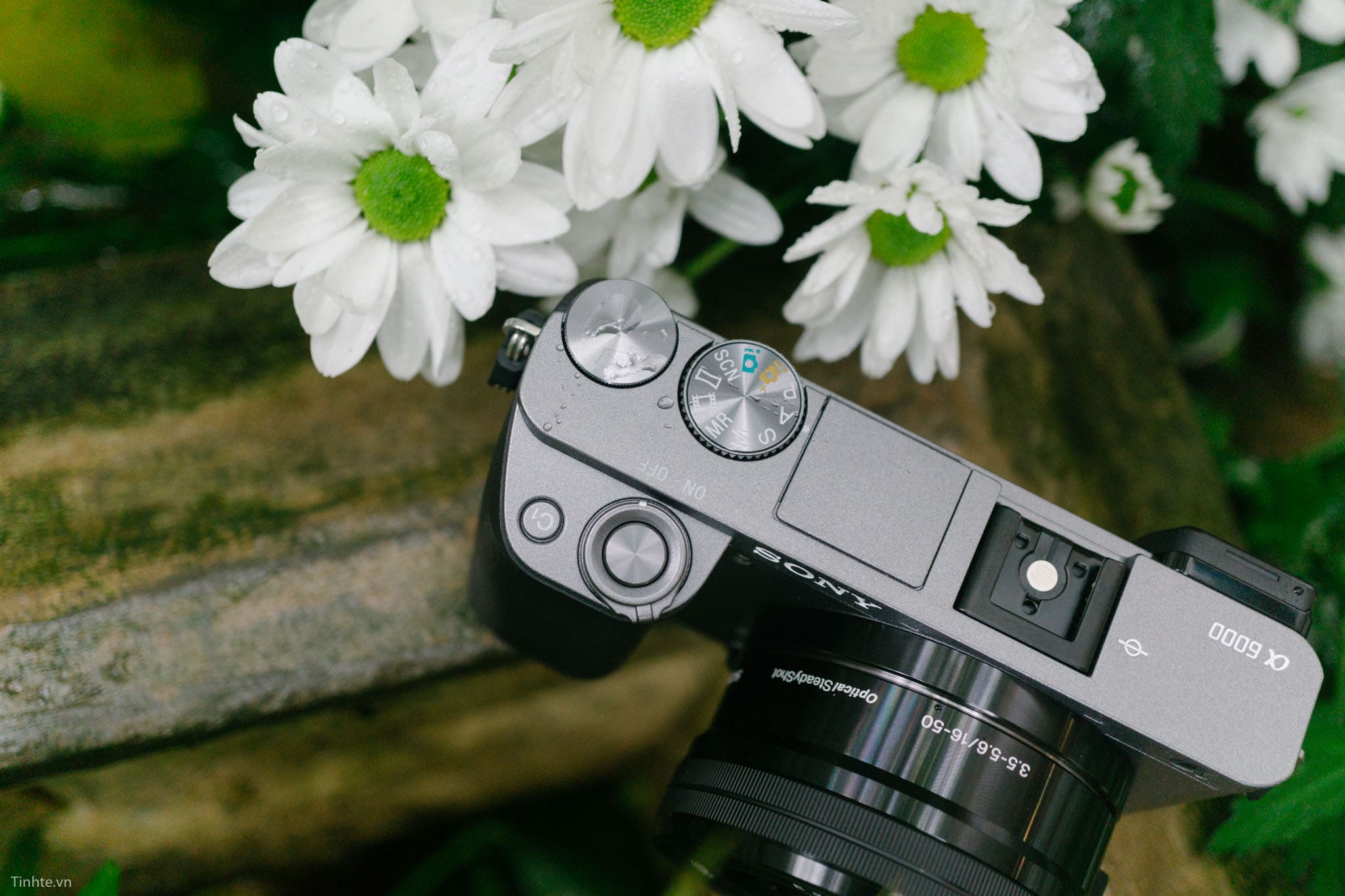
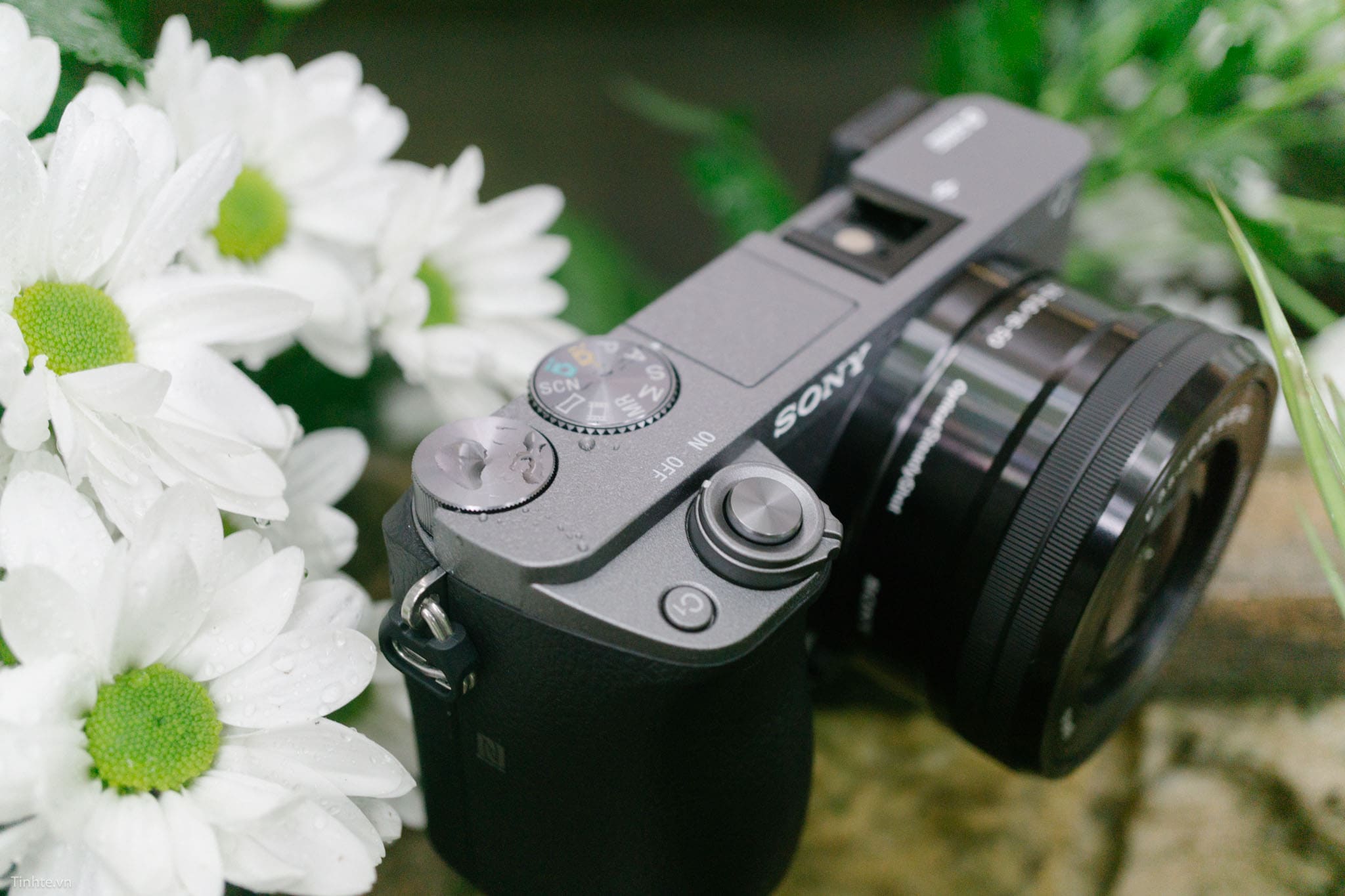
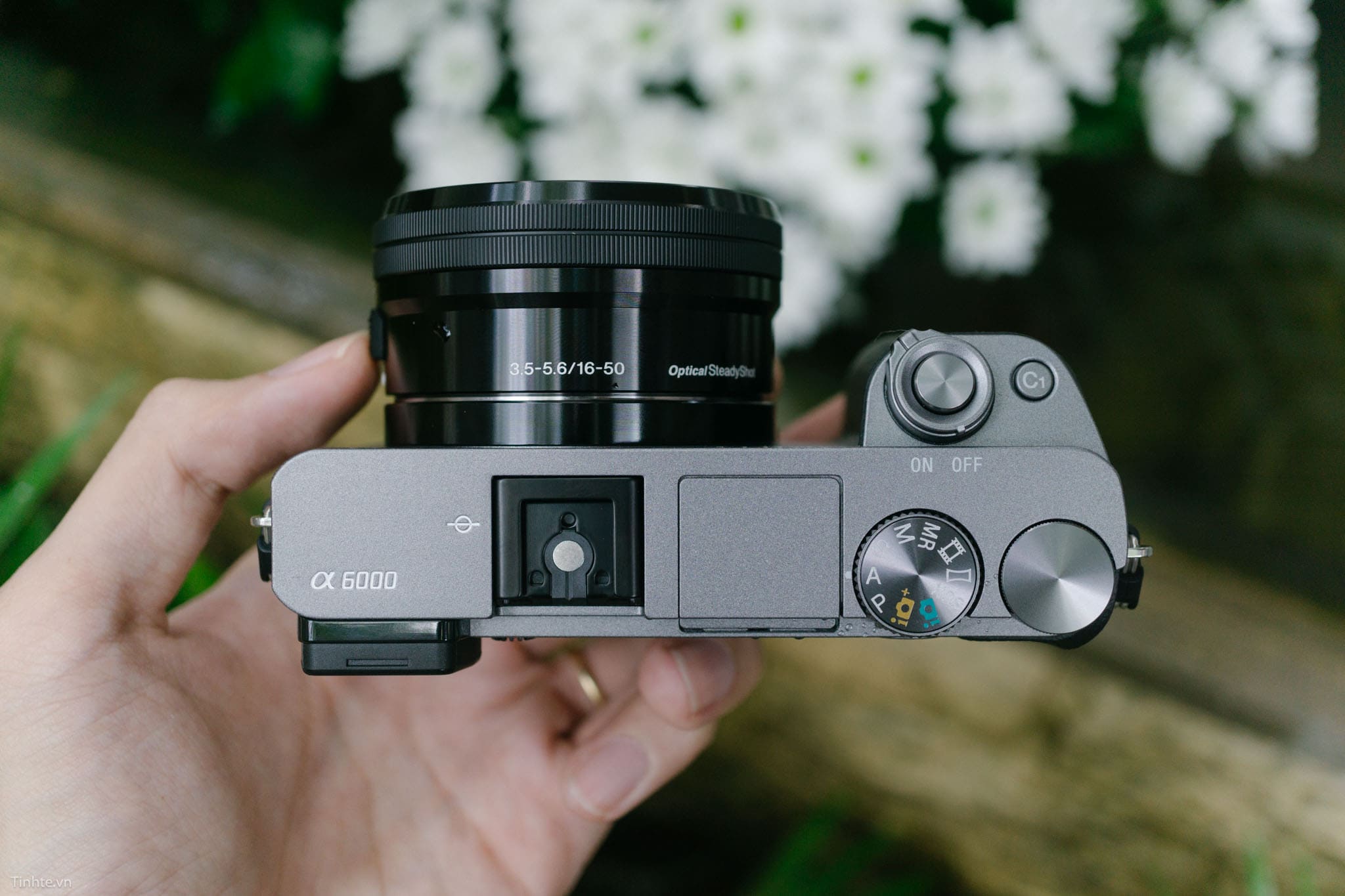
Theo các báo cáo từ các chuyên gia tại các triển lãm nhiếp ảnh quốc tế như CP+ và Photokina, Sony A6300 được đánh giá là một bước tiến quan trọng trong việc thu hẹp khoảng cách giữa máy ảnh mirrorless và DSLR về mặt hiệu suất. Đặc biệt, hệ thống lấy nét hybrid được các chuyên gia đánh giá là một trong những đổi mới công nghệ đáng chú ý nhất, mở ra hướng phát triển mới cho toàn bộ dòng máy ảnh mirrorless. Nhiều chuyên gia cũng nhận định rằng A6300 đã đặt nền móng cho sự phát triển của các dòng máy ảnh Sony sau này, với nhiều công nghệ được áp dụng và cải tiến trên các model mới hơn.
Đánh giá Sony A6300 từ review
Các trang review công nghệ và nhiếp ảnh đã có những đánh giá chi tiết và khách quan về Sony A6300. TechRadar đã cho A6300 điểm số 4.5/5 sao, đặc biệt khen ngợi tốc độ xử lý nhanh và chất lượng hình ảnh xuất sắc. Theo review này, A6300 thể hiện sự cân bằng tốt giữa kích thước gọn nhẹ và hiệu suất mạnh mẽ, phù hợp cho cả nhiếp ảnh và videography. Các reviewer nhấn mạnh rằng khả năng chụp trong điều kiện ánh sáng yếu của A6300 vượt trội hơn nhiều so với thế hệ trước, với hiệu suất ISO cao lên đến 25600 vẫn cho chất lượng hình ảnh chấp nhận được. Đặc biệt, khả năng tracking subject khi chụp thể thao và động vật hoang dã được đánh giá là một trong những điểm mạnh nổi bật nhất.
Photography Blog đã thực hiện một bài review toàn diện, đưa ra kết luận rằng A6300 là “một máy ảnh mirrorless tuyệt vời cho cả người mới bắt đầu và người dùng nâng cao”. Bài review này đặc biệt chú trọng đến khả năng tùy biến cao của máy, với hệ thống menu phong phú và khả năng gán chức năng cho các nút bấm theo ý muốn của người dùng. Về chất lượng build, các reviewer nhận xét rằng mặc dù có cấu trúc chủ yếu từ nhựa, A6300 vẫn cho cảm giác chắc chắn và bền bỉ trong quá trình sử dụng thường ngày. Hệ thống stabilization in-body tuy không có nhưng được bù đắp bởi khả năng tương thích tốt với các ống kính có chống rung quang học.
Các review từ YouTube channels chuyên về nhiếp ảnh như Peter McKinnon và Mango Street đã đưa ra những đánh giá thực tế từ góc độ content creator. Họ nhấn mạnh rằng A6300 là một công cụ tuyệt vời cho việc tạo content, đặc biệt là video blogging và social media content creation. Khả năng quay 4K với chất lượng tốt, kết hợp với kích thước gọn nhẹ, khiến A6300 trở thành lựa chọn phổ biến trong cộng đồng YouTuber và content creator. Tuy nhiên, các reviewer cũng chỉ ra rằng việc thiếu khe cắm micro và cổng headphone có thể là hạn chế cho một số ứng dụng video chuyên nghiệp, đòi hỏi phải sử dụng thêm các phụ kiện bên ngoài.
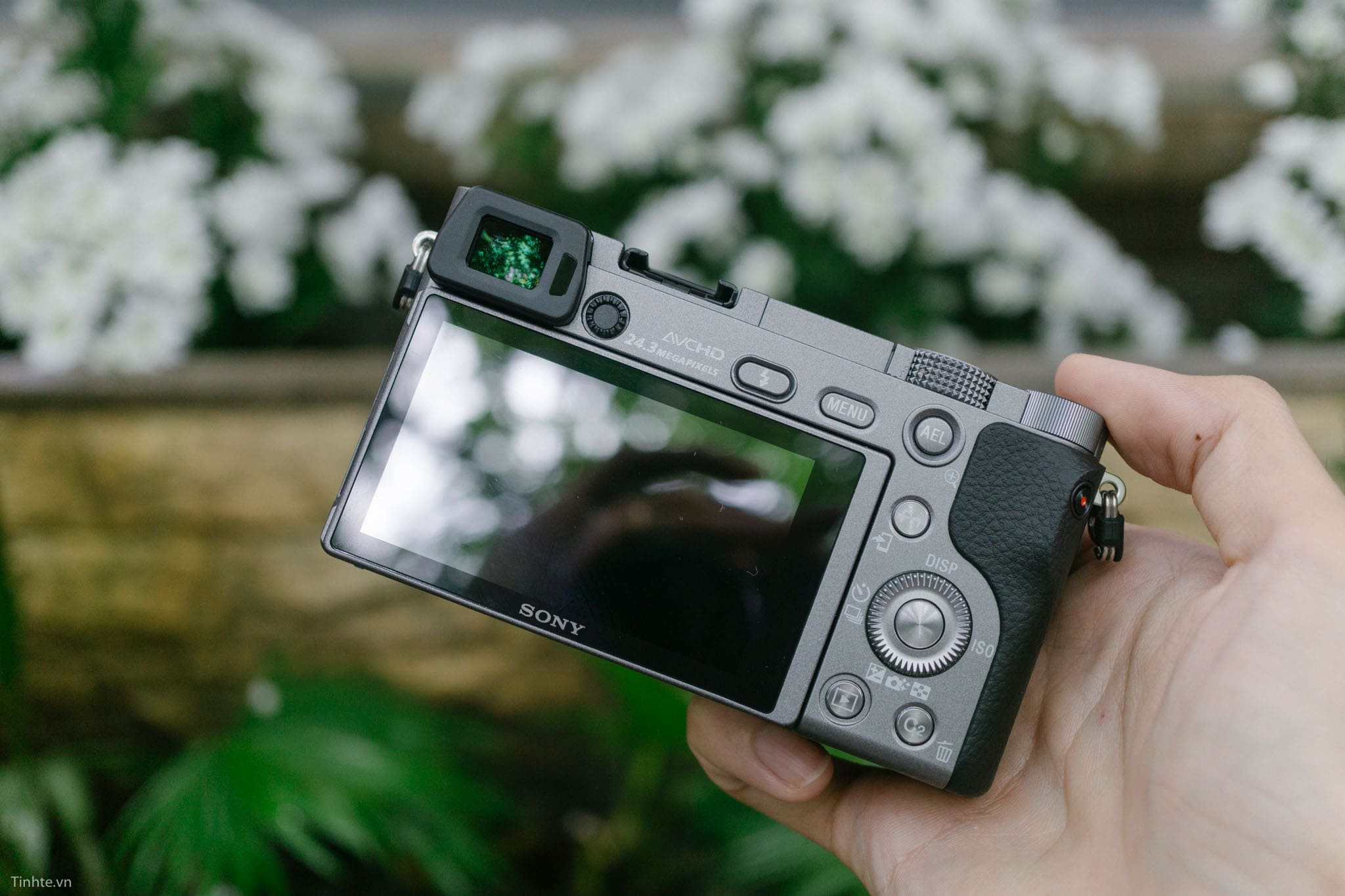
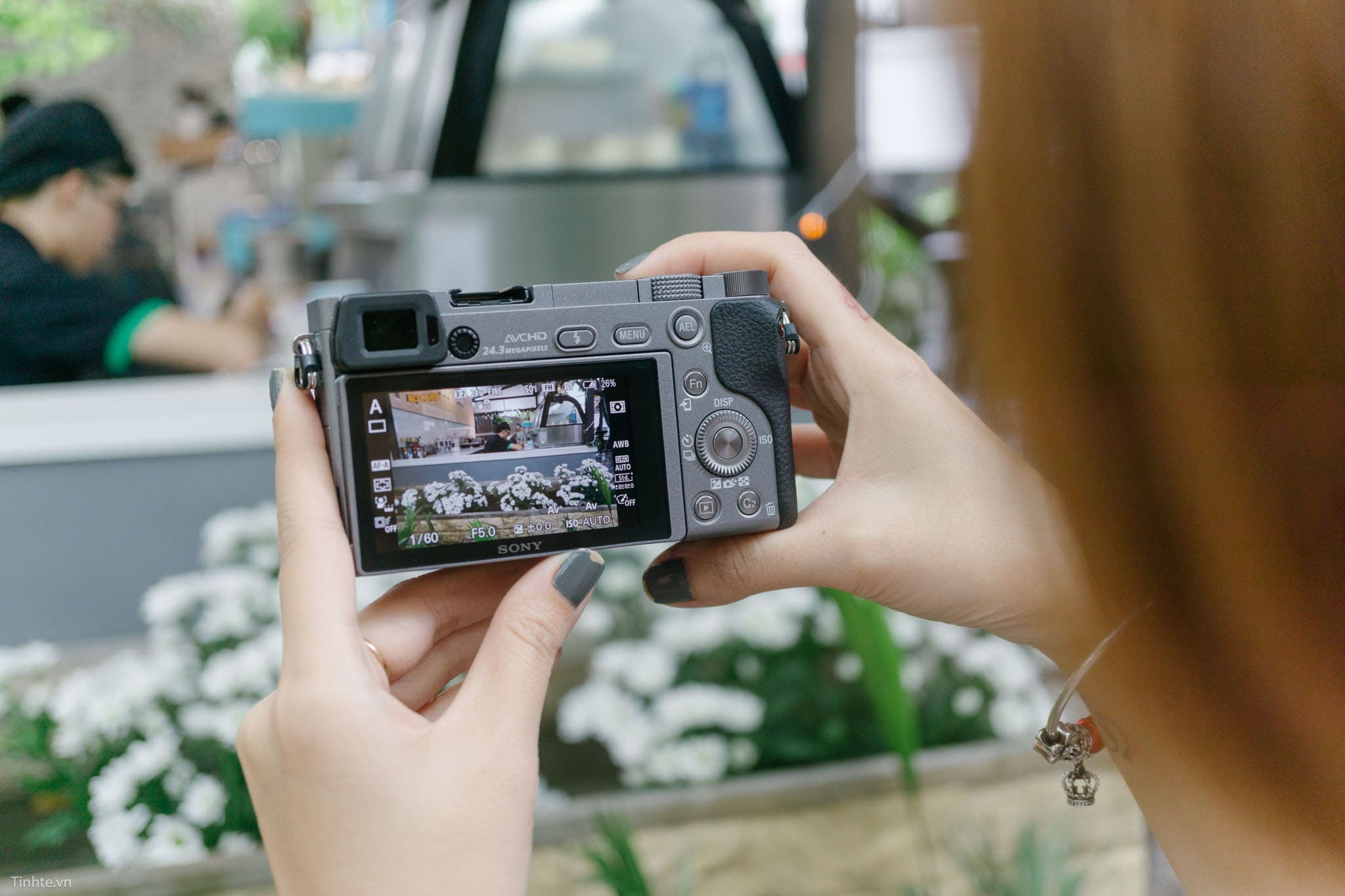
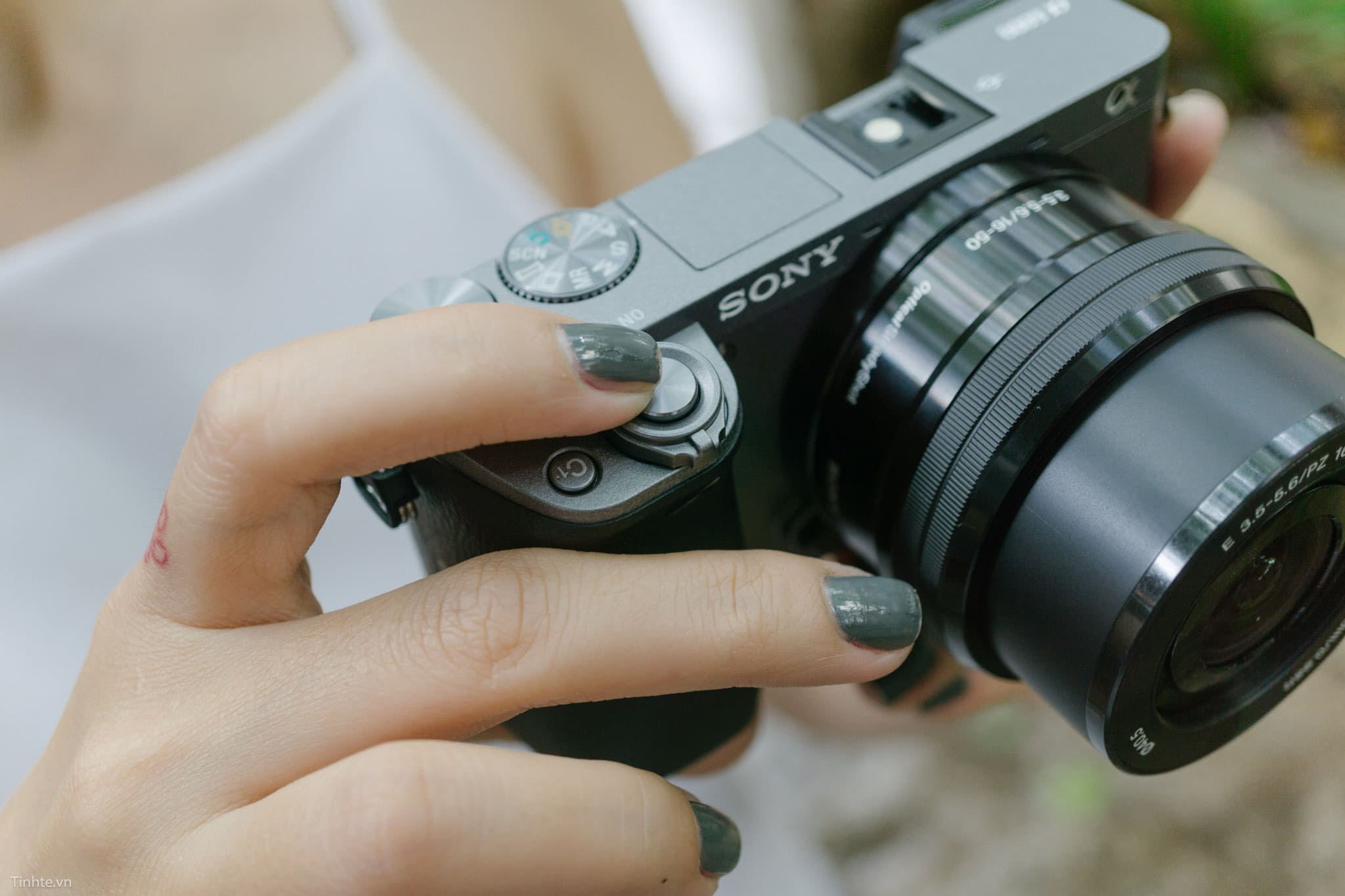
Đánh giá Sony A6300 từ người dùng
Cộng đồng người dùng thực tế đã có những đánh giá đa chiều về Sony A6300 thông qua các diễn đàn, trang web review và mạng xã hội. Trên Amazon, A6300 duy trì rating trung bình 4.3/5 sao với hàng nghìn reviews từ người mua thực tế. Đa số người dùng đánh giá cao chất lượng hình ảnh và tính di động của máy, đặc biệt phù hợp cho travel photography và street photography. Nhiều người dùng chia sẻ rằng A6300 đã trở thành companion đáng tin cậy trong các chuyến du lịch, với khả năng chụp ảnh sắc nét và màu sắc sinh động trong nhiều điều kiện ánh sáng khác nhau. Cộng đồng nhiếp ảnh du lịch đặc biệt yêu thích tính năng Silent Shooting của A6300, cho phép chụp ảnh không làm tiếng động trong các môi trường yêu cầu sự tĩnh lặng.
Trên các diễn đàn nhiếp ảnh như DPReview Forums và Reddit Photography community, người dùng thường xuyên thảo luận về những ưu điểm của A6300 trong chụp portrait và macro photography. Nhiều người dùng chuyên chụp portrait nhấn mạnh khả năng Eye-AF (lấy nét mắt tự động) của A6300 là một tính năng game-changing, giúp tạo ra những bức ảnh chân dung sắc nét và chuyên nghiệp. Cộng đồng macro photography cũng đánh giá cao độ chính xác của hệ thống lấy nét trong khoảng cách gần, đặc biệt khi kết hợp với các ống kính macro chuyên dụng. Tuy nhiên, một số người dùng phàn nàn về vấn đề battery life ngắn, đặc biệt khi sử dụng EVF và Wi-Fi thường xuyên, đòi hỏi phải mang thêm pin dự phòng.
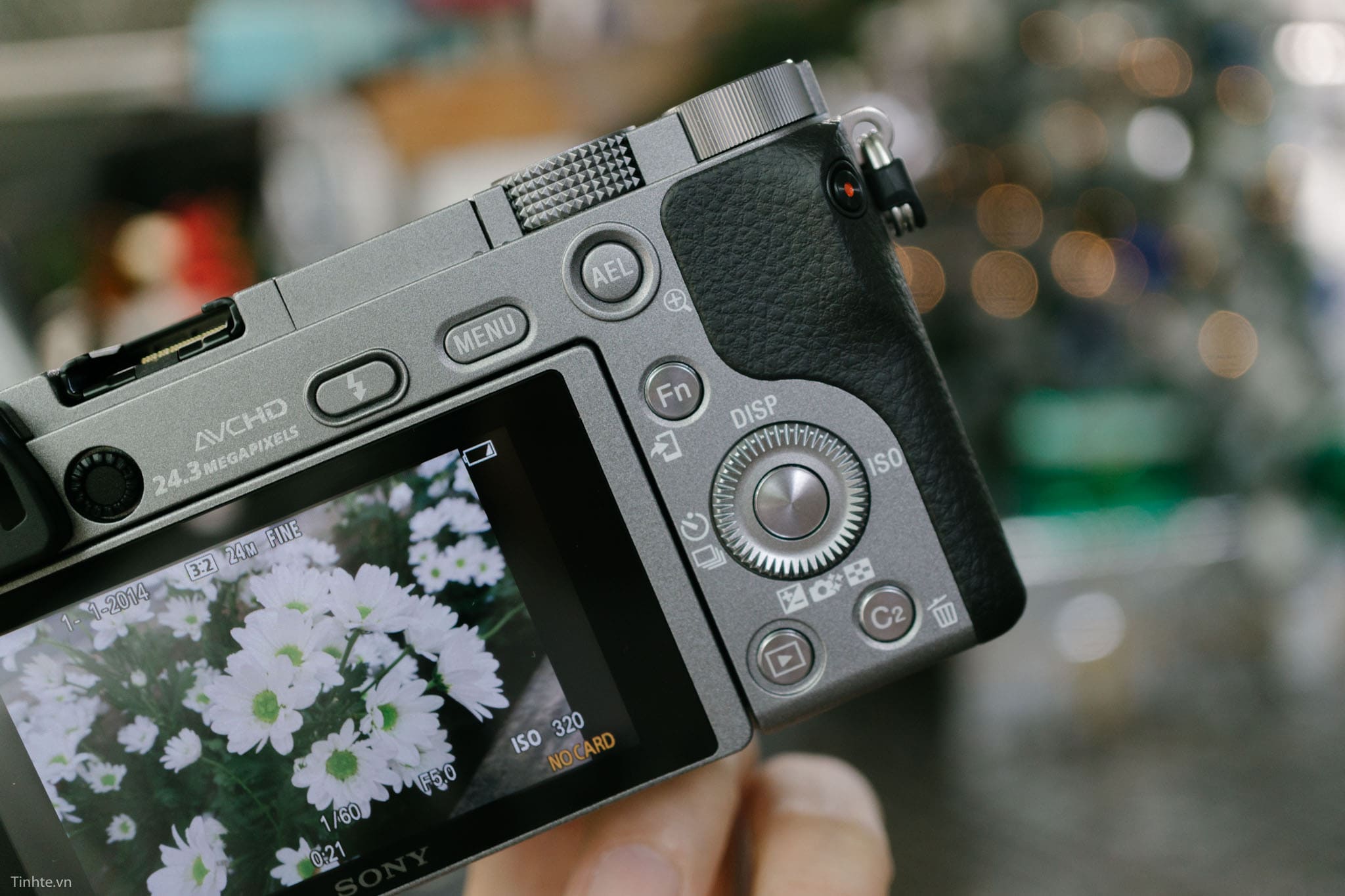
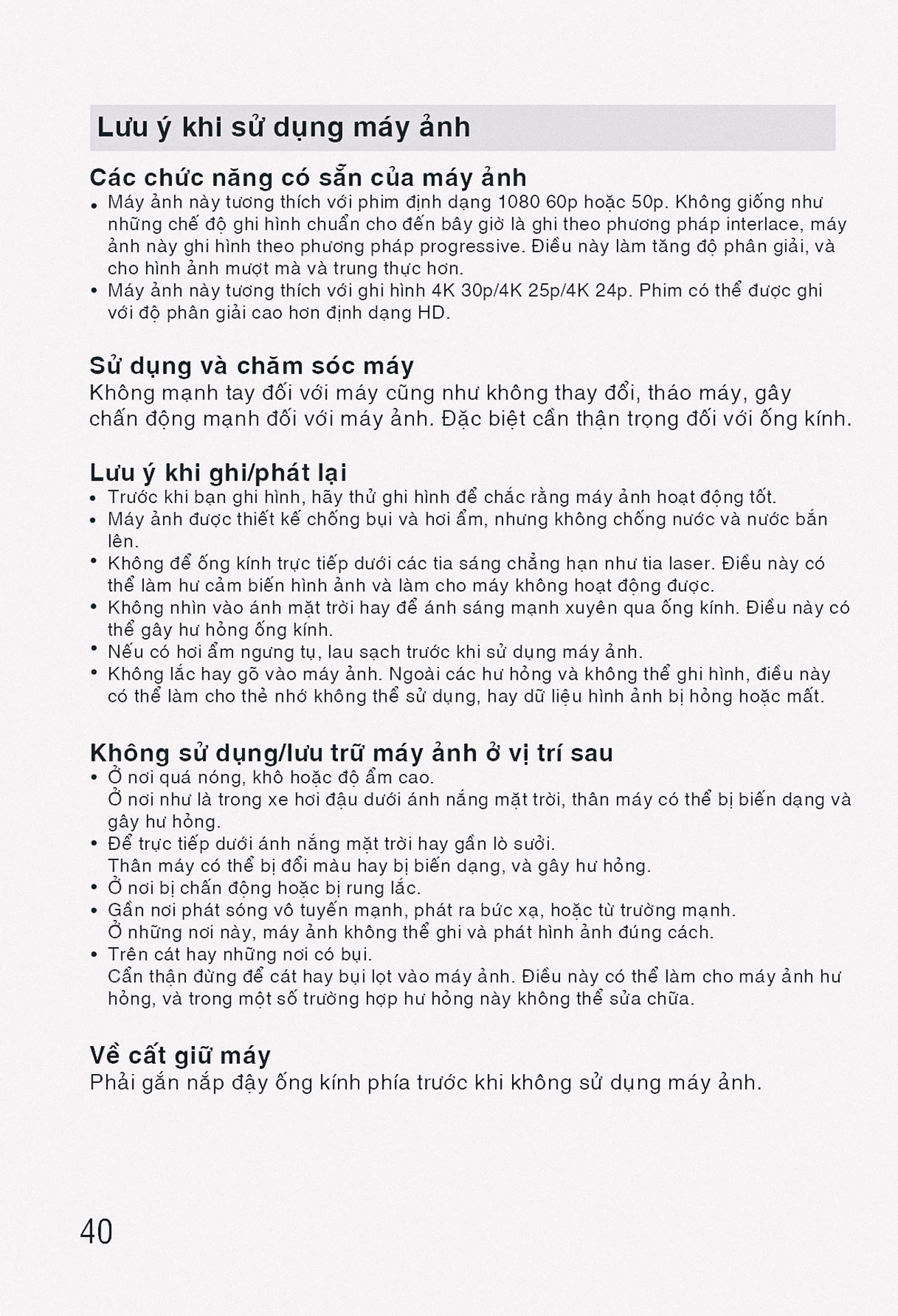
Trong cộng đồng videographer và content creator, A6300 nhận được đánh giá tích cực về khả năng quay video chất lượng cao với giá thành hợp lý. Nhiều YouTuber và vlogger chia sẻ kinh nghiệm sử dụng A6300 để tạo ra content chất lượng professional với budget hạn chế. Họ đánh giá cao khả năng autofocus trong video, giúp đảm bảo focus chính xác ngay cả khi moving shots hoặc khi subject di chuyển. Tuy nhiên, vấn đề overheating khi quay 4K được nhiều người dùng đề cập đến như một hạn chế thực tế, đòi hỏi phải nghỉ giữa các session quay hoặc sử dụng external cooling solutions. Dù vậy, đa số người dùng vẫn cho rằng những ưu điểm của A6300 vượt trội hơn các hạn chế, khiến nó trở thành một investment đáng giá trong long term.
Sony A6300 trong năm 2025 còn phù hợp không?
Bước vào năm 2025, sau gần một thập kỷ kể từ khi ra mắt, Sony A6300 đang đối mặt với câu hỏi về tính phù hợp và giá trị sử dụng trong bối cảnh công nghệ máy ảnh đã phát triển mạnh mẽ. Thị trường máy ảnh hiện tại có rất nhiều lựa chọn mới với công nghệ tiên tiến hơn, từ các hãng Sony, Canon, Fujifilm, Nikon và nhiều hãng khác. Tuy nhiên, việc đánh giá tính phù hợp của A6300 không chỉ dựa trên thông số kỹ thuật mà còn cần xem xét các yếu tố như giá cả, tính sẵn có của phụ kiện, cộng đồng người dùng và nhu cầu sử dụng cụ thể. Trong bối cảnh nhiều người đang tìm kiếm các thiết bị có tỷ lệ cost-performance tốt, A6300 vẫn có thể là một lựa chọn hợp lý cho một số segment người dùng nhất định, đặc biệt là những người mới bắt đầu hoặc có budget hạn chế nhưng vẫn muốn có chất lượng hình ảnh và video đáng tin cậy.
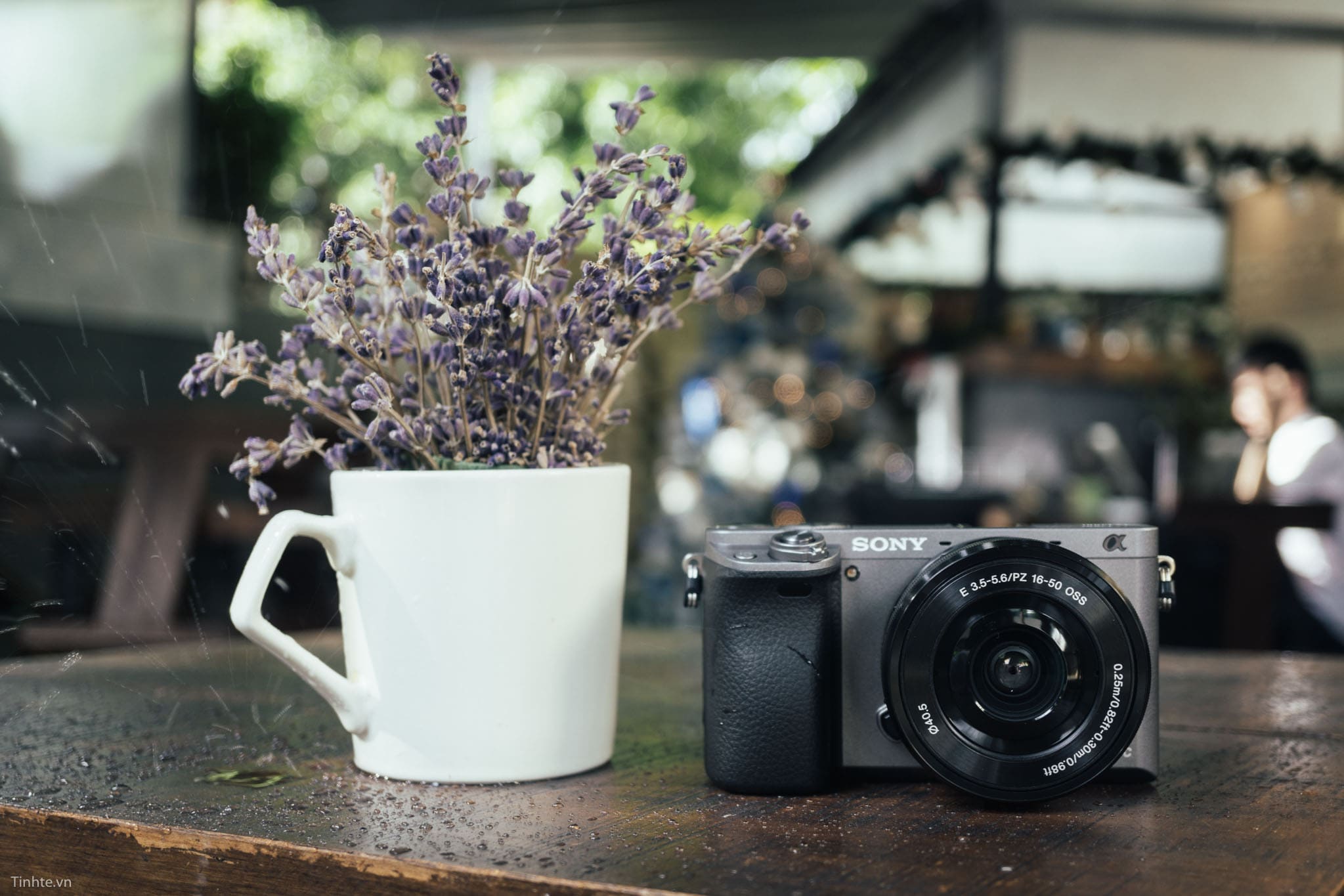
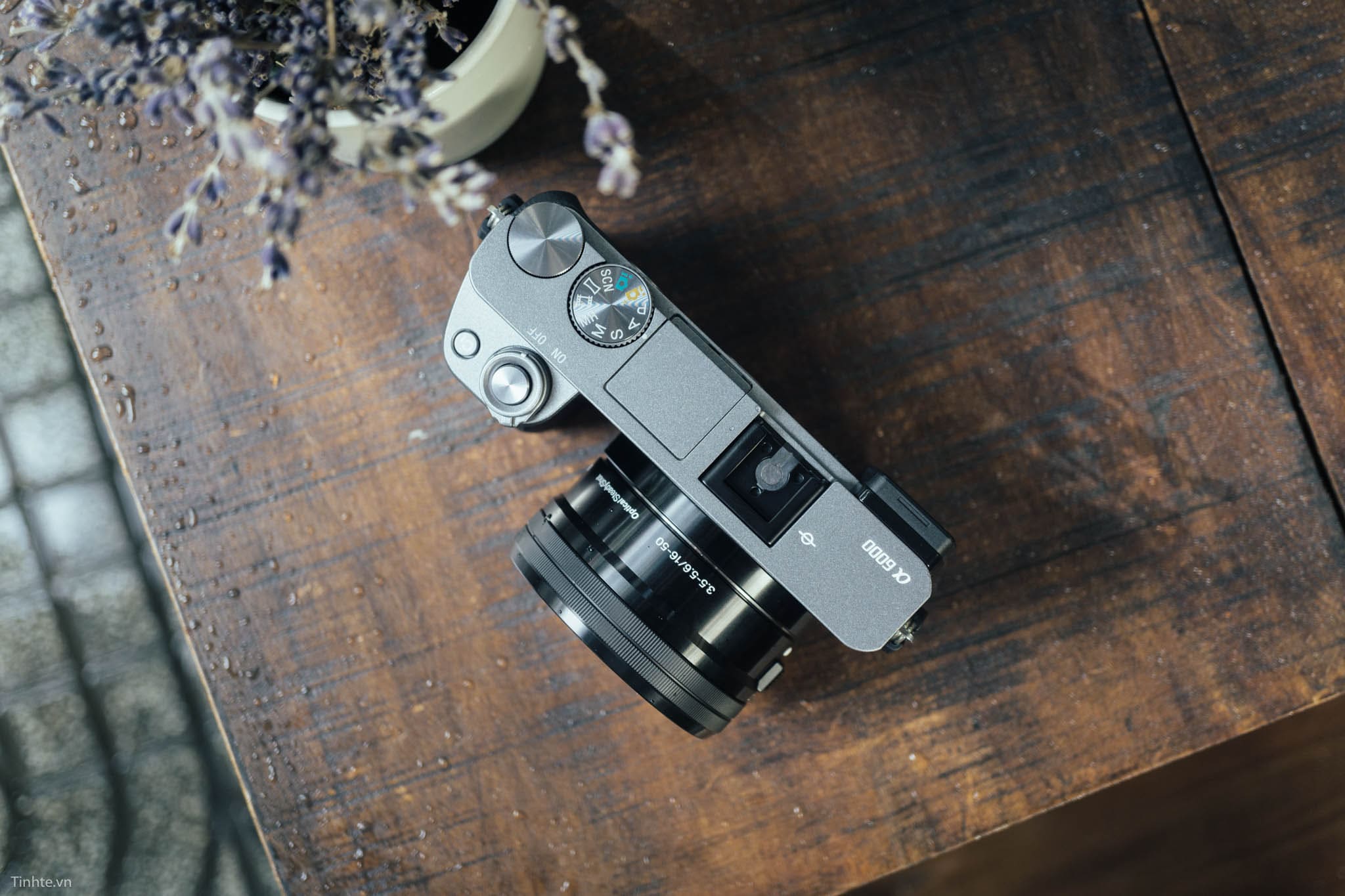
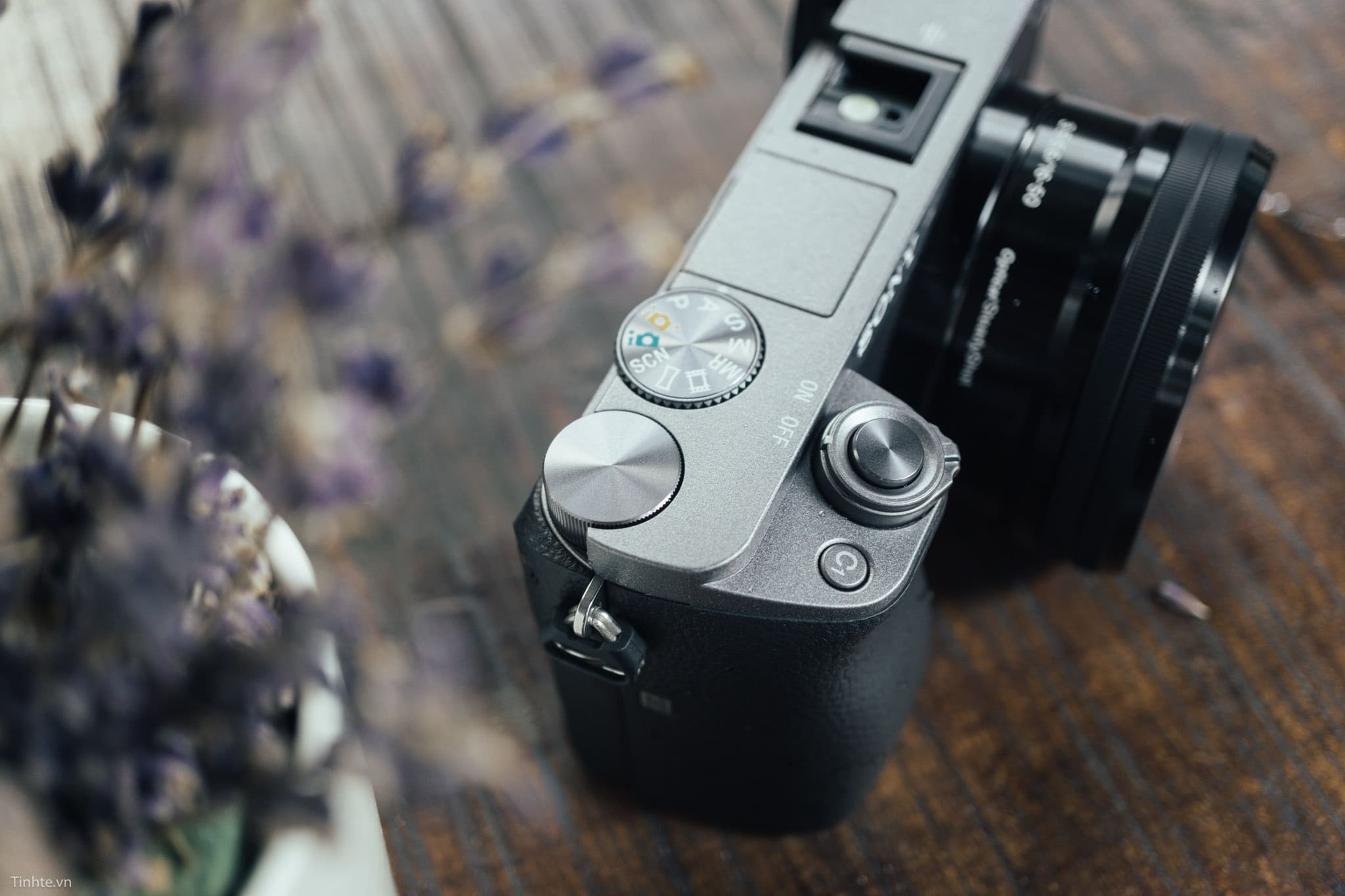
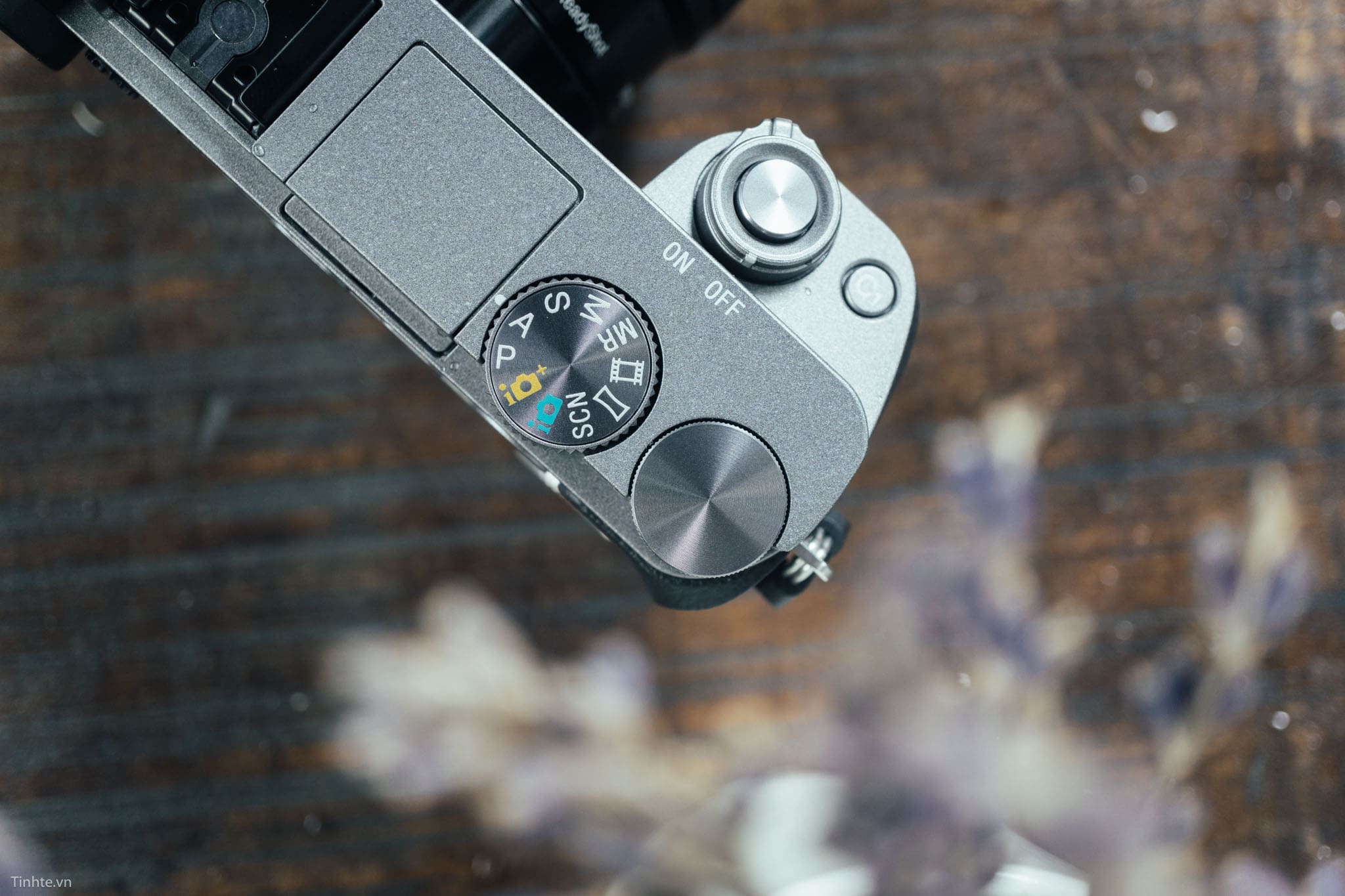
Từ góc độ công nghệ, mặc dù A6300 không còn là flagship model, nhưng những tính năng cốt lõi của nó vẫn đáp ứng được nhu cầu cơ bản của nhiều người dùng. Cảm biến 24.2MP APS-C vẫn cho chất lượng hình ảnh tốt, đặc biệt khi so sánh với các smartphone cao cấp hiện tại. Khả năng quay video 4K, mặc dù không có những tính năng advanced như Log profile hay internal recording 10 – bit, vẫn đủ để tạo ra content chất lượng cho social media và các project cá nhân. Hệ thống lấy nét tự động, dù không nhanh bằng các model mới nhất, vẫn reliable và chính xác trong hầu hết các tình huống chụp. Đặc biệt, ecosystem ống kính E-mount của Sony đã phát triển rất mạnh mẽ, cung cấp vô số lựa chọn từ budget đến high-end, từ native Sony lens đến third-party options từ Sigma, Tamron và nhiều hãng khác.
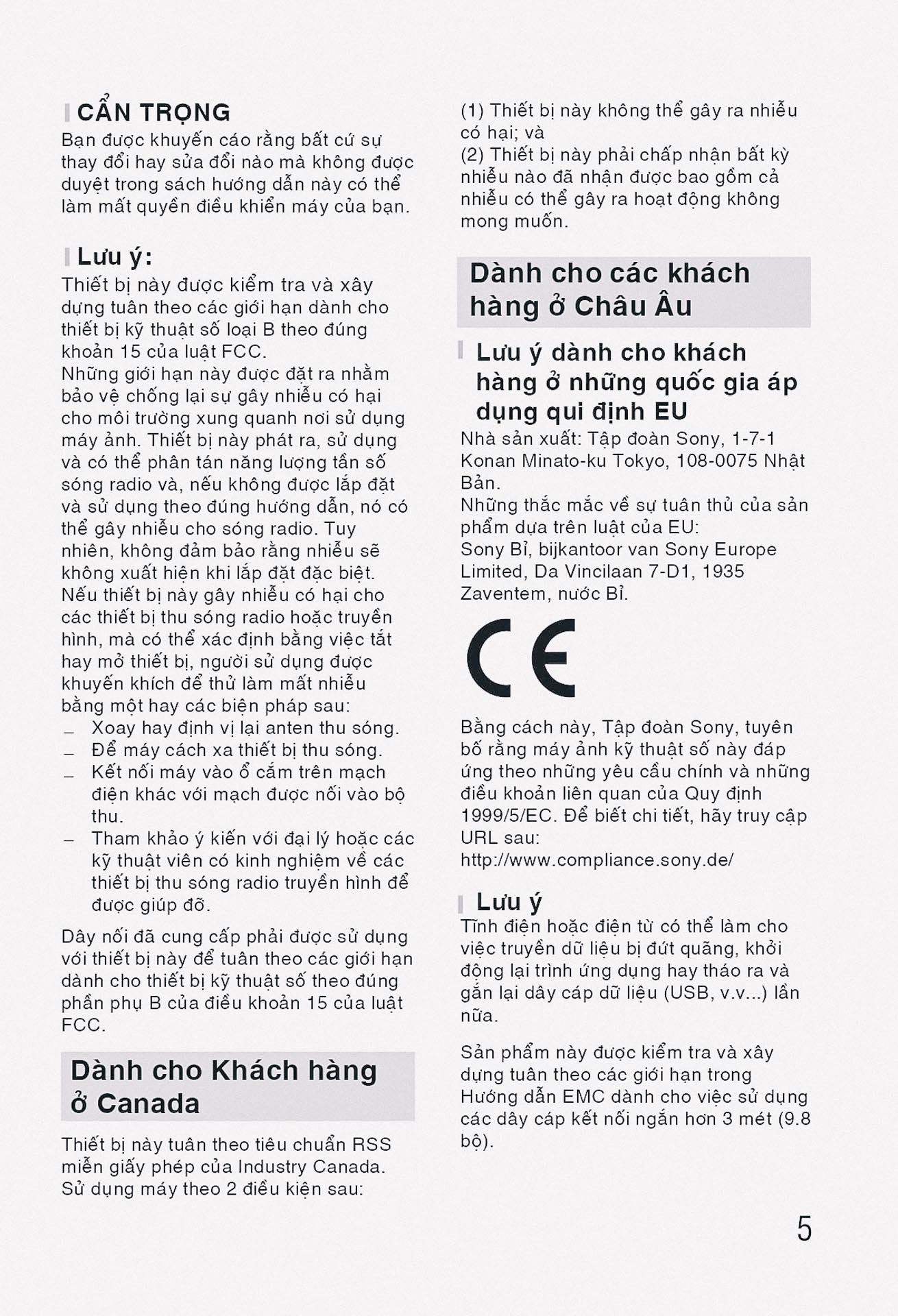
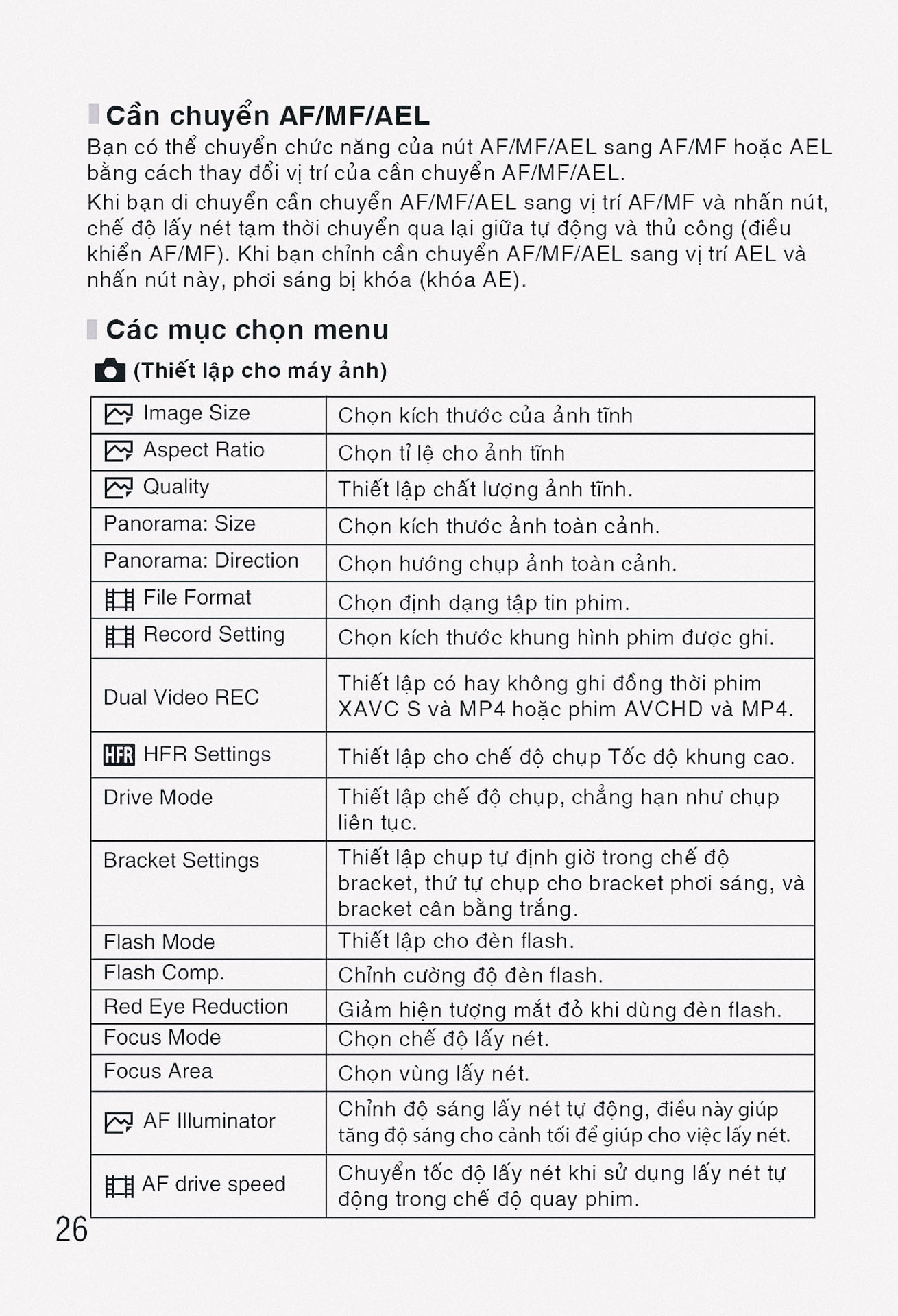
Hệ thống menu máy ảnh Sony Alpha A6000
Menu phần Camera Settings
Camera Settings (1.1) như sau:
| Chức năng | Mô tả |
|---|---|
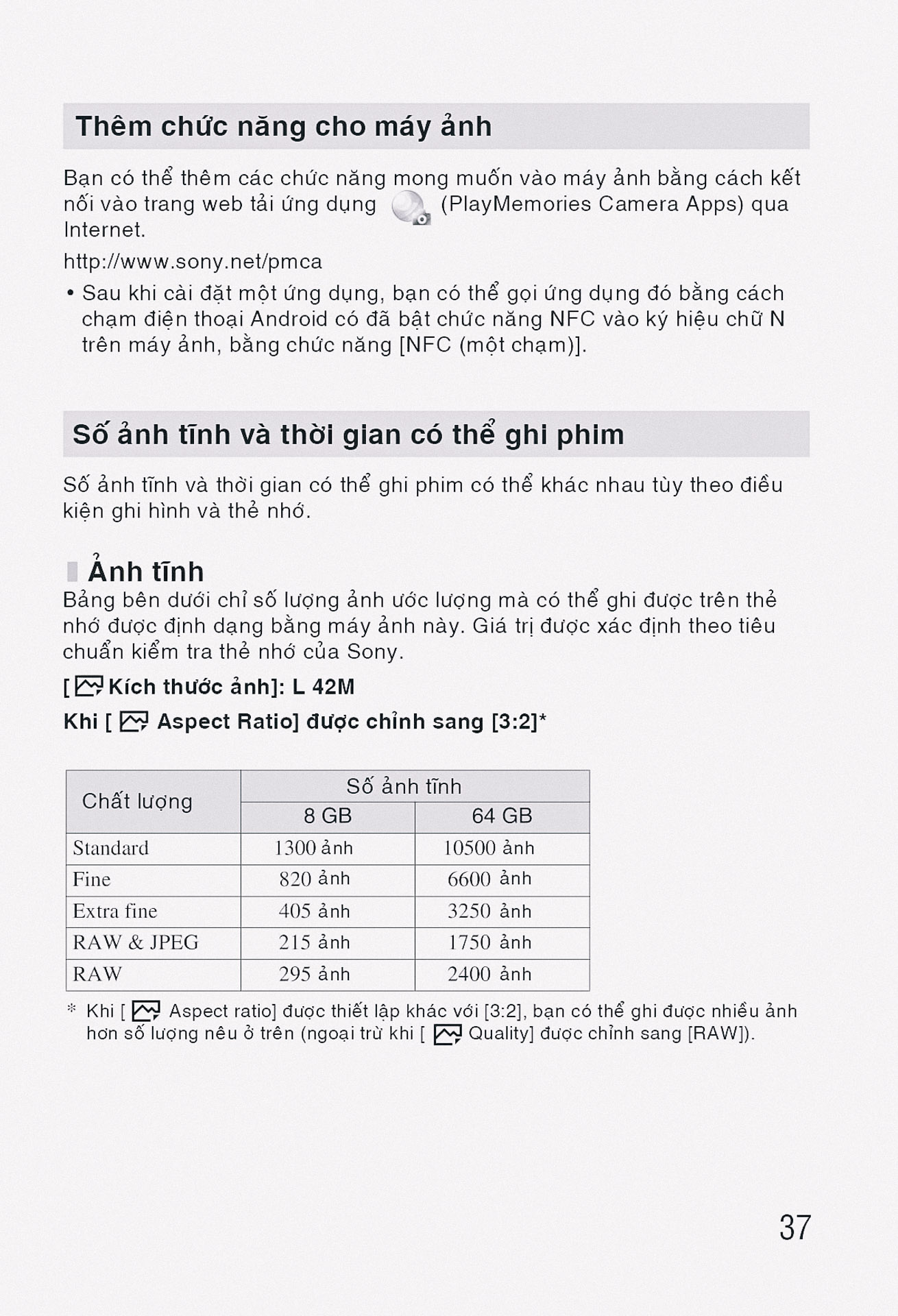
| File Format / Định dạng tệp | Selects the file format for still images (RAW, JPEG, RAW & JPEG). |
| JPEG Quality / Chất lượng JPEG | Sets the JPEG image quality (Extra fine, Fine, Standard). |
| JPEG Image Size / Kích thước ảnh JPEG | Sets the size of JPEG images (L:24M, M:12M, S:6.0M). |
| Aspect Ratio / Tỷ lệ khung hình | Sets the aspect ratio for still images (3:2, 16:9). |
| Panorama: Size / Ảnh toàn cảnh: Kích thước | Sets the size of panoramic images (Standard, Wide). |
| Panorama: Direction / Ảnh toàn cảnh: Hướng | Sets the shooting direction for panoramic images (Right, Left, Up, Down). |
| Long Exposure NR / Giảm nhiễu phơi sáng lâu | Sets noise reduction processing for shots with a shutter speed of 1 second or longer (On, Off). |
| High ISO NR / Giảm nhiễu ISO cao | Sets noise reduction processing for high-sensitivity shooting (Normal, Low, Off). |
| Color Space / Không gian màu | Changes the color space (sRGB, AdobeRGB). |
| Auto Mode / Chế độ tự động | Sets the auto shooting mode (Intelligent Auto, Superior Auto). |
| Scene Selection / Chọn cảnh | Selects pre-configured settings to match various scene conditions. |
| Movie/S&Q Motion / Phim/Chuyển động S&Q | Selects the exposure mode for movie/slow & quick motion shooting (Program Auto, Aperture Priority, Shutter Priority, Manual Exposure). |
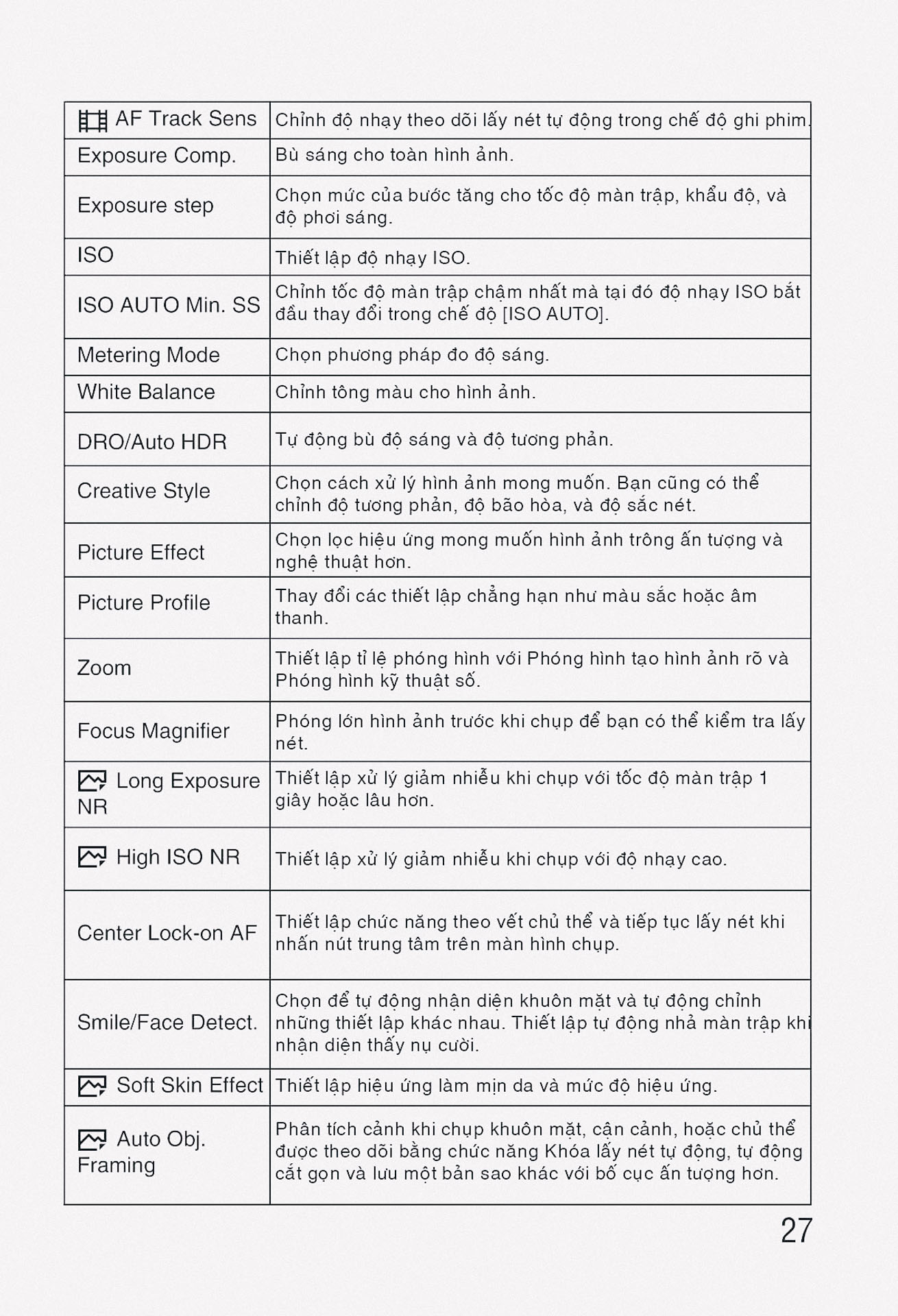
Camera Settings (1.2) như sau:
| Chức năng | Mô tả |
|---|---|
| Drive Mode / Chế độ truyền động | Sets the drive mode (Single Shooting, Cont. Shooting, Self-timer, etc.). |
| Bracket Settings / Cài đặt chụp bù trừ | Sets self-timer shooting in bracket mode, shooting order for exposure bracketing, and white balance bracketing. |
| Flash Mode / Chế độ đèn flash | Sets the flash settings (Flash Off, Autoflash, Fill-flash, Slow Sync, Rear Sync). |
| Flash Comp. / Bù đèn flash | Adjusts the intensity of flash output (-3.0EV to +3.0EV). |
| Red Eye Reduction / Giảm mắt đỏ | Reduces the red-eye phenomenon when using flash (On, Off). |
| Focus Mode / Chế độ lấy nét | Selects the focus method (Single-shot AF, Continuous AF, DMF, Manual Focus). |
| Focus Area / Vùng lấy nét | Selects the area of focus (Wide, Zone, Center, Flexible Spot, Expand Flexible Spot, Lock-on AF). |
| AF Illuminator / Đèn chiếu AF | Sets the AF illuminator, which provides light to aid focusing in dark scenes (Auto, Off). |
| AF Drive Speed / Tốc độ truyền động AF | Selects the focusing speed when using autofocus in movie mode (Fast, Normal, Slow). |
| AF Track Sens / Độ nhạy theo dõi AF | Sets the AF tracking sensitivity for movie mode (High, Mid, Low). |
| Expo.comp. / Bù phơi sáng | Compensates for the brightness of the entire image (-5.0EV to +5.0EV). |
| ISO / ISO | Sets light sensitivity. Lower numbers mean less sensitivity (ISO 100-25600). |
Camera Settings (1.3) như sau:
| Chức năng | Mô tả |
|---|---|
| Metering Mode / Chế độ đo sáng | Selects the method for measuring brightness (Multi, Center, Spot). |
| White Balance / Cân bằng trắng | Adjusts the color tones according to ambient light conditions (Auto, Daylight, Shade, Cloudy, etc.). |
| DRO/Auto HDR / DRO/Auto HDR | Analyzes the contrast of light and shadow between the subject and background, producing optimal brightness (Off, D-Range Optimizer, Auto HDR). |
| Creative Style / Phong cách sáng tạo | Selects the desired image processing (Standard, Vivid, Neutral, Clear, Deep, Light, etc.). |
| Picture Effect / Hiệu ứng hình ảnh | Shoots with desired effects to achieve unique expression (Off, Toy Camera, Pop Color, Posterization, etc.). |
| Picture Profile / Cấu hình hình ảnh | Changes settings such as color and tone for movie recording (Off, PP1-PP9). |
| Focus Magnifier / Kính lúp lấy nét | Enlarges the image before shooting to check focus. |
| Long Exposure NR / Giảm nhiễu phơi sáng lâu | Sets noise reduction processing for shots with a shutter speed of 1 second or longer (On, Off). |
| High ISO NR / Giảm nhiễu ISO cao | Sets noise reduction processing for high-sensitivity shooting (Normal, Low, Off). |
| Center Lock-on AF / Khóa nét vào trung tâm | Sets the function to track a subject by pressing the center button in the shooting screen. |
| Smile/Face Detect. / Phát hiện nụ cười/khuôn mặt | Selects to detect faces and adjust various settings automatically. Also sets auto shutter release when a smile is detected. |
| Soft Skin Effect / Hiệu ứng da mịn | Sets the Soft Skin Effect and the level (Off, Low, Mid, High). |
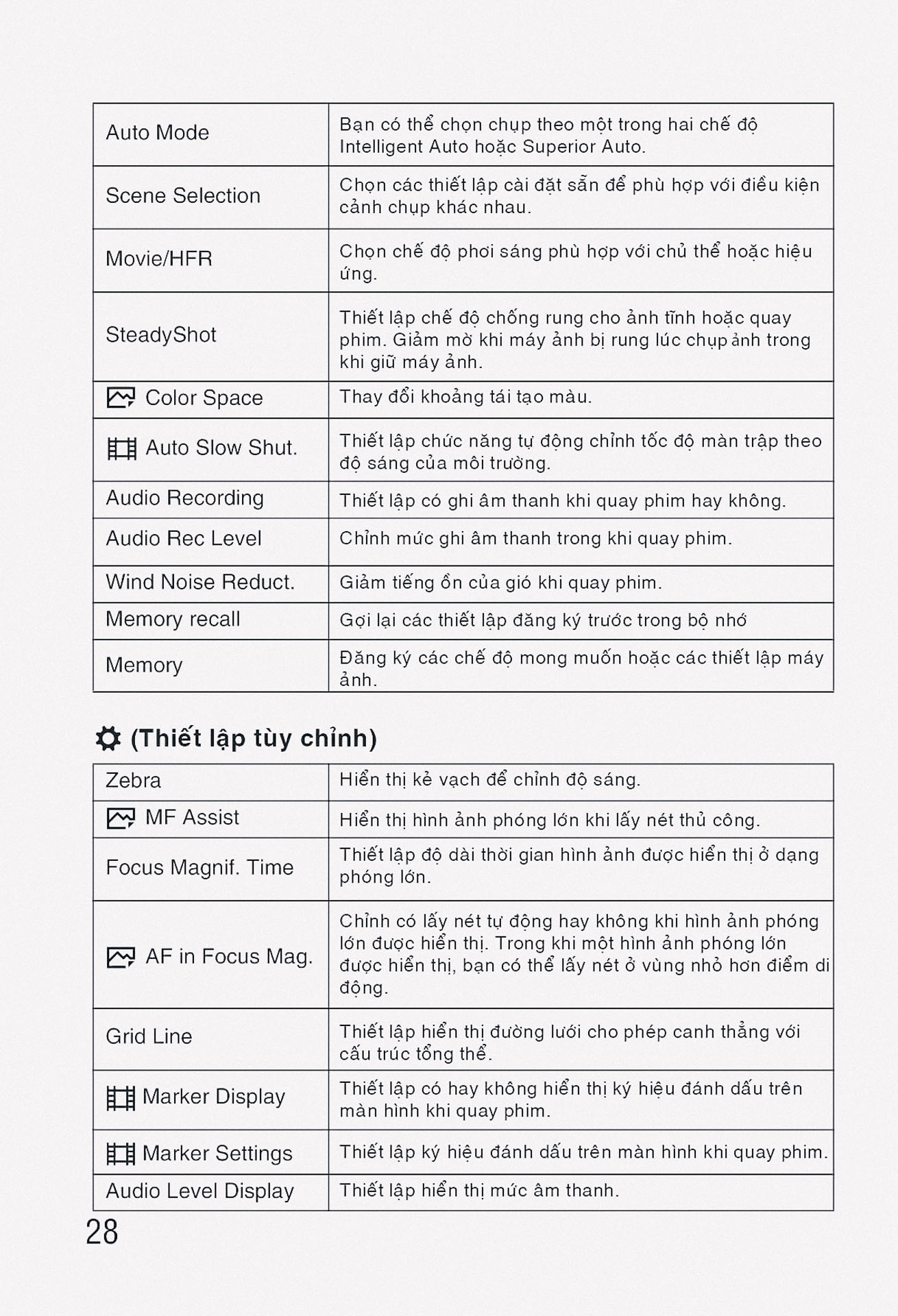
Camera Settings (1.4) như sau:
| Chức năng | Mô tả |
|---|---|
| Auto Obj. Framing / Tự động tạo khung đối tượng | Analyzes the scene and automatically saves another image with more impressive composition (Off, Auto, Off). |
| Auto Mode / Chế độ tự động | Sets the auto shooting mode (Intelligent Auto, Superior Auto). |
| Scene Selection / Chọn cảnh | Selects pre-configured settings to match various scene conditions. |
| Movie/S&Q Motion / Phim/Chuyển động S&Q | Selects the exposure mode for movie/slow & quick motion shooting (Program Auto, Aperture Priority, Shutter Priority, Manual Exposure). |
| SteadyShot / SteadyShot | Sets whether to use SteadyShot for shooting (On, Off). |
| SteadyShot Settings / Cài đặt SteadyShot | Sets SteadyShot settings for movie recording. |
| Color Space / Không gian màu | Changes the color space (sRGB, AdobeRGB). |
| Auto Slow Shut. / Tự động chụp chậm | Sets whether to automatically adjust the shutter speed when recording movies if the subject is dark (On, Off). |
| Audio Recording / Ghi âm | Sets whether to record audio when shooting a movie (On, Off). |
| Audio Rec. Level / Mức ghi âm | Adjusts the audio recording level during movie recording. |
| Audio Out Timing / Thời gian xuất âm thanh | Sets the timing of audio output during movie recording (Live, Lip Sync). |
| Wind Noise Reduct. / Giảm nhiễu gió | Reduces wind noise during movie recording (On, Off). |
Camera Settings (1.5) như sau:
| Chức năng | Mô tả |
|---|---|
| Memory / Bộ nhớ | Registers the desired modes or camera settings. |
| Zebra / Vằn ngựa | Displays stripes to adjust brightness (Off, 70 to 100+, Custom1, Custom2). |
| MF Assist / Hỗ trợ MF | Displays an enlarged image when focusing manually (On, Off). |
| Focus Magnif. Time / Thời gian phóng to lấy nét | Sets the length of time the image will be shown magnified (2 Sec, 5 Sec, No Limit). |
| Grid Line / Đường lưới | Sets a grid line display to align subjects (Rule of 3rds Grid, Square Grid, Diag. + Square Grid, Off). |
| Marker Display / Hiển thị đánh dấu | Sets whether to display markers on the monitor when recording movies (On, Off). |
| Marker Settings / Cài đặt đánh dấu | Sets the markers displayed on the monitor when recording movies. |
| Audio Level Display / Hiển thị mức âm thanh | Sets whether to display the audio level on the screen (On, Off). |
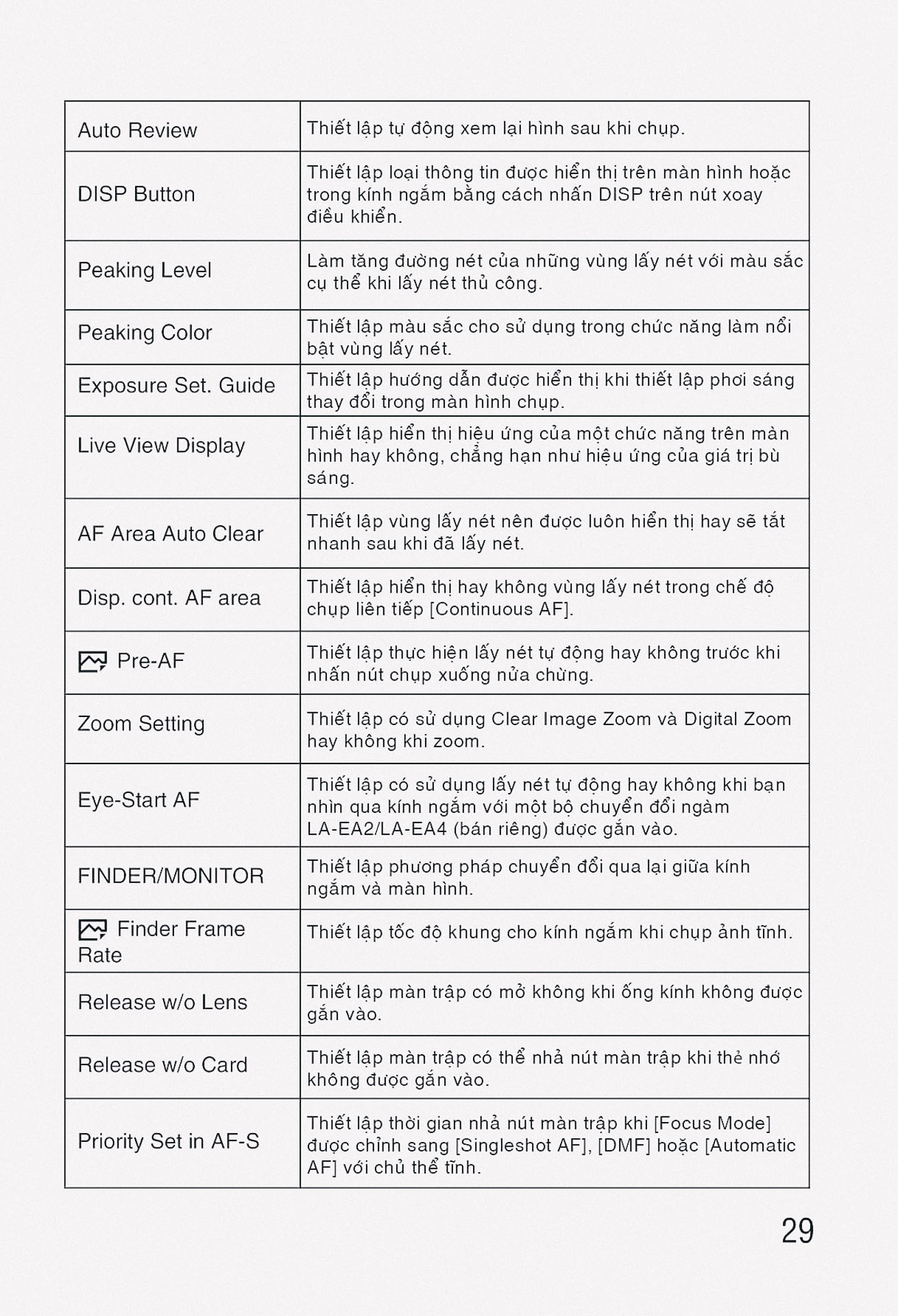
| Auto Review / Tự động xem lại | Sets auto review to display the captured image after shooting (10 Sec, 5 Sec, 2 Sec, Off). |
| DISP Button / Nút DISP | Sets the type of information to be displayed on the monitor or viewfinder when the DISP button is pressed. |
| Peaking Level / Mức tô viền | Enhances the outline of in-focus ranges with a specific color (High, Mid, Low, Off). |
| Peaking Color / Màu tô viền | Sets the color used for the peaking function (Red, Yellow, White). |
Camera Settings (1.6) như sau:
| Chức năng | Mô tả |
|---|---|
| Exposure Set. Guide / Hướng dẫn cài đặt phơi sáng | Sets the guide displayed when exposure settings are changed (Off, On). |
| Live View Display / Hiển thị xem trực tiếp | Sets whether to reflect settings such as exposure in the screen display (Setting Effect ON, Setting Effect OFF). |
| AF Area Auto Clear / Tự động xóa vùng AF | Sets whether the focus area should be displayed all the time or disappear after focus is achieved (On, Off). |
| Disp. cont. AF area / Hiển thị vùng AF liên tục | Sets whether to display the focus area in Continuous AF mode (On, Off). |
| Pre-AF / Tiền AF | Sets whether to perform auto focus before the shutter button is half pressed (On, Off). |
| Zoom Setting / Cài đặt thu phóng | Sets the zoom scale for zoom functions other than the optical zoom (Digital Zoom, Clear Image Zoom, Digital Zoom). |
| Eye-Start AF / Khởi động AF bằng mắt | Sets whether to use autofocus when you look through the viewfinder (On, Off). |
| FINDER/MONITOR / MÁY NGẮM/MÀN HÌNH | Sets the method for switching between viewfinder and monitor (Auto, Viewfinder, Monitor). |
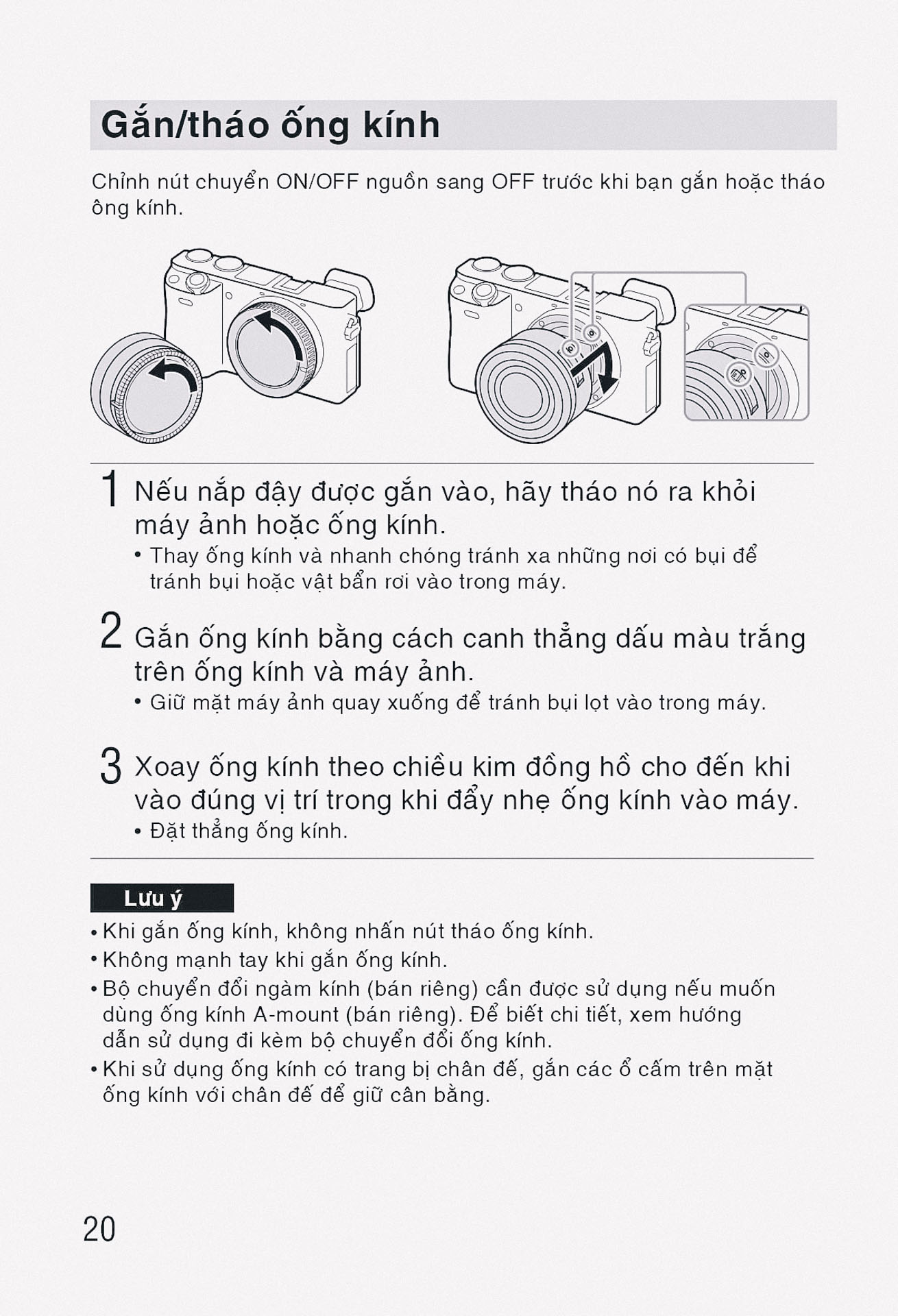
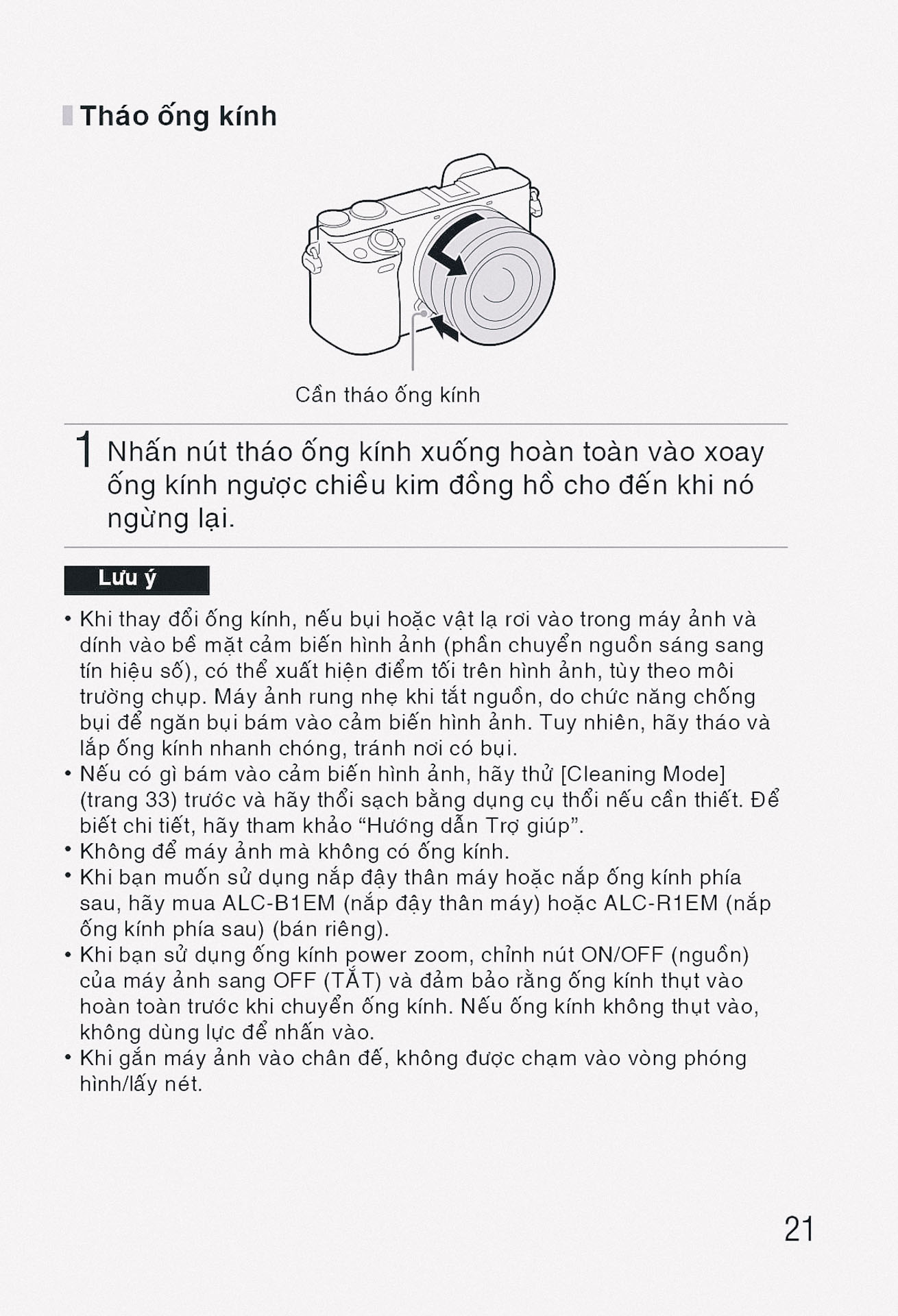
| Release w/o Lens / Nhả khi không có ống kính | Sets whether the shutter can be released when no lens is attached (Enable, Disable). |
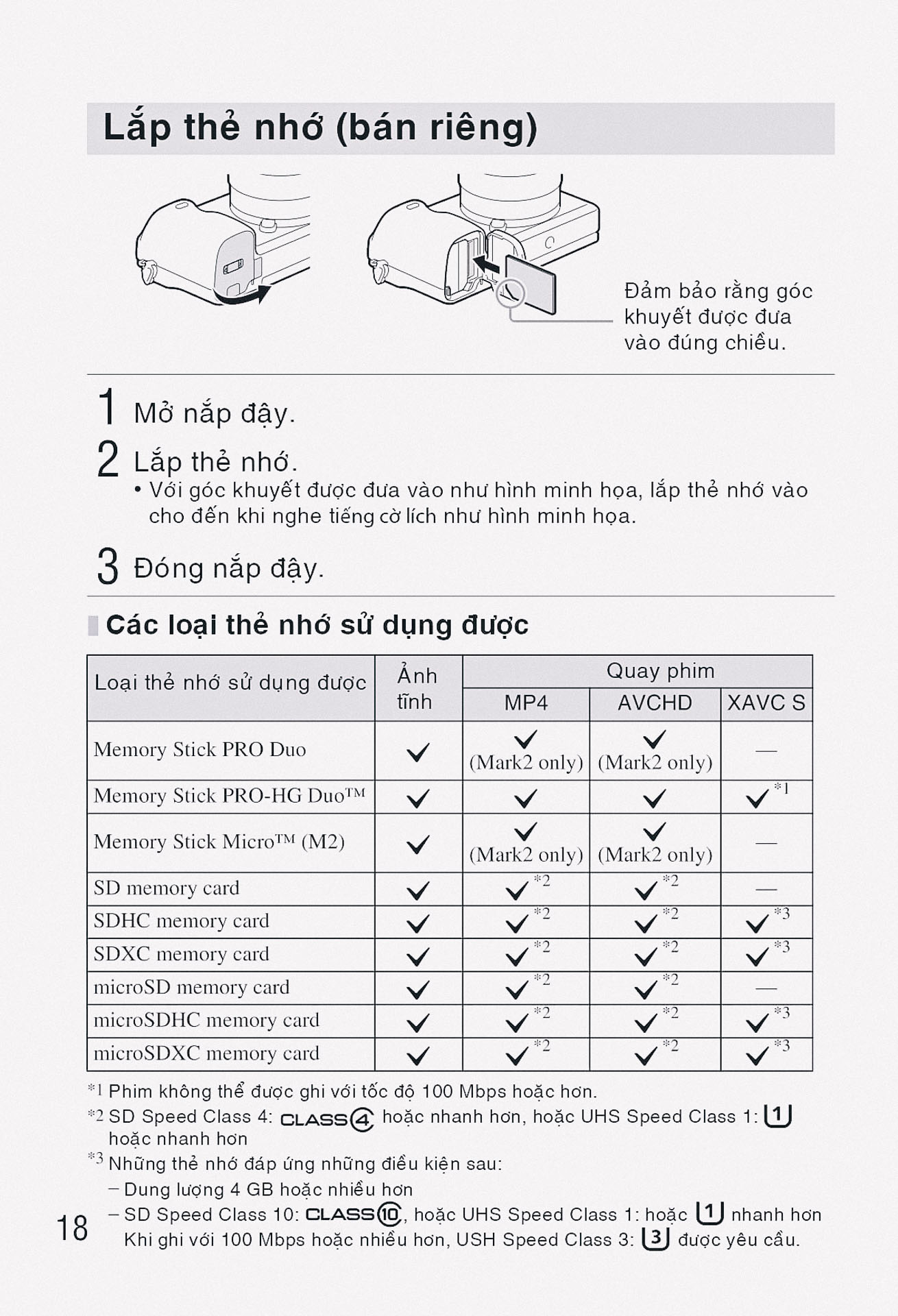
| Release w/o Card / Nhả khi không có thẻ | Sets whether to release the shutter when no memory card is inserted (Enable, Disable). |
| Priority Set in AF-S / Ưu tiên thiết lập ở AF-S | Sets whether to release the shutter even if the subject is not in focus when Focus Mode is set to Single-shot AF (AF, Release). |
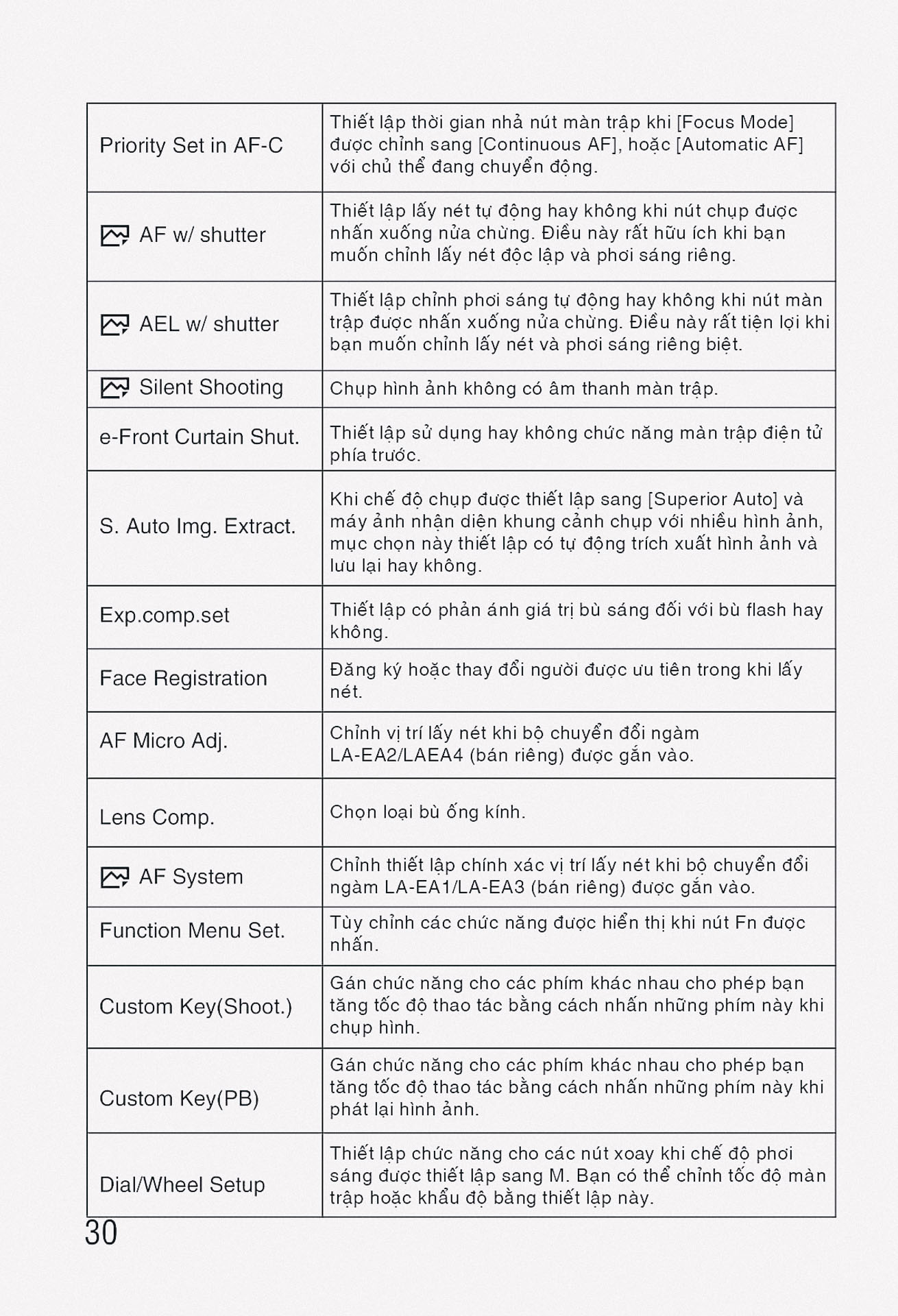
| Priority Set in AF-C / Ưu tiên thiết lập ở AF-C | Sets whether to release the shutter even if the subject is not in focus when Focus Mode is set to Continuous AF (AF, Release, Balanced Emphasis). |
Camera Settings (1.7) như sau:
| Chức năng | Mô tả |
|---|---|
| AF w/ shutter / AF bằng màn trập | Sets whether to perform auto focus when the shutter button is half pressed (On, Off). |
| AEL w/ shutter / AEL bằng màn trập | Sets whether to perform auto exposure when the shutter button is half pressed (Auto, On, Off). |
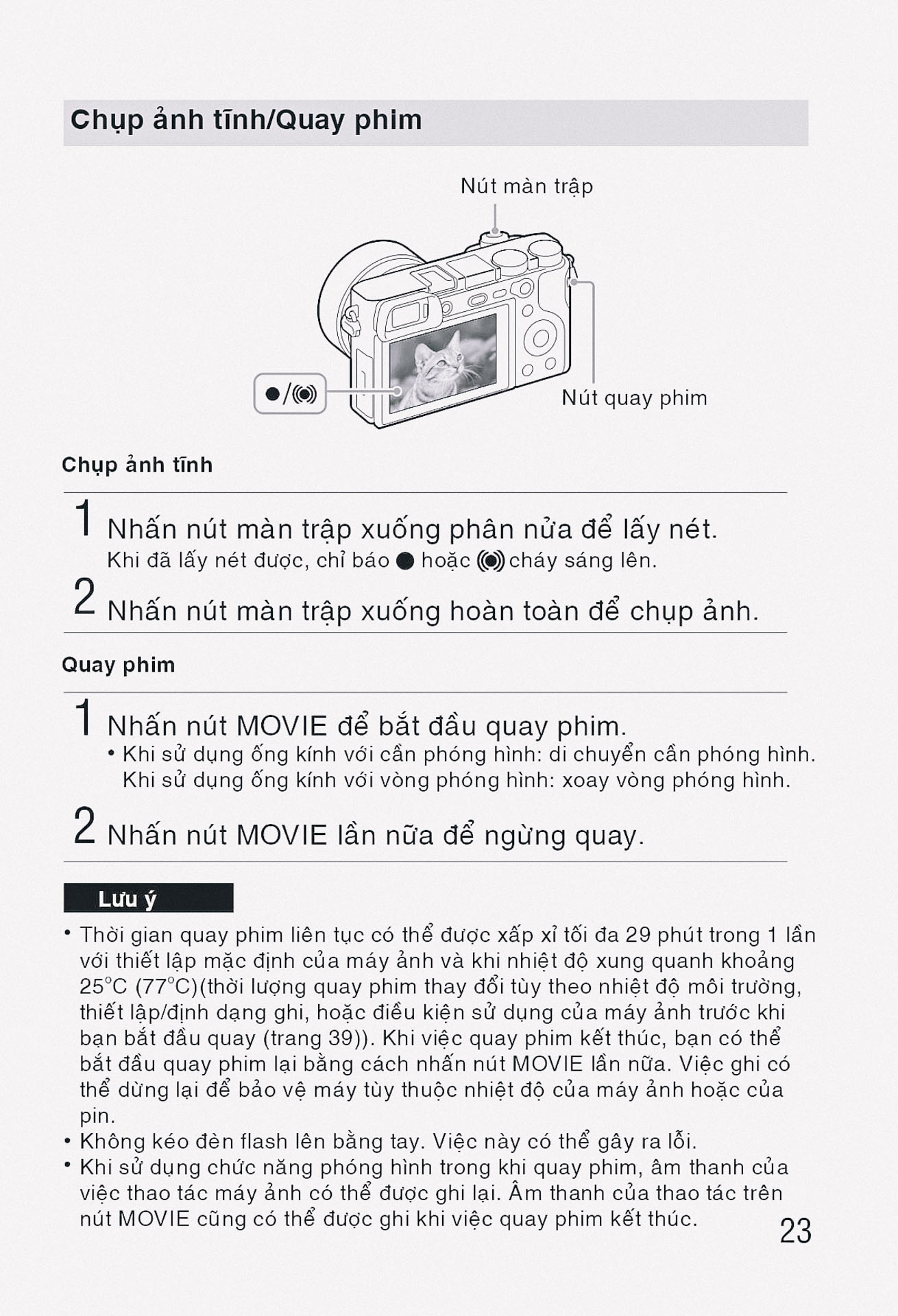
| Silent Shooting / Chụp im lặng | Shoots images without the shutter sound (On, Off). |
| e-Front Curtain Shut. / Màn trập trước điện tử | Sets whether to use the electronic front curtain shutter function (On, Off). |
| S. Auto Img. Extract. / Trích xuất hình ảnh tự động S. | Sets whether to save all images shot continuously in Superior Auto mode (Auto, Off). |
| Exp.comp.set / Đặt bù phơi sáng | Sets whether to reflect exposure compensation in flash compensation (Ambient&flash, Ambient only). |
| Face Registration / Đăng ký khuôn mặt | Registers or changes the person to be given priority in the focus. |
| Reset Camera Settings / Đặt lại cài đặt máy ảnh | Resets the camera settings to defaults. |
Menu phần Custom Settings
Custom Settings (2.1) như sau:
| Chức năng | Mô tả |
|---|---|
| Zebra / Vằn ngựa | Displays stripes to adjust brightness (Off, 70 to 100+, Custom1, Custom2). |
| MF Assist / Hỗ trợ MF | Displays an enlarged image when focusing manually (On, Off). |
| Focus Magnif. Time / Thời gian phóng to lấy nét | Sets the length of time the image will be shown magnified (2 Sec, 5 Sec, No Limit). |
| Grid Line / Đường lưới | Sets a grid line display to align subjects (Rule of 3rds Grid, Square Grid, Diag. + Square Grid, Off). |
| Marker Display / Hiển thị đánh dấu | Sets whether to display markers on the monitor when recording movies (On, Off). |
| Marker Settings / Cài đặt đánh dấu | Sets the markers displayed on the monitor when recording movies. |
| Audio Level Display / Hiển thị mức âm thanh | Sets whether to display the audio level on the screen (On, Off). |
| Auto Review / Tự động xem lại | Sets auto review to display the captured image after shooting (10 Sec, 5 Sec, 2 Sec, Off). |
| DISP Button / Nút DISP | Sets the type of information to be displayed on the monitor or viewfinder when the DISP button is pressed. |
| Peaking Level / Mức tô viền | Enhances the outline of in-focus ranges with a specific color (High, Mid, Low, Off). |
| Peaking Color / Màu tô viền | Sets the color used for the peaking function (Red, Yellow, White). |
| Exposure Set. Guide / Hướng dẫn cài đặt phơi sáng | Sets the guide displayed when exposure settings are changed (Off, On). |
Custom Settings (2.2) như sau:
| Chức năng | Mô tả |
|---|---|
| Live View Display / Hiển thị xem trực tiếp | Sets whether to reflect settings such as exposure in the screen display (Setting Effect ON, Setting Effect OFF). |
| AF Area Auto Clear / Tự động xóa vùng AF | Sets whether the focus area should be displayed all the time or disappear after focus is achieved (On, Off). |
| Disp. cont. AF area / Hiển thị vùng AF liên tục | Sets whether to display the focus area in Continuous AF mode (On, Off). |
| Pre-AF / Tiền AF | Sets whether to perform auto focus before the shutter button is half pressed (On, Off). |
| Zoom Setting / Cài đặt thu phóng | Sets the zoom scale for zoom functions other than the optical zoom (Digital Zoom, Clear Image Zoom, Digital Zoom). |
| Eye-Start AF / Khởi động AF bằng mắt | Sets whether to use autofocus when you look through the viewfinder (On, Off). |
| FINDER/MONITOR / MÁY NGẮM/MÀN HÌNH | Sets the method for switching between viewfinder and monitor (Auto, Viewfinder, Monitor). |
| Release w/o Lens / Nhả khi không có ống kính | Sets whether the shutter can be released when no lens is attached (Enable, Disable). |
| Release w/o Card / Nhả khi không có thẻ | Sets whether to release the shutter when no memory card is inserted (Enable, Disable). |
| Priority Set in AF-S / Ưu tiên thiết lập ở AF-S | Sets whether to release the shutter even if the subject is not in focus when Focus Mode is set to Single-shot AF (AF, Release). |
| Priority Set in AF-C / Ưu tiên thiết lập ở AF-C | Sets whether to release the shutter even if the subject is not in focus when Focus Mode is set to Continuous AF (AF, Release, Balanced Emphasis). |
| AF w/ shutter / AF bằng màn trập | Sets whether to perform auto focus when the shutter button is half pressed (On, Off). |
Custom Settings (2.3) như sau:
| Chức năng | Mô tả |
|---|---|
| AEL w/ shutter / AEL bằng màn trập | Sets whether to perform auto exposure when the shutter button is half pressed (Auto, On, Off). |
| Silent Shooting / Chụp im lặng | Shoots images without the shutter sound (On, Off). |
| e-Front Curtain Shut. / Màn trập trước điện tử | Sets whether to use the electronic front curtain shutter function (On, Off). |
| S. Auto Img. Extract. / Trích xuất hình ảnh tự động S. | Sets whether to save all images shot continuously in Superior Auto mode (Auto, Off). |
| Exp.comp.set / Đặt bù phơi sáng | Sets whether to reflect exposure compensation in flash compensation (Ambient&flash, Ambient only). |
| Face Registration / Đăng ký khuôn mặt | Registers or changes the person to be given priority in the focus. |
| Custom Key(Shoot.) / Phím tùy chỉnh (Chụp) | Assigns the desired function to various keys for still image shooting. |
| Custom Key(PB) / Phím tùy chỉnh (PB) | Assigns the desired function to buttons for playback mode. |
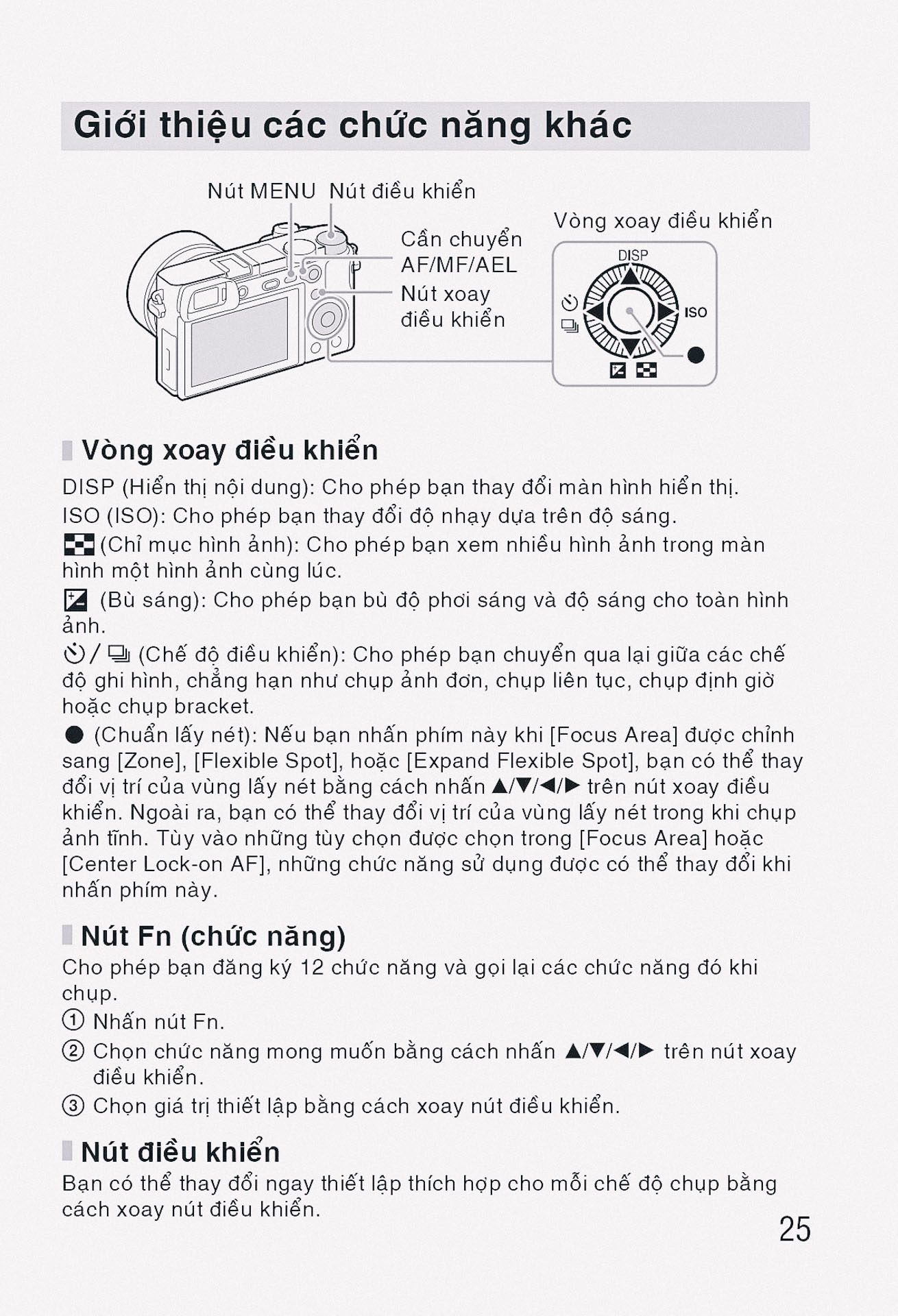
| Function Menu Set. / Thiết lập menu chức năng | Customizes the functions displayed when the Fn (Function) button is pressed. |
| Dial/Wheel Setup / Thiết lập đĩa/bánh xe | Sets the functions of the control dial and control wheel. |
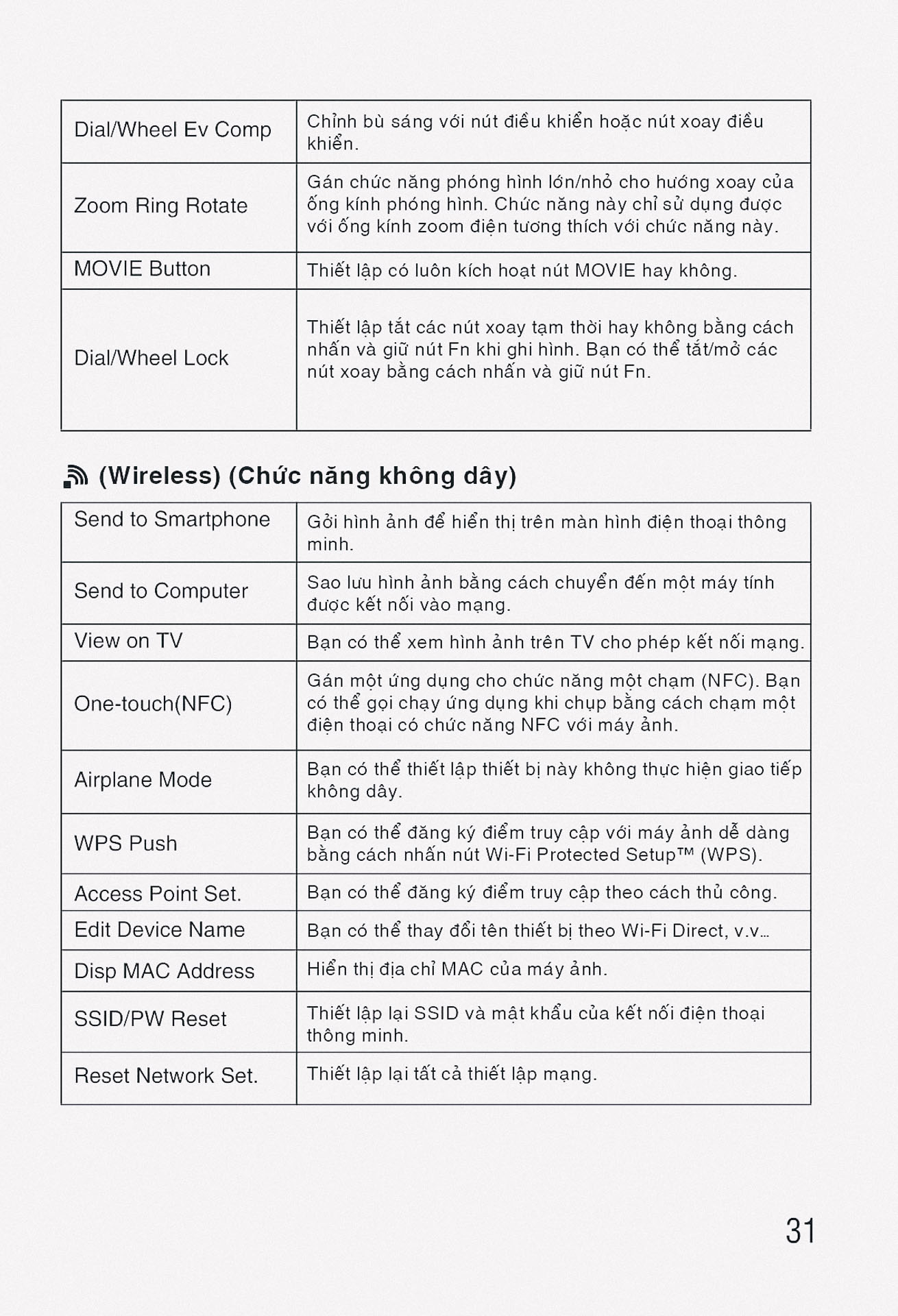
| Dial/Wheel Ev Comp / Bù phơi sáng bằng đĩa/bánh xe | Compensates for exposure using the control dial or control wheel (Off, Wheel, Dial). |
| MOVIE Button / Nút MOVIE | Enables or disables the MOVIE button (Always, Movie Mode Only). |
Custom Settings (2.4) như sau:
| Chức năng | Mô tả |
|---|---|
| Dial / Wheel Lock / Khóa đĩa / bánh xe | Sets whether to disable the dial and wheel temporarily by using the Fn button (Lock, Unlock). |
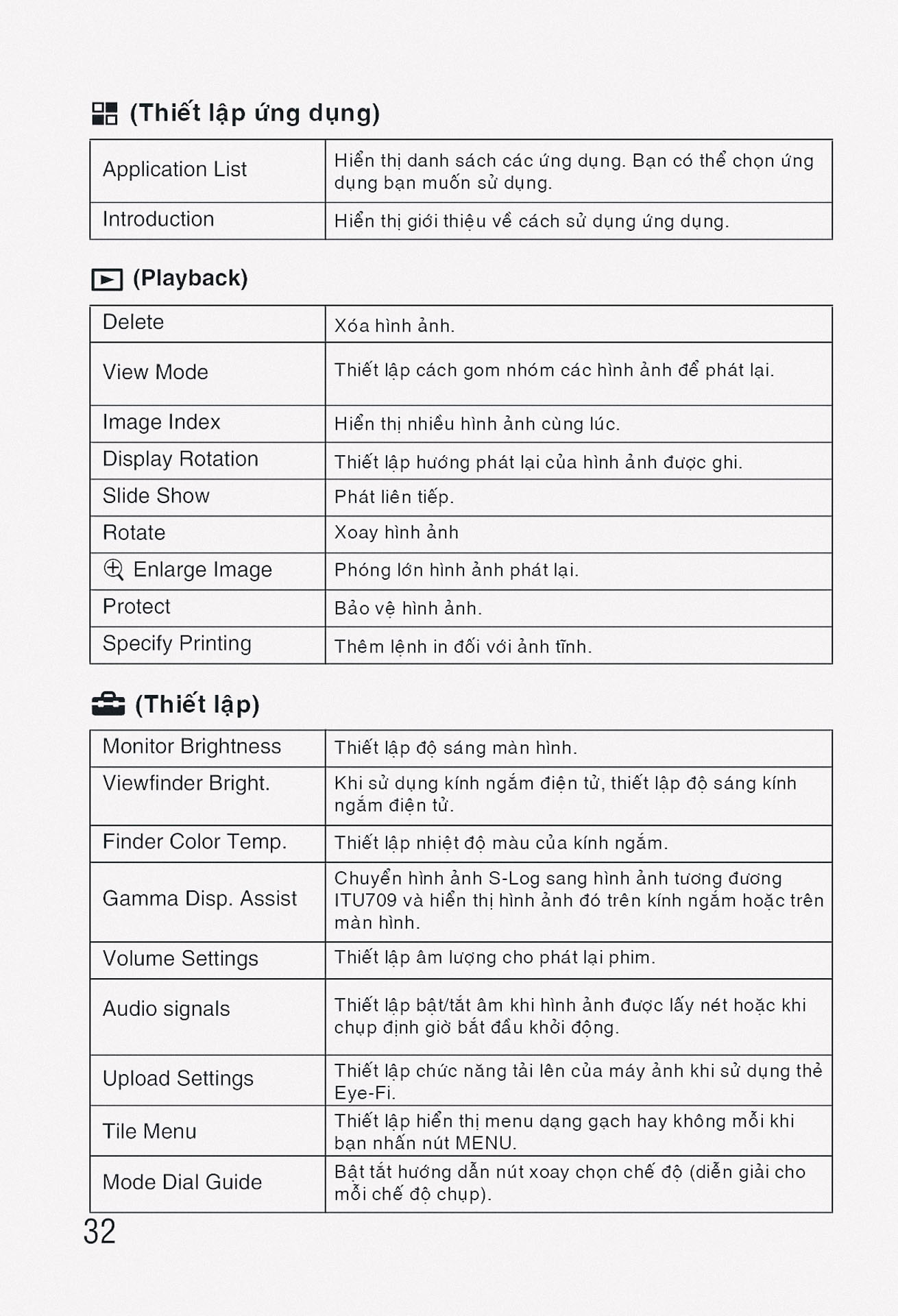
| Audio signals / Tín hiệu âm thanh | Selects whether to use beep sounds during auto focus or self-timer operations (On, Off). |
Menu phần Wireless
| Chức năng | Mô tả |
|---|---|
| Send to Smartphone / Gửi đến điện thoại thông minh | Transfers images to display on a smartphone. |
| Send to Computer / Gửi đến máy tính | Backs up images by transferring them to a computer connected to a network. |
| View on TV / Xem trên TV | Views images on a network-enabled TV. |
| One-touch(NFC) / Chạm một lần (NFC) | Assigns an application to One-touch (NFC). One-touch (NFC) is available when shooting or playing back. |
| Airplane Mode / Chế độ máy bay | Disables wireless connections on the device (On, Off). |
| WPS Push / WPS bấm | Registers the access point easily by pushing the WPS button. |
| Access Point Set. / Cài đặt điểm truy cập | Registers your access point manually. |
| Edit Device Name / Chỉnh sửa tên thiết bị | Changes the device name under Wi-Fi Direct. |
| Disp MAC Address / Hiển thị địa chỉ MAC | Displays the MAC address of the camera. |
| SSID/PW Reset / Đặt lại SSID/PW | Resets the SSID and password for smartphone connection. |
| Reset Network Set. / Đặt lại cài đặt mạng | Resets all network settings. |
Menu phần Applications
| Chức năng | Mô tả |
|---|---|
| Application List / Danh sách ứng dụng | Displays the application list and allows selection of the application to be used. |
| Introduction / Giới thiệu | Displays instructions on using applications. |
Menu phần Playback
Playback (5.1) như sau:
| Chức năng | Mô tả |
|---|---|
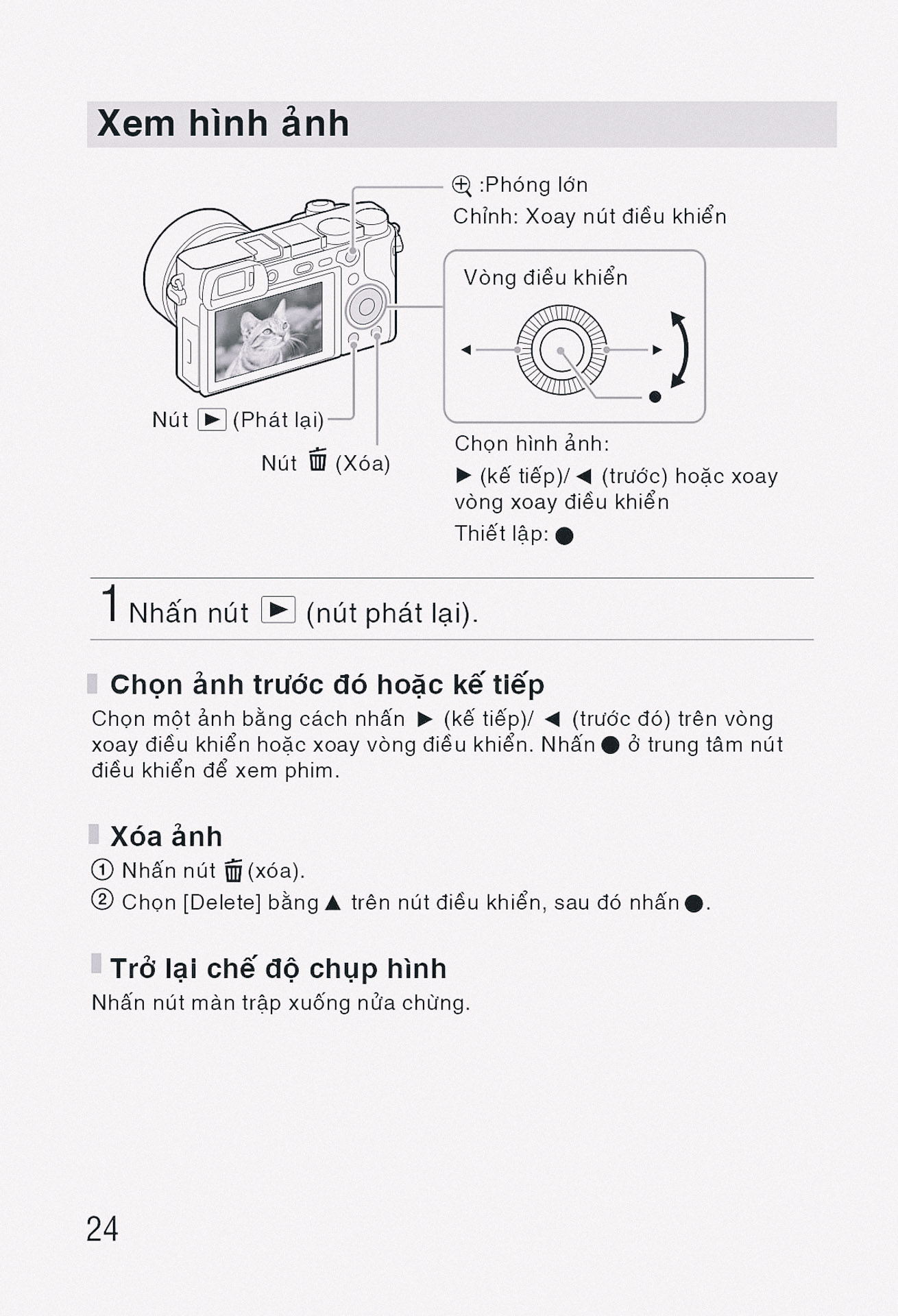
| Delete / Xóa | Deletes an image or multiple images. |
| View Mode / Chế độ xem | Sets the way images are grouped for playback (Date View, Folder View - Still, Folder View - MP4, AVCHD View, XAVC S HD View, XAVC S 4K View). |
| Image Index / Chỉ mục hình ảnh | Displays multiple images at the same time (9 Images, 25 Images). |
| Display Rotation / Xoay màn hình | Sets the playback orientation for portrait-orientation images (Auto, Manual, Off). |
| Slide Show / Trình chiếu | Shows a slide show (Repeat, Interval). |
| Rotate / Xoay | Rotates the image (clockwise). |
| Enlarge Image / Phóng to hình ảnh | Enlarges the playback images. |
| Enlarge Init. Mag. / Phóng to độ phóng đại ban đầu | Sets the initial magnification when enlarging an image during playback. |
| Enlarge Initial Pos. / Phóng to vị trí ban đầu | Sets the initial position when enlarging an image during playback. |
| Protect / Bảo vệ | Protects recorded images against accidental erasure. |
| Motion Interval ADJ / Điều chỉnh khoảng chuyển động | Adjusts the interval of tracking for subject motion. |
| Specify Printing / Chỉ định in | Adds a print order tag to still images (DPOF Setup, Date Imprint). |
Playback (5.2) như sau:
| Chức năng | Mô tả |
|---|---|
| Photo Capture / Chụp ảnh | Captures a chosen scene in a movie to save as a still image. |
| Display Contents / Hiển thị nội dung | Sets the display information shown during playback. |
Menu phần Setup
Setup (6.1) như sau:
| Chức năng | Mô tả |
|---|---|
| Monitor Brightness / Độ sáng màn hình | Sets the screen brightness (Manual, Sunny Weather). |
| Viewfinder Bright. / Độ sáng kính ngắm | Sets the brightness of the electronic viewfinder (Auto, Manual). |
| Finder Color Temp. / Nhiệt độ màu kính ngắm | Sets the color temperature of the viewfinder. |
| Gamma Disp. Assist / Hỗ trợ hiển thị Gamma | Allows for displaying with normal gamma when recording or playing back movies with S-Log gamma. |
| Volume Settings / Cài đặt âm lượng | Sets the volume for movie playback. |
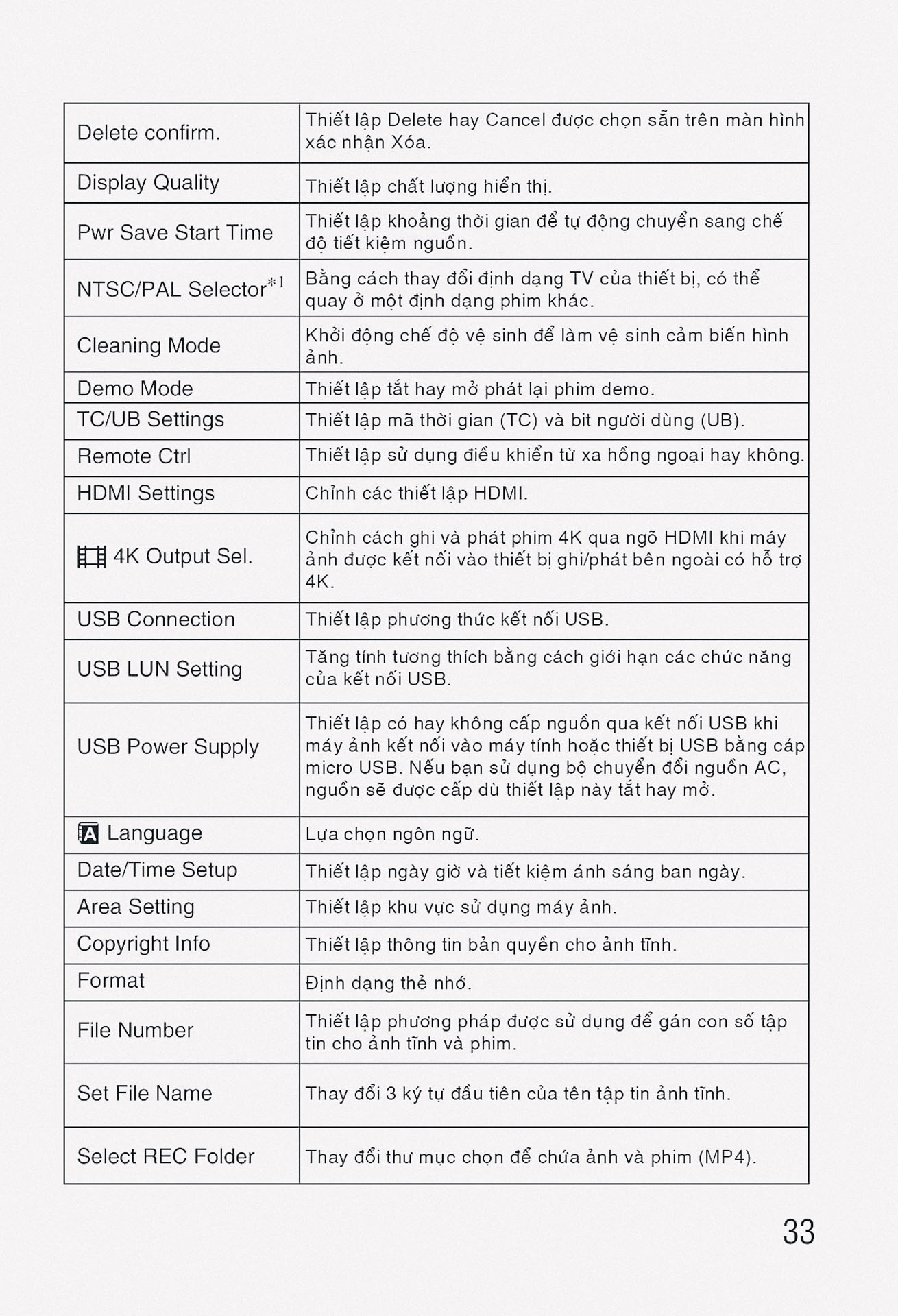
| Delete confirm. / Xác nhận xóa | Sets which is the default option, Delete or Cancel, on the delete confirmation screen. |
| Display Quality / Chất lượng hiển thị | Sets the display quality (High, Standard). |
| Pwr Save Start Time / Thời gian bắt đầu tiết kiệm pin | Sets the time intervals to automatically switch to power save mode (30 Min, 5 Min, 2 Min, 1 Min, 10 Sec). |
| Auto Pwr OFF Temp. / Nhiệt độ tự động tắt nguồn | Sets the camera temperature at which the camera turns off automatically during shooting (Standard, High). |
| NTSC/PAL Selector / Bộ chọn NTSC/PAL | Changes the TV format of the device. |
| Cleaning Mode / Chế độ làm sạch | Starts the cleaning mode to clean the image sensor. |
| Touch Operation / Thao tác cảm ứng | Sets whether to activate touch panel operations on the monitor (On, Off). |
Setup (6.2) như sau:
| Chức năng | Mô tả |
|---|---|
| Demo Mode / Chế độ Demo | Sets demonstration movie playback to on or off (On, Off). |
| TC/UB Settings / Cài đặt TC/UB | Sets the time code (TC) and user bit (UB) for movies. |
| Remote Ctrl / Điều khiển từ xa | Sets whether to use the infrared remote control (On, Off). |
| HDMI Settings / Cài đặt HDMI | Sets the HDMI settings (HDMI Resolution, 24p/60p Output, HDMI Info. Display, TC Output, REC Control, CTRL FOR HDMI). |
| 4K Output Sel. / Lựa chọn đầu ra 4K | Sets how to record and output 4K movies. |
| USB Connection / Kết nối USB | Sets the USB connection method (Auto, Mass Storage, MTP, PC Remote). |
| USB LUN Setting / Cài đặt USB LUN | Enhances compatibility by limiting the functions of the USB connection (Multi, Single). |
| USB Power Supply / Nguồn cấp USB | Sets whether to supply power via the USB connection (On, Off). |
| PC Remote Settings / Cài đặt điều khiển từ xa PC | Controls the shooting settings of the connected computer (Still Img. Save Dest., RAW+J PC Save Img). |
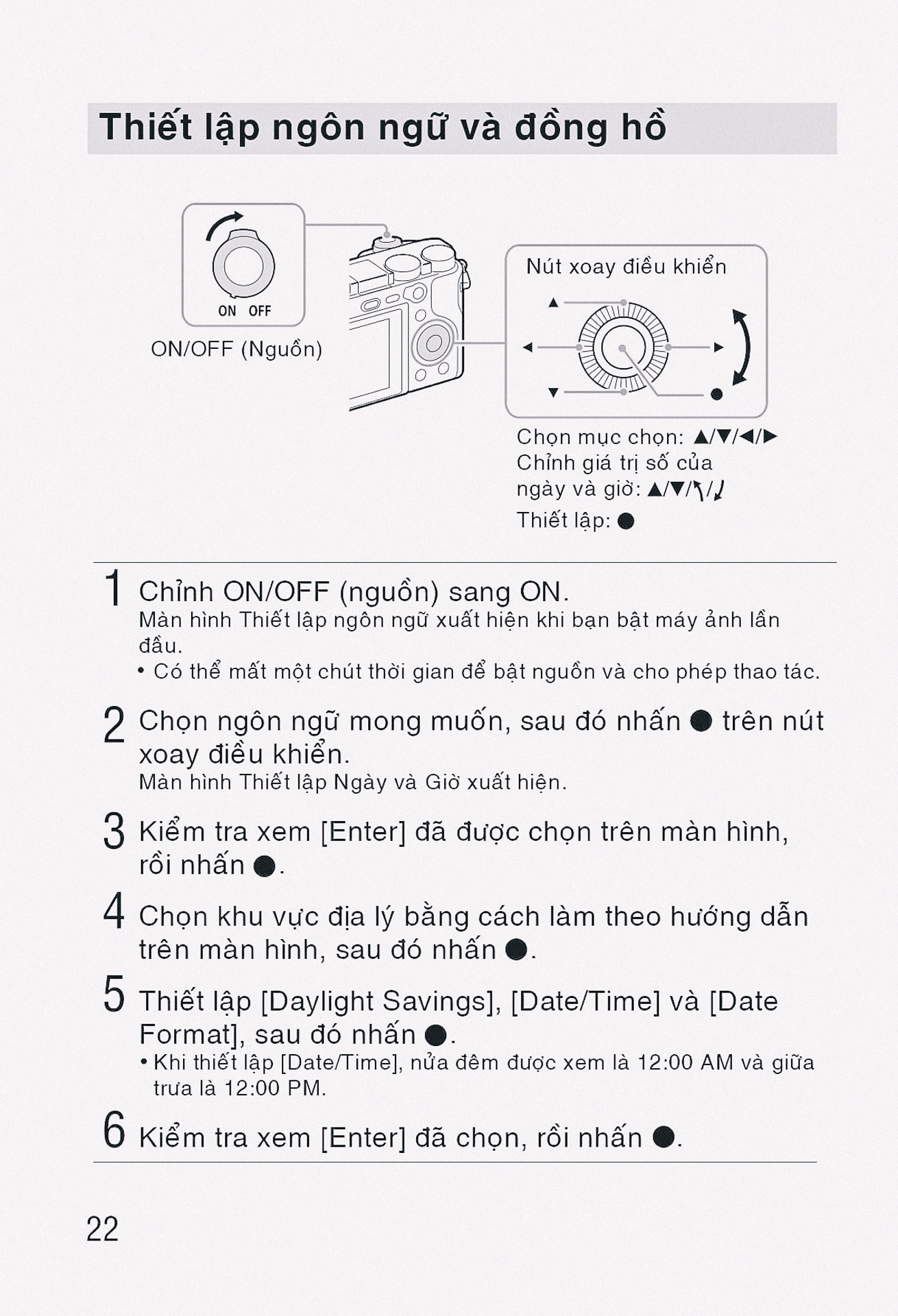
| Language / Ngôn ngữ | Selects the language to be used in the menu items, warnings, and messages. |
| Date/Time Setup / Cài đặt ngày/giờ | Sets the date, time, and daylight savings. |
| Area Setting / Cài đặt khu vực | Sets the location of use. |
Setup (6.3) như sau:
| Chức năng | Mô tả |
|---|---|
| Copyright Info / Thông tin bản quyền | Sets copyright information for still images (Write Copyright Info, Set Photographer, Set Copyright, Disp. Copyright Info). |
| Format / Định dạng | Formats the memory card. |
| File Number / Số tệp | Sets the method used to assign file numbers to still images and movies (Series, Reset). |
| Set File Name / Đặt tên tệp | Changes the first 3 characters of the file name for still images (DSC, customizable). |
| Select REC Folder / Chọn thư mục REC | Changes the folder for storing still images and movies (MP4). |
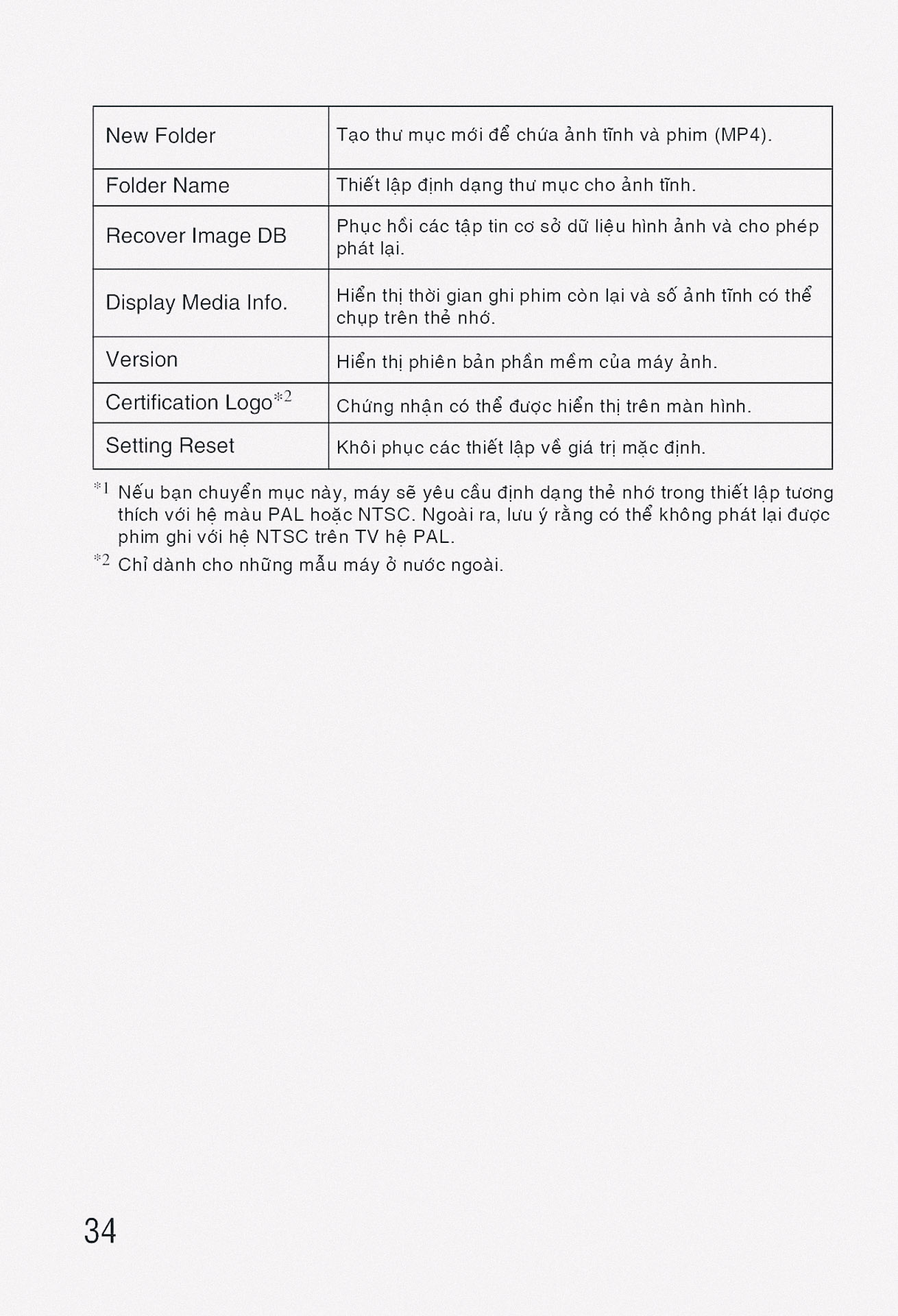
| New Folder / Thư mục mới | Creates a new folder for storing still images and movies (MP4). |
| Folder Name / Tên thư mục | Sets the folder format for still images (Standard Form, Date Form). |
| Recover Image DB / Khôi phục cơ sở dữ liệu hình ảnh | Recovers the image database file and enables recording and playback. |
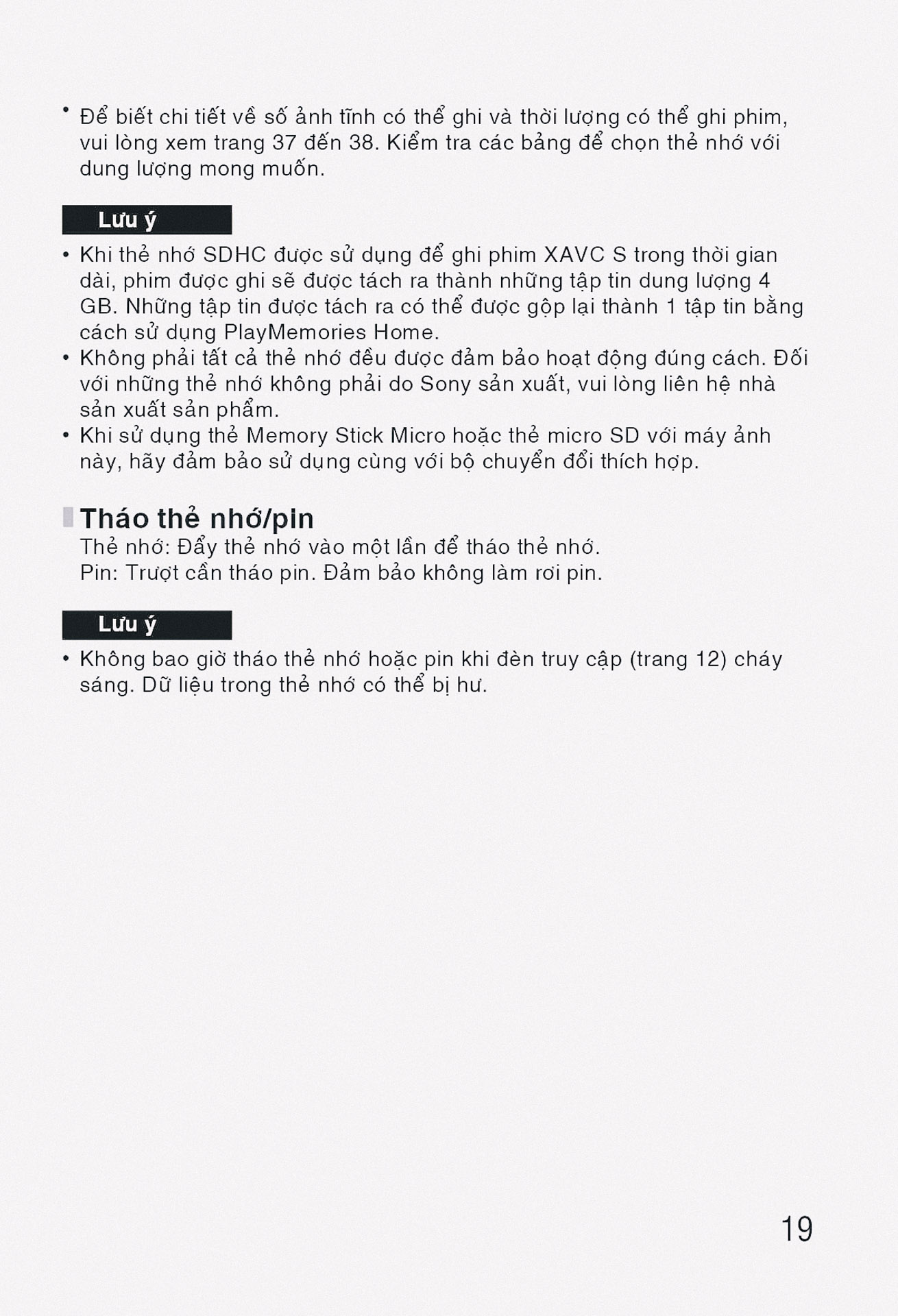
| Display Media Info. / Hiển thị thông tin phương tiện | Displays the recordable time of movies and the number of recordable still images on the memory card. |
| Version / Phiên bản | Displays the camera software version. |
| Setting Reset / Đặt lại cài đặt | Restores the product to default settings or initializes the product completely. |
Hướng dẫn sử dụng Sony A6000